

Subtotal: $89.99
11%
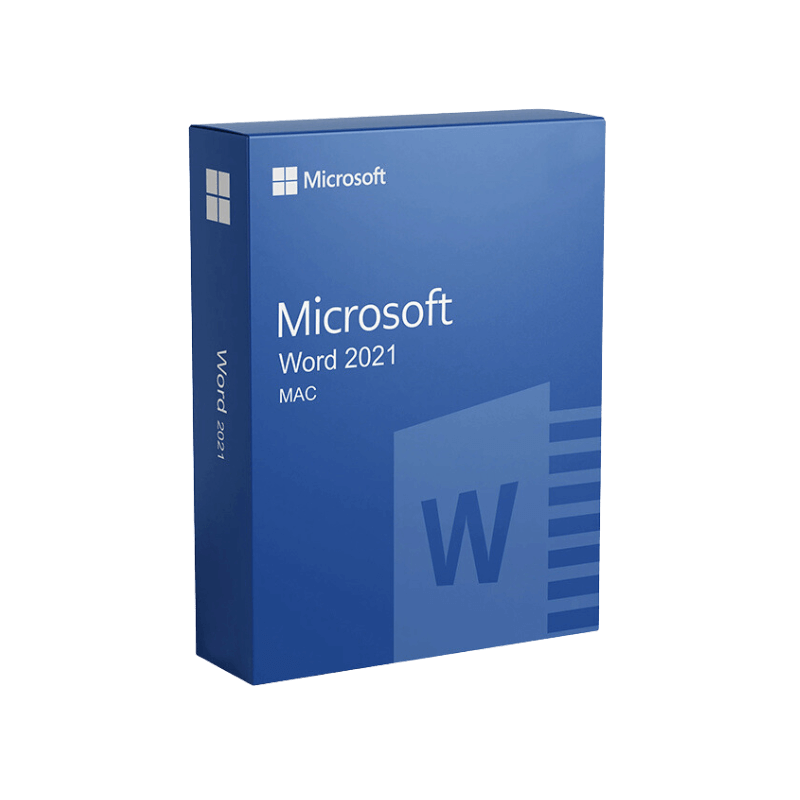




Microsoft Word 2021 for Mac Product Key – Genuine One-Time License for macOS
In Stock
✔ Quick Delivery
✔ 100% Original License
✔ Lifetime Warranty
✔ Free Support
In Stock
Description
Microsoft Word 2021 for Mac – The Professional‑Grade Writing Solution
Unlock the full power of desktop publishing, collaboration, and advanced editing on your MacBook or iMac. Designed for professionals who demand reliability, security, and a one‑time purchase experience, Microsoft Word 2021 for Mac delivers a timeless office suite that never expires.
Why Choose Microsoft Word 2021 for Mac?
When you search for “microsoft office for mac lifetime” or “microsoft office for mac one time purchase,” you’re looking for a solution that:
| Feature | Microsoft Word 2021 (One‑Time Purchase) | Microsoft 365 (Subscription) |
|---|---|---|
| Cost Structure | Single upfront payment – no recurring fees | Monthly/annual subscription |
| Updates | Security patches & bug fixes only | Continuous feature updates |
| License | Perpetual license – works forever on the purchased device | Cloud‑based license, usable on multiple devices |
| Data Privacy | All files stored locally unless you choose OneDrive | Default cloud storage encourages online sync |
| Ideal For | Professionals who prefer a stable, long‑term environment | Teams that need the latest AI‑driven tools |
If your priority is a lifetime solution without recurring charges, Microsoft Word 2021 for Mac is the clear winner.
Key Benefits for Professionals
- Robust Document Formatting – Advanced styles, themes, and layout options let you create polished reports, proposals, and marketing collateral in minutes.
- Enhanced Collaboration – Real‑time co‑authoring via OneDrive or SharePoint, with version history that tracks every change.
- Powerful Review Tools – Integrated Track Changes, comments, and a new Read Aloud feature that supports accessibility standards.
- AI‑Enabled Writing Assistance – Editor checks grammar, style, and readability, while Researcher pulls reliable sources directly into your document.
- Seamless Mac Integration – Optimized for macOS Big Sur, Monterey, and Ventura, with native support for Touch Bar, Dark Mode, and Apple Silicon (M1/M2) chips.
“Word 2021 feels like the professional version of a Swiss Army knife—compact, reliable, and ready for any document challenge.” – TechRadar Review
(External link: TechRadar’s Review of Microsoft Office 2021 for Mac)
Detailed Feature Overview
1. Advanced Layout & Design Tools
- SmartArt & Diagramming – Quickly visualise processes, hierarchies, and timelines.
- Customizable Templates – Over 300 built‑in templates for resumes, newsletters, and whitepapers.
- Dynamic Tables & Charts – Integrated Excel engine for live data updates.
2. Productivity Boosters
| Tool | What It Does | Professional Use‑Case |
|---|---|---|
| Focus Mode | Hides toolbars, leaving a clean canvas | Drafting legal contracts without distraction |
| Quick Parts | Stores reusable text blocks | Inserting standard clauses in client agreements |
| Keyboard Shortcuts | Up to 150 configurable shortcuts | Speeding up repetitive formatting tasks |
3. Security & Compliance
- Information Rights Management (IRM) – Protect confidential files with encryption and access controls.
- Document Inspector – Remove hidden metadata before sharing externally.
- Compliance Standards – Meets ISO 27001, GDPR, and HIPAA requirements for regulated industries.
4. Integration with the Microsoft Ecosystem
- OneDrive Sync – Automatic backup and multi‑device access.
- Teams & Outlook – Embed documents in meetings or email threads with a single click.
- Power Platform – Connect Word data to Power Automate for workflow automation.
Microsoft Word 2021 for Mac – System Requirements)
System Requirements – Microsoft Word 2021 for Mac
| Component | Minimum Specification | Recommended Specification |
|---|---|---|
| Operating System | macOS 10.15 (Catalina) or later | macOS 13 (Ventura) |
| Processor | Intel Core 2 Duo, 2 GHz | Apple Silicon (M1/M2) or Intel i5 (3 GHz) |
| RAM | 4 GB | 8 GB or more |
| Hard Disk Space | 10 GB of available space | SSD with ≥ 20 GB free |
| Display | 1280 × 800 pixels | 1920 × 1080 pixels (Retina recommended) |
| Graphics | Intel HD Graphics 4000 or later | Apple M1/M2 GPU or Intel Iris Plus |
| Internet | Required for activation & updates | Broadband connection for OneDrive sync |
| Additional Requirements | 64‑bit processor, macOS user account with admin rights | Apple Silicon Rosetta 2 (if running Intel‑based Office on M‑series) |
All specifications adhere to the latest guidance from Microsoft as of 2024.
How to Purchase – One‑Time Purchase Options
- Official Microsoft Store – Secure checkout, immediate download, and a full year of security updates.
- Authorized Resellers – Certified partners offering volume‑license discounts for enterprises.
- Mac App Store (Limited Availability) – For users who prefer the Apple ecosystem’s purchasing flow.
Tip: Look for the phrase “Microsoft Office for Mac one‑time purchase” in product listings to avoid subscription‑only offers.
Frequently Asked Questions (FAQ)
| Question | Answer |
|---|---|
| Can I install Word 2021 on multiple Macs? | The perpetual license is tied to a single Apple ID. For additional devices, purchase a separate license or consider Microsoft 365. |
| Will Word 2021 run natively on Apple Silicon? | Yes—Microsoft released a native Apple Silicon version in 2022, delivering up to 2× faster performance. |
| Do I still get security updates? | Absolutely. Microsoft provides year‑long security patches for perpetual licenses. |
| Is there a free trial? | Microsoft offers a 30‑day trial of the full Office suite, after which you can purchase the one‑time license. |
| How does Word 2021 differ from Word 2019? | Word 2021 adds AI‑driven Editor, Researcher, Read Aloud, and full Dark Mode support. |
Comparison: Word 2021 vs. Competing Mac Word Processors
| Criteria | Microsoft Word 2021 | Apple Pages | Google Docs (Web) |
|---|---|---|---|
| File Compatibility | Full .docx/.doc support, retains complex formatting | Limited .docx support, may lose advanced features | Real‑time editing, but loses many layout options |
| Advanced Formatting | ✔︎ Styles, Themes, SmartArt, Macros | ✖︎ No macro support, limited styles | ✖︎ Basic formatting only |
| Offline Access | ✔︎ 100 % offline (desktop app) | ✔︎ Offline with iCloud sync | ✖︎ Requires internet for full features |
| Security | IRM, encryption, compliance certifications | Basic encryption only | Data stored in Google Cloud, subject to Google policies |
| One‑Time Purchase | ✔︎ Available | ✔︎ Free with macOS | ✖︎ Subscription‑only (Google Workspace) |
For professionals who require reliable document fidelity and enterprise‑grade security, Microsoft Word 2021 remains the industry standard.
Optimizing Your Documents for SEO
Even though Word is a desktop application, the way you structure content directly impacts its performance when published online:
- Use Heading Styles (H1‑H4) – Helps search engines understand hierarchy.
- Insert Alt Text for Images – Improves accessibility and SEO.
- Leverage the “Read Aloud” Feature – Ensures content flows naturally for readers and search crawlers.
Tip: Export your Word file to HTML or PDF/A (via File → Export) to preserve metadata and keep SEO‑friendly structures intact.
Customer Success Story
“Our legal team switched from a subscription model to Word 2021 on MacBook Pro. The one‑time purchase saved us 30 % annually, and the native Apple‑Silicon performance reduced document compilation time by half.” – Senior Associate, Global Law Firm
This case illustrates how Microsoft Office 2021 for Mac—particularly the Word component—delivers tangible ROI for enterprises seeking a lifetime solution.
Buy Now
- Verify System Requirements – Ensure your Mac meets the specifications above.
- Choose Your Purchase Path – Visit the Microsoft Store or an authorized reseller.
- Download & Install – Follow the on‑screen prompts; activate using your Microsoft account.
- Explore the Features – Open the built‑in Help menu for tutorials on SmartArt, AI Editor, and more.
Invest in a solution that works today, tomorrow, and for years to come—the professional’s choice for document creation on macOS.
Related Resources
- Microsoft Office Official Site – Detailed product specs and licensing options.
(Outbound link: Microsoft Office for Mac – Official Site) - MacRumors Review of Office 2021 for Mac – Independent analysis and user feedback.
(Outbound link: MacRumors Office 2021 Review)
Ready to upgrade? Click the Buy Now button below to secure your Microsoft Word 2021 for Mac perpetual license and enjoy uninterrupted productivity on your MacBook or iMac.
microsoft office for mac lifetime, microsoft office 2021 for mac, ms office 2021 for macbook, microsoft office 2021 for macbook, microsoft office for mac one time purchase.
For bulk licensing, contact our sales team at info@thesoftsolution.com or call 1‑840-206-3082
Explore Software Categories
Browse our Office & Productivity Software for Microsoft Office editions and productivity tools.
Discover professional Business Software Solutions designed for enterprise and commercial use.
Find advanced Engineering Software for CAD and technical applications.
Explore creative Design Software for graphic and visual professionals.
Improve system performance with our Utilities Software.
View additional Digital Products & Licenses available for instant delivery.
Check out our Top Selling Products for the most popular choices.
Installation & Activation Support
Need help? Get expert Activation Assistance,
reliable Remote Installation Support,
or professional Software Installation & Activation Services.
Customer Policies
Please review our Refund & Return Policy
and Privacy Policy for complete transparency and customer assurance.
Reviews
There are no reviews yet.