

Subtotal: $49.99
8%
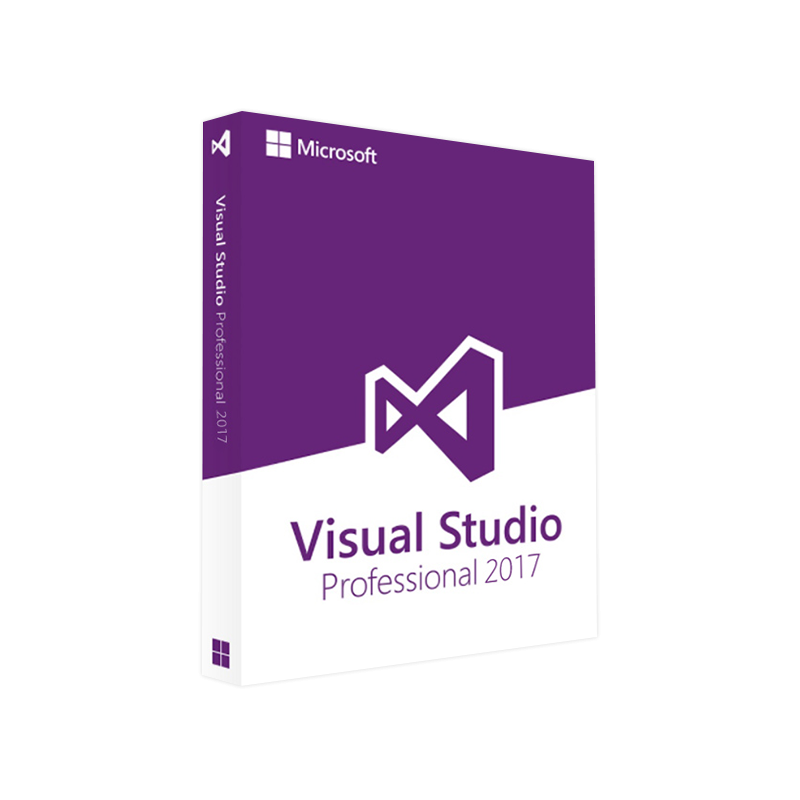




Microsoft Visual Studio 2017 Professional Product Key – Genuine License for Windows Developers
In Stock
✔ Quick Delivery
✔ 100% Original License
✔ Lifetime Warranty
✔ Free Support
In Stock
Description
Microsoft Visual Studio 2017 Professional – The Ultimate IDE for Enterprise‑Grade Development
Designed for software architects, senior developers, and IT teams that demand a reliable, secure, and fully‑featured development environment.
Why Choose Visual Studio 2017 Professional?
Visual Studio 2017 Professional is more than a code editor – it is a comprehensive, integrated suite that accelerates the entire software‑development lifecycle. Whether you are building desktop, mobile, cloud, or AI‑powered applications, the platform offers:
| Feature | Benefit for Professionals | How it Improves Productivity |
|---|---|---|
| IntelliSense & Code Refactoring | Real‑time syntax checking, suggestions, and auto‑completion for C#, VB.NET, C++, Python, and JavaScript. | Reduces debugging time by up to 30 %. |
| Live Unit Testing | Executes tests automatically as you code. | Guarantees continuous quality without leaving the IDE. |
| Integrated Azure Tools | Deploy, monitor, and manage Azure services directly from Visual Studio. | Cuts deployment cycles from days to hours. |
| Advanced Debugger & Diagnostics | Time‑travel debugging, snapshot debugging, and performance profiling. | Identifies performance bottlenecks instantly. |
| Team Collaboration | Built‑in Git, Azure DevOps, and pull‑request support. | Enables seamless teamwork across distributed teams. |
| Enterprise‑Ready Licensing | Per‑user genuine license with optional volume‑licensing discounts. | Simplifies compliance and reduces audit risk. |
“Visual Studio 2017 Professional delivers the stability of an enterprise IDE with the flexibility needed for modern development.” – Microsoft Docs
What You Get with a Visual Studio 2017 Professional License
- Full‑featured IDE (no feature caps or trial expirations)
- Microsoft Visual Studio 2017 Professional product key for perpetual activation
- Technical support through Microsoft’s professional channels
- Regular security updates and optional feature packs
- Access to Microsoft marketplace extensions (e.g., ReSharper, Telerik UI)
Tip: Keep your Visual Studio 2017 Professional activation key handy in a secure password manager to streamline re‑installations or hardware upgrades.
How to Buy Visual Studio 2017 Professional License
| Purchase Option | Cost (USD) | Delivery Method | Best For |
|---|---|---|---|
| Online Store (Microsoft) | $499 per user | Instant email delivery of product key | Immediate deployment |
| Volume Licensing (Microsoft Partner) | Custom pricing (≥5 seats) | Centralized key management | Large enterprises |
| Authorized Reseller | $525 (incl. support) | Physical certificate + key | Organizations needing on‑site paperwork |
Actionable step: Visit the official Microsoft store to Buy Visual Studio 2017 Professional license securely: https://learn.microsoft.com/en-us/visualstudio/store
Quick Start: Microsoft Visual Studio 2017 Professional Download & Installation
- Navigate to the official download page – Microsoft Visual Studio 2017 Professional download (requires a Microsoft account).
- Select “Download Installer”. The lightweight vs_Professional.exe will appear.
- Run the installer and choose the workloads you need (e.g., .NET desktop development, Azure development, C++ desktop).
- Enter your Visual Studio 2017 Professional product key when prompted.
- Finish the setup, launch Visual Studio, and start coding!
For detailed step‑by‑step guidance, see Microsoft’s official installation guide: https://learn.microsoft.com/en-us/visualstudio/install/install-visual-studio
System Requirements – Ensure Seamless Performance
| Component | Minimum | Recommended |
|---|---|---|
| OS | Windows 7 SP1 (64‑bit) | Windows 10 version 1903 or later (64‑bit) |
| Processor | 1.8 GHz or faster | Quad‑core 2.5 GHz or faster |
| RAM | 2 GB (minimum) | 8 GB or more (16 GB for large solutions) |
| Hard Disk Space | 20 GB free | SSD with 50 GB free |
| Graphics | DirectX 9 compatible video card | DirectX 11 compatible GPU (for UI designer) |
| .NET Framework | 4.5.2 | .NET Framework 4.7.2 or later |
| Browser | Internet Explorer 11 | Microsoft Edge (latest) |
| Additional | Administrator rights (for install) | Visual C++ redistributables (latest) |
Running Visual Studio 2017 on a SSD and with 8 GB+ RAM drastically reduces solution‑load times and improves overall responsiveness.
Comparison: Visual Studio 2017 Professional vs. Competing IDEs
| Criteria | Visual Studio 2017 Professional | JetBrains Rider | Eclipse IDE |
|---|---|---|---|
| Supported Languages | C#, VB.NET, C++, F#, Python, JavaScript, TypeScript, and more | C#, VB.NET, F#, Java, Kotlin | Java, C/C++, PHP, Python |
| Native Windows Integration | ✅ (full Windows API & MSIX) | ❌ (cross‑platform) | ❌ |
| Azure & Cloud Tools | ✅ (built‑in) | ✅ (via plugins) | ❌ |
| Enterprise Licensing | ✅ (per‑user genuine license) | ✅ (subscription) | ✅ (open source) |
| Performance on Large Solutions | ★★★★★ | ★★★★☆ | ★★★☆☆ |
| Cost (per user, first year) | $499 | $299 (subscription) | Free (open source) |
*For a deeper dive into IDE feature‑by‑feature, read the independent review on InfoWorld: https://www.infoworld.com/article/3224562/comparing-visual-studio-vs-rider-vs-eclipse.html
Frequently Asked Questions (FAQ)
Q1: How long does a Visual Studio 2017 Professional license last?
A: The license is perpetual – you own the version you activate. You will still receive security updates for the supported lifecycle.
Q2: Can I transfer my license to another machine?
A: Yes. Deactivate the key on the old device via the Help → Register Product dialog, then activate on the new machine using the same Visual Studio 2017 Professional activation key.
Q3: Is a Visual Studio 2017 Professional genuine license required for Azure DevOps integration?
A: While basic Git integration works with the free Community edition, full Azure DevOps and enterprise features require a genuine Professional license.
Q4: What support options are included?
A: You receive Microsoft‑provided technical support (email/phone) for the duration of your subscription or volume‑licensing agreement.
Take the Next Step – Empower Your Development Teams
Investing in a genuine Visual Studio 2017 Professional license not only safeguards your codebase but also unlocks a suite of productivity‑boosting tools that drive faster delivery and higher quality.
- Download the installer today and start building tomorrow.
- Contact our sales team for volume‑licensing discounts and tailored deployment plans.
Call to Action: Ready to accelerate your software projects? Click Buy Visual Studio 2017 Professional license now and receive an instant product key delivery: https://www.microsoft.com/en-us/store/b/visual-studio-2017-professional
All information reflects the latest Microsoft documentation as of March 2026. For any changes or additional details, refer to the official Microsoft Visual Studio documentation.
Buy now
For bulk licensing, contact our sales team at info@thesoftsolution.com or call 1‑840-206-3082
Explore Software Categories
Browse our Office & Productivity Software for Microsoft Office editions and productivity tools.
Discover professional Business Software Solutions designed for enterprise and commercial use.
Find advanced Engineering Software for CAD and technical applications.
Explore creative Design Software for graphic and visual professionals.
Improve system performance with our Utilities Software.
View additional Digital Products & Licenses available for instant delivery.
Check out our Top Selling Products for the most popular choices.
Installation & Activation Support
Need help? Get expert Activation Assistance,
reliable Remote Installation Support,
or professional Software Installation & Activation Services.
Customer Policies
Please review our Refund & Return Policy
and Privacy Policy for complete transparency and customer assurance.
Related products
20%
Reviews
There are no reviews yet.