


Subtotal: $2,968.98



✔ Quick Delivery
✔ 100% Original License
✔ Lifetime Warranty
✔ Free Support
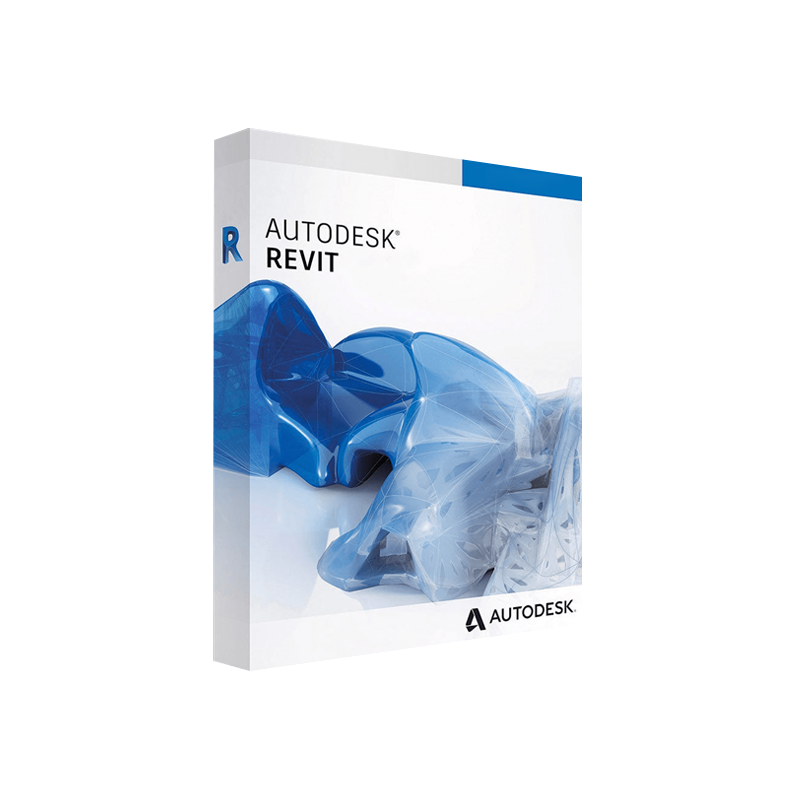
Autodesk Revit for Windows – Complete Product Overview, Licensing & System Requirements
Autodesk Revit for Windows is the industry‑leading Building Information Modeling (BIM) platform used by architects, engineers, contractors, and interior designers worldwide. With a single, intelligent model, Revit unifies design, analysis, documentation, and construction coordination—helping professionals deliver higher‑quality projects faster and more cost‑effectively.
Key takeaway: Whether you need to Buy Autodesk Revit for Windows as a perpetual license, a subscription, or a trial, this page gives you everything you need to make an informed decision—right down to the Autodesk Revit product key, activation key, and full version download process.
| Feature | Benefit for Professionals | Impact on Project Delivery |
|---|---|---|
| Parametric 3D Modeling | Changes ripple through the entire model automatically. | Reduces re‑work and eliminates inconsistencies. |
| Multidisciplinary Collaboration | Architects, structural, MEP teams work in a shared environment. | Faster clash detection & fewer site‑issues. |
| Built‑in Analysis Tools | Energy, structural, and daylighting simulations are native. | Early performance insights → better design decisions. |
| Extensive Library & Content | Pre‑configured families, materials, and templates. | Cuts modeling time up to 30 % on average. |
| Cloud‑Enabled BIM 360 Integration | Real‑time project sharing & version control. | Keeps stakeholders aligned, no “last‑minute surprise”. |
All these capabilities are available with the Autodesk Revit full version download from an authorized source.
| License Type | Duration | What You Get | Typical Use‑Case |
|---|---|---|---|
| Subscription – Annual | 12 months (renewable) | Full feature set, updates, 24/7 support, cloud services. | Companies that need predictable OPEX. |
| Subscription – Monthly | 1 month (renewable) | Same as annual, billed monthly. | Short‑term projects or pilot studies. |
| Perpetual License (Legacy) | One‑time purchase | Permanent access to the version you bought (no future upgrades). | Organizations with strict IT policies. |
| Student/Educator License | Free, 1 year (renewable) | Full functionality, limited to non‑commercial use. | Academic institutions & learners. |
How to Purchase:
- Visit the official Autodesk Store or an authorized reseller.
- Select Buy Autodesk Revit for Windows → Choose license type.
- Complete checkout – you’ll receive an Autodesk Revit product key and activation key via email.
For a detailed walkthrough, see Autodesk’s official licensing guide (Autodesk Help Center).
Steps to Activate:
Tip: Keep both keys in a secure, backed‑up location (e.g., encrypted password manager).
| Component | Minimum | Recommended |
|---|---|---|
| Operating System | Windows 10 (64‑bit) 1809 or later | Windows 11 (64‑bit) |
| CPU | 2.5 GHz dual‑core | 3.0 GHz quad‑core or higher (Intel i5/i7, AMD Ryzen 5/7) |
| RAM | 8 GB | 16 GB – 32 GB |
| Graphics Card | DirectX 11 compatible, 1 GB VRAM | DirectX 12, 4 GB – 8 GB VRAM (NVIDIA RTX series, AMD RX series) |
| Disk Space | 30 GB free SSD space | 64 GB SSD (NVMe preferred) |
| Display | 1366 × 768 resolution | 1920 × 1080 or higher (4K supported) |
| Network | Broadband internet (for activation & updates) | 1 Gbps Ethernet or Wi‑Fi 6 |
| Additional Software | .NET Framework 4.8, Microsoft Visual C++ Redistributable | Autodesk Desktop Connector (optional for BIM 360) |
Performance Note: Revit’s real‑time rendering and large‑model handling benefit dramatically from higher RAM and a dedicated GPU. For enterprise‑grade projects, the recommended spec is the safest baseline.
For the most up‑to‑date hardware guidance, consult the official Autodesk specifications (Autodesk System Requirements).
| Step | Action | Result |
|---|---|---|
| 1 | Log in to your Autodesk Account. | Access to the Products & Services page. |
| 2 | Locate Revit → Choose Windows → Click Download. | The installer (Setup.exe) begins. |
| 3 | Run the installer → Choose Custom or Typical install. | Files are copied to your system drive. |
| 4 | When prompted, enter your product key. | Validation request sent to Autodesk. |
| 5 | After online verification, the activation key is received. | Revit activates and launches. |
| 6 | Optional: Install Autodesk Desktop Connector for BIM 360 sync. | Seamless cloud collaboration. |
If you encounter activation issues, Autodesk’s support portal offers a step‑by‑step troubleshooting guide (Autodesk Support).
| Feature | Autodesk Revit | Archicad (Graphisoft) | Bentley OpenBuildings Designer |
|---|---|---|---|
| Parametric Modeling | ✔︎ (native) | ✔︎ (GDL) | ✔︎ (Parametric Components) |
| Multi‑discipline Collaboration | BIM 360 Cloud (real‑time) | BIMcloud (add‑on) | ProjectWise (integration required) |
| Energy Analysis | Integrated Insight & Dynamo | Requires add‑on | Integrated analysis module |
| Family Creation | Comprehensive family editor | GDL scripting | OpenBuildings library |
| Industry Adoption | 75 % of AEC firms (global) | 20 % (Europe‑centric) | 10 % (infrastructure) |
| Learning Curve | Moderate – extensive tutorials | Steeper – GDL language | Moderate – strong engineering focus |
| Pricing (annual) | $2,545 (subscription) | $3,200 (subscription) | $2,800 (subscription) |
Result: For firms seeking a balanced blend of design flexibility, collaboration, and cost‑effectiveness, Autodesk Revit for Windows remains the clear leader.
| Question | Answer |
|---|---|
| Can I try Revit before buying? | Yes—Autodesk offers a 30‑day free trial with full functionality. |
| What is the difference between a product key and an activation key? | The product key identifies your purchase; the activation key ties the software to a specific device after online verification. |
| Is a Windows 10 Pro license required? | No—Revit runs on any 64‑bit Windows 10/11 edition, but professional users often prefer Pro for advanced networking features. |
| Do I need an internet connection after activation? | An initial internet connection is required for activation and periodic license checks (for subscription). Offline use is possible for up to 30 days before re‑validation. |
| Can I transfer my license to a new workstation? | Yes—deactivate on the old machine through the Autodesk Account portal, then reactivate on the new one using the same product key. |
Buy Autodesk Revit for Windows today and unlock the full power of intelligent, data‑driven building design.
Click Below to Purchase or Request a Quote:
Meta Description (SEO):
Purchase Autodesk Revit for Windows – detailed product description, licensing options, system requirements, and activation guide. Learn how to Buy Autodesk Revit for Windows, obtain your Autodesk Revit product key, and download the full version safely.
All information is current as of March 2026. For the latest updates, always refer to Autodesk’s official site.
Browse our Office & Productivity Software for Microsoft Office editions and productivity tools.
Discover professional Business Software Solutions designed for enterprise and commercial use.
Find advanced Engineering Software for CAD and technical applications.
Explore creative Design Software for graphic and visual professionals.
Improve system performance with our Utilities Software.
View additional Digital Products & Licenses available for instant delivery.
Check out our Top Selling Products for the most popular choices.
Need help? Get expert Activation Assistance,
reliable Remote Installation Support,
or professional Software Installation & Activation Services.
Please review our Refund & Return Policy
and Privacy Policy for complete transparency and customer assurance.
Reviews
There are no reviews yet.