
No products in the cart.
2%
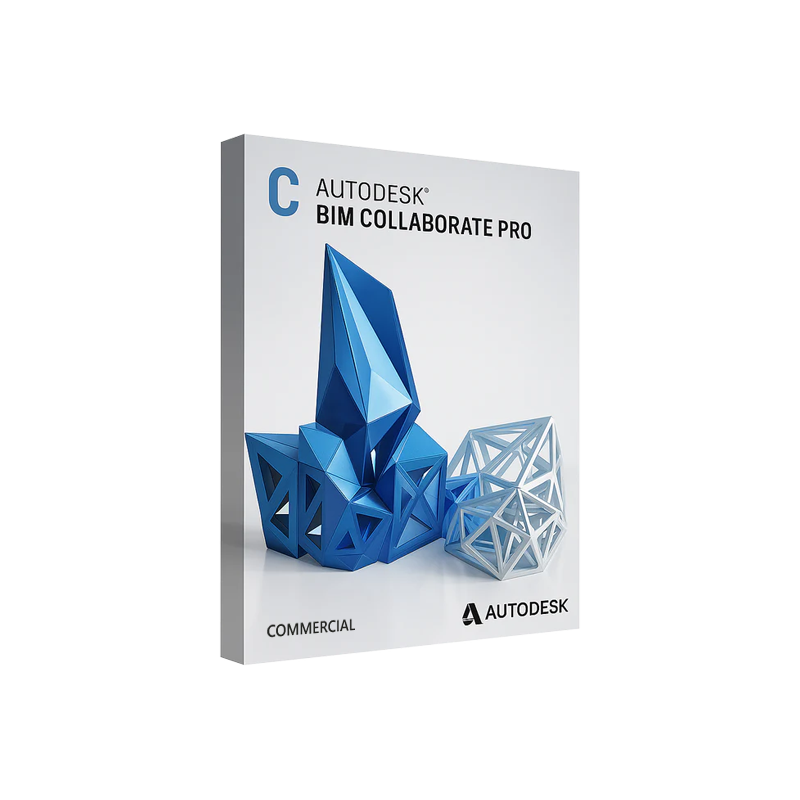



Autodesk BIM Collaborate Pro Commercial License Key | Digital Delivery
In Stock
✔ Quick Delivery
✔ 100% Original License
✔ Lifetime Warranty
✔ Free Support
In Stock
Description
Autodesk BIM Collaborate Pro Commercial – The Ultimate Cloud‑Based Coordination Platform for Professionals
Designed for architecture, engineering, and construction (AEC) teams that demand real‑time collaboration, rigorous clash detection, and seamless data exchange.
1. Product Overview
Autodesk BIM Collaborate Pro Commercial is the fully‑featured, subscription‑based version of Autodesk’s cloud‑centric coordination suite. It combines the power of BIM 360 Docs with advanced clash detection, model aggregation, and issue‑tracking tools—all accessible from any web‑enabled device.
- Unified data hub – store, version, and share Revit, Navisworks, Civil 3D, and other BIM models in a single, secure environment.
- Real‑time collaboration – stakeholders can view, comment, and resolve issues instantly, eliminating the “email‑attachment” bottleneck.
- Enterprise‑grade security – ISO‑27001, SOC 2 Type II, and GDPR‑compliant controls protect your project data.
“With Autodesk BIM Collaborate Pro, our multidisciplinary teams stay in sync 24/7, cutting coordination time by up to 30 %.” – Senior Project Manager, Global AEC Firm
2. Why Choose Autodesk BIM Collaborate Pro Commercial?
Key Benefits for Professionals
- Accelerated Project Delivery – Detect clashes early, resolve them in the cloud, and keep construction schedules on track.
- Scalable Cloud Architecture – Supports unlimited projects, users, and model sizes without on‑premise hardware constraints.
- Full Autodesk Ecosystem Integration – Works natively with Revit, Navisworks, AutoCAD, and Fusion 360, ensuring a smooth hand‑off between design and construction.
- Advanced Issue Management – Customizable issue types, automated notifications, and traceability from design to field.
- Audit‑Ready Documentation – Every comment, version, and resolution is logged for compliance and post‑project analysis.
3. Core Features
| Feature | Description | Benefit |
|---|---|---|
| Model Aggregation | Combine multiple discipline models into a single, searchable view. | One‑stop coordination – eliminates the need to open separate files. |
| Automatic Clash Detection | Powered by Navisworks Manage engine, runs on the cloud. | Detects thousands of clashes in minutes; reduces re‑work. |
| Issue Tracker | Create, assign, and monitor issues directly on the model. | Improves accountability and speeds resolution. |
| Mark‑ups & Annotations | 2D/3D markup tools with version control. | Keeps design intent clear for all stakeholders. |
| Permissions & Role‑Based Access | Granular control over who can view, edit, or approve data. | Enhances security and meets contract requirements. |
| Mobile & Tablet Apps | iOS/Android apps for on‑site review. | Enables field teams to work offline and sync later. |
| API & Integration | RESTful APIs, IFC, and Open BIM support. | Allows custom workflows and third‑party tool integration. |
4. System Requirements
| Component | Minimum Requirement | Recommended Specification |
|---|---|---|
| Operating System | Windows 10 (64‑bit) or macOS 10.15+ | Windows 11 (64‑bit) or macOS 12+ |
| CPU | Intel i5 2.5 GHz or equivalent | Intel i7 3.0 GHz or AMD Ryzen 7 |
| RAM | 8 GB | 16 GB or more |
| Graphics | DirectX 11 compatible GPU, 2 GB VRAM | Dedicated GPU (NVIDIA RTX 2060 or AMD RX 5700), 4 GB VRAM |
| Disk Space | 5 GB free SSD storage | 10 GB SSD (plus additional space for model cache) |
| Internet | Broadband 5 Mbps (download) / 1 Mbps (upload) | 25 Mbps+ (recommended for large models) |
| Browser | Latest Chrome, Edge, or Firefox | Chrome Latest (preferred) |
| Additional | .NET 4.8 (Windows) or latest macOS frameworks | .NET 6 or later; JavaScript ES6+ runtime |
All Autodesk BIM Collaborate Pro Commercial users work primarily in the cloud; the above specs ensure optimal performance for the desktop client and offline capabilities.
5. Licensing & Pricing
| License Type | Description | Typical Use‑Case | Approx. Annual Cost* |
|---|---|---|---|
| BIM Collaborate Pro Commercial License | Full‑feature subscription (cloud + desktop). Includes clash detection, issue tracking, and unlimited storage. | Large enterprises, multi‑project portfolios. | $1,200 – $1,500 per user |
| BIM Collaborate Pro License (Standard) | Same features, but limited to 500 GB storage. | Small‑to‑mid‑size firms with modest data needs. | $900 – $1,100 per user |
| BIM Collaborate Pro for Teams | Bundle of up to 10 seats at a discounted rate, ideal for project‑specific teams. | Short‑term contracts, consulting groups. | $8,000 – $10,000 per year |
| Add‑On: Advanced Analytics | AI‑driven insights, predictive clash risk, and custom dashboards. | Companies seeking data‑centric decision making. | $300 per user |
*Pricing varies by region, volume discount, and Autodesk reseller agreements. Contact an authorized Autodesk partner for a precise quote.
6. Comparison with Competing Solutions
| Capability | Autodesk BIM Collaborate Pro Commercial | Autodesk BIM 360 Docs | Navisworks Manage (On‑Premise) | Trimble Connect |
|---|---|---|---|---|
| Cloud‑Based Clash Detection | ✅ (auto‑run on the cloud) | ❌ (requires Navisworks) | ❌ (desktop only) | ✅ (limited) |
| Unlimited Model Storage | ✅ (Commercial) | ✅ (up to 2 TB) | ❌ (local) | ✅ (up to 5 TB) |
| Issue Tracking Integrated | ✅ | ✅ (basic) | ❌ | ✅ |
| Mobile Offline Review | ✅ (iOS/Android) | ✅ | ❌ | ✅ |
| API Access | ✅ (REST) | ✅ | ✅ (C# SDK) | ✅ |
| Enterprise Security Certifications | ISO‑27001, SOC 2, GDPR | ISO‑27001 | ISO‑27001 (on‑prem) | ISO‑27001 |
| Pricing Model | Subscription per seat | Subscription per seat | Perpetual license | Subscription per seat |
| Best For | Large, multi‑discipline, globally distributed teams | Document management only | Power users preferring on‑premise | Construction‑focused collaboration |
Bottom line: If your organization needs full‑stack coordination—from document control to automated clash detection—Autodesk BIM Collaborate Pro Commercial offers the most comprehensive, cloud‑native solution on the market.
7. Seamless Integration & Collaboration
- Revit & Navisworks Sync – Push and pull models directly from desktop apps with a single click.
- IFC Compatibility – Import/export IFC 4.0/4.1, ensuring open‑BIM compliance.
- Microsoft Teams Add‑In – Receive issue notifications and view models without leaving Teams.
- Autodesk Construction Cloud – Link to Build for field data capture, RFI management, and progress tracking.
“The integration with Teams has reduced our internal email volume by 40 % and accelerated decision‑making.” – Project Lead, Infrastructure Firm
8. How to Buy Autodesk BIM Collaborate Pro
- Visit the official Autodesk Store – Buy Autodesk BIM Collaborate Pro
- Select the appropriate license – Commercial, Standard, or Teams bundle.
- Create or log in to your Autodesk Account – All purchases are tied to a single, manageable account.
- Choose a payment plan – Annual subscription (recommended) or monthly pay‑as‑you‑go.
- Download & Install – After purchase, you’ll receive an instant Autodesk BIM Collaborate Pro Download link (via email and the Autodesk Account portal).
Need assistance? Reach out to an authorized Autodesk reseller for personalized pricing, volume discounts, and implementation services.
9. Frequently Asked Questions (FAQ)
| Question | Answer |
|---|---|
| What is the difference between BIM Collaborate Pro Commercial and BIM Collaborate Pro Standard? | The Commercial license provides unlimited cloud storage, advanced analytics, and priority support, while the Standard license caps storage at 500 GB and excludes optional analytics. |
| Can I use BIM Collaborate Pro on macOS? | Yes. The web client works on any modern browser, and the macOS desktop app is fully supported. |
| Is offline work possible? | The mobile app allows offline markup; changes sync automatically once an internet connection is restored. |
| How does Autodesk handle data security? | Autodesk maintains ISO‑27001, SOC 2 Type II, and GDPR compliance; data is encrypted at rest and in transit. |
| Do I need Navisworks Manage for clash detection? | No. BIM Collaborate Pro includes the Navisworks clash engine as a cloud service, eliminating the need for a separate Navisworks license. |
| Can I integrate third‑party tools? | Yes. Use the REST API or IFC export to connect with tools such as Trimble Connect, Solibri, or custom ERP systems. |
10. Take the Next Step
Empower your team with the most robust, cloud‑native BIM coordination platform.
- Start a free 30‑day trial – Experience full functionality without commitment.
- Request a live demo – Our specialists will walk you through real‑world use cases tailored to your industry.
- Contact sales – For custom licensing, enterprise agreements, or technical queries.
Boost productivity, reduce re‑work, and keep your projects on schedule with Autodesk BIM Collaborate Pro Commercial.
External References
- Autodesk’s official BIM Collaborate page – https://www.autodesk.com/bim-collaborate
- Wikipedia entry on Building Information Modeling – https://en.wikipedia.org/wiki/Building_information_modeling
- AEC Magazine article on cloud‑based coordination – https://www.aecmagazine.com/cloud-bim-collaboration
Autodesk BIM Collaborate Pro Commercial, BIM Collaborate Pro License, Buy Autodesk BIM Collaborate Pro, Autodesk BIM Collaborate Pro Subscription, BIM Collaborate Pro Commercial License, Autodesk BIM Collaborate Pro Download, Autodesk BIM Collaborate Pro for Teams.
Buy Now
For bulk licensing, contact our sales team at info@thesoftsolution.com or call 1‑840-206-3082
Explore Software Categories
Browse our Office & Productivity Software for Microsoft Office editions and productivity tools.
Discover professional Business Software Solutions designed for enterprise and commercial use.
Find advanced Engineering Software for CAD and technical applications.
Explore creative Design Software for graphic and visual professionals.
Improve system performance with our Utilities Software.
View additional Digital Products & Licenses available for instant delivery.
Check out our Top Selling Products for the most popular choices.
Installation & Activation Support
Need help? Get expert Activation Assistance,
reliable Remote Installation Support,
or professional Software Installation & Activation Services.
Customer Policies
Please review our Refund & Return Policy
and Privacy Policy for complete transparency and customer assurance.
Related products
1%
14%
Reviews
There are no reviews yet.