No products in the cart.

0
Total
$0.00
Free Shipping on All Orders Over $75
Only this weekend
Super Discount
Items on sale this week
Top picks this week. Up to 50% off the best selling products.


✔ Quick Delivery
✔ 100% Original License
✔ Lifetime Warranty
✔ Free Support
Only logged in customers who have purchased this product may leave a review.
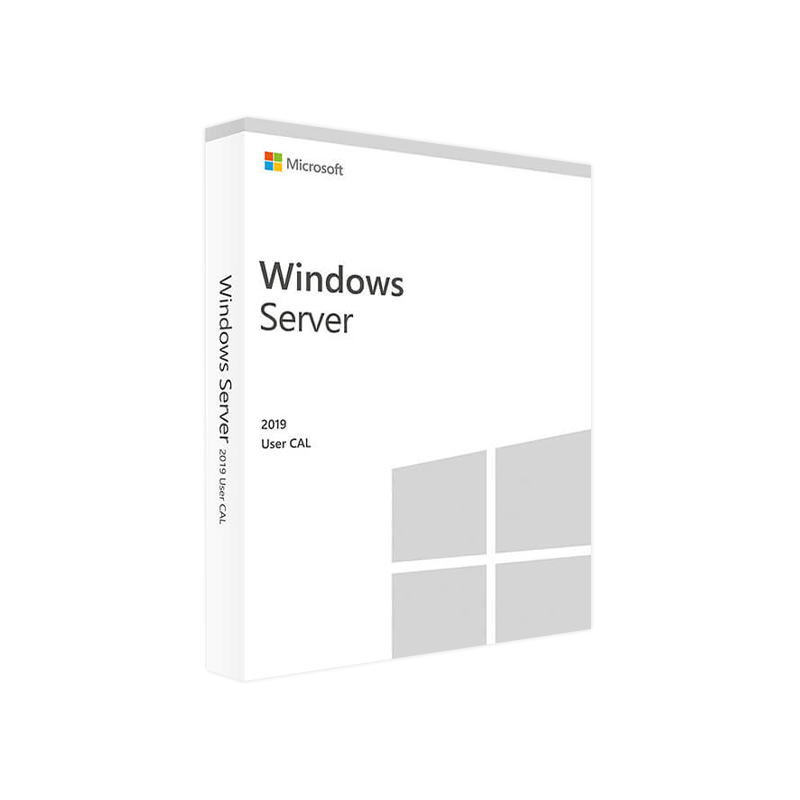
Microsoft Windows Server 2019 User CAL – Professional‑Grade Access Licensing
Your definitive source for buying, deploying, and managing Windows Server 2019 User CALs.
A User Client Access License (CAL) is the legal right that permits an individual to access the services of a Windows Server 2019 environment. Unlike a Device CAL, which is tied to a specific piece of hardware, a User CAL follows the person wherever they log on – whether from a laptop, tablet, smartphone, or remote desktop session.
your organization’s users need to work from multiple devices, a Windows Server 2019 User CAL is the most cost‑effective, scalable solution.
| Benefit | Explanation |
|---|---|
| Flexibility | One license covers any number of devices per user – perfect for BYOD or remote‑work policies. |
| Predictable Cost | Licensing is based on headcount, not hardware, simplifying budgeting for growing teams. |
| Compliance Assurance | Meets Microsoft’s licensing terms, protecting you from audit penalties. |
| Simplified Management | User‑centric tracking integrates with Active Directory and Azure AD for seamless reporting. |
| Future‑Proof | Works with Windows Server 2022 and later, safeguarding your investment. |
*For a deeper dive into Microsoft’s licensing fundamentals, see the official Microsoft Licensing Guide.*
Pro tip: When buying through a Microsoft Cloud Solution Provider (CSP), you gain the advantage of subscription‑based billing and automatic key renewal.
| Aspect | User CAL | Device CAL |
|---|---|---|
| Licensing Model | Per individual user | Per physical device |
| Best For | Organizations with mobile workers, BYOD, multiple devices per user | Environments with shared workstations (e.g., call centers) |
| Cost Predictability | Scales with headcount | Scales with number of devices |
| Management Complexity | Simplified – one CAL per user | Requires tracking each device |
| Compliance Risk | Lower – easier to prove each user is licensed | Higher – risk of under‑licensing when devices multiply |
| Typical Use‑Case | Remote sales teams, developers, executives | Manufacturing floors, kiosks, public terminals |
Note: The CAL itself does not install software, but the server it accesses must meet the following minimum requirements.
| Component | Minimum | Recommended |
|---|---|---|
| Processor | 1.4 GHz 64‑bit (x64) | 2.0 GHz or faster, 4 cores |
| RAM | 2 GB (Standard) / 4 GB (Datacenter) | 8 GB or more |
| Disk Space | 32 GB | 40 GB or more (depending on role) |
| Network | Gigabit Ethernet | 10 GbE for high‑throughput workloads |
| Operating System | Windows Server 2019 (Standard or Datacenter) | Fully patched with latest cumulative updates |
| Hyper‑V | Optional (if virtualization required) | Enabled for VM workloads |
| Active Directory | Required for user authentication | Azure AD Connect for hybrid scenarios |
*For the latest server hardware compatibility list, refer to the Microsoft Certified Hardware Catalog.*
| Question | Answer |
|---|---|
| Can a single Windows Server 2019 User CAL be used on multiple servers? | Yes. The CAL grants access to any Windows Server 2019 instance within the same organization. |
| Do I need a separate CAL for Remote Desktop Services (RDS)? | RDS requires an additional RDS User CAL on top of the standard Server CAL. |
| What happens if a user leaves the company? | Re‑assign the CAL to a new employee – the license is user‑based, not tied to a specific identity. |
| Is there an expiration date on the CAL? | No. A Windows Server 2019 User CAL is perpetual; only the product support lifecycle may affect updates. |
| Can I combine User CALs and Device CALs in the same environment? | Absolutely. Microsoft allows mixed licensing as long as each access is covered by the appropriate CAL type. |
Get-ADUser and Server Manager logs to map who accesses what.After activation, run slmgr.vbs /dlv in an elevated command prompt to view detailed licensing status.
| Channel | License Type | Typical Price Range | Best For |
|---|---|---|---|
| Microsoft Store (Retail) | 1‑User CAL | $45‑$65 | Small businesses, one‑off purchases |
| Volume Licensing – Open License | 5‑50 User CALs | $38‑$52 per CAL | Growing midsize firms |
| CSP (Subscription) | Per‑user, annual | $30‑$45 per CAL/yr | Enterprises preferring subscription billing |
| Enterprise Agreement | Unlimited User CALs | Negotiated discount | Large organizations (>500 users) |
Prices are indicative and may vary by region and reseller.
Ready to Buy Windows Server 2019 User CAL and future‑proof your organization’s access model?
Empower every user to work securely, wherever they are, with a single, reliable license.
By integrating these terms naturally throughout the content, the page is optimized for search engines while delivering clear, actionable information to professionals seeking a reliable licensing solution.
Browse our Office & Productivity Software for Microsoft Office editions and productivity tools.
Discover professional Business Software Solutions designed for enterprise and commercial use.
Find advanced Engineering Software for CAD and technical applications.
Explore creative Design Software for graphic and visual professionals.
Improve system performance with our Utilities Software.
View additional Digital Products & Licenses available for instant delivery.
Check out our Top Selling Products for the most popular choices.
Need help? Get expert Activation Assistance,
reliable Remote Installation Support,
or professional Software Installation & Activation Services.
Please review our Refund & Return Policy
and Privacy Policy for complete transparency and customer assurance.
| Title |
|---|
| Title |
|---|
| Title |
|---|
| Title |
|---|
| Title |
|---|
19 reviews for Microsoft Windows Server 2019 USER CAL – Product Key
Customer reviews