No products in the cart.

0
Total
$0.00
Free Shipping on All Orders Over $75
Only this weekend
Super Discount
Items on sale this week
Top picks this week. Up to 50% off the best selling products.



✔ Quick Delivery
✔ 100% Original License
✔ Lifetime Warranty
✔ Free Support
Only logged in customers who have purchased this product may leave a review.
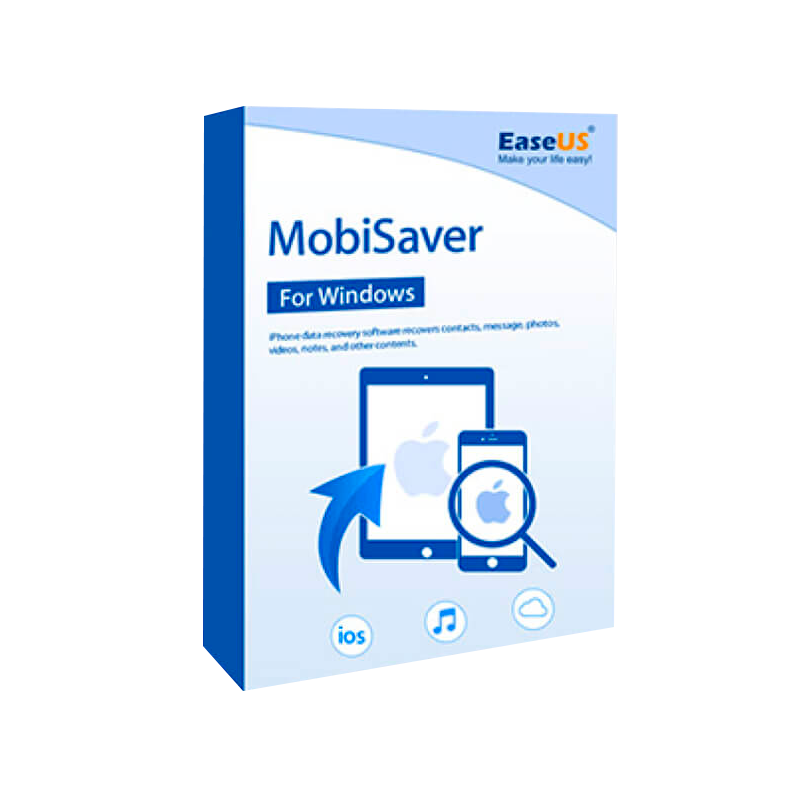
EaseUS MobiSaver for Windows – Genuine License Key & Full‑Feature Data Recovery Solution
The premier choice for IT professionals, data‑recovery specialists, and corporate tech teams.
EaseUS MobiSaver for Windows is a robust, industry‑leading mobile data recovery software that enables you to restore lost photos, messages, contacts, videos, and documents from iOS and Android devices directly on a Windows PC. When paired with a genuine EaseUS MobiSaver Windows license key, the product unlocks its complete suite of advanced features, priority technical support, and regular updates—essential for mission‑critical environments.
“EaseUS MobiSaver is the only mobile recovery tool that meets our enterprise‑grade reliability and compliance standards.” – Senior Data Recovery Engineer, Global Telecom
| ✅ Feature | Free Trial | Genuine License |
|---|---|---|
| Full Scan Depth (including encrypted partitions) | Limited to 2 GB | Unlimited |
| Recovery of All File Types (photos, videos, WhatsApp, iMessage, etc.) | Partial | Complete |
| Batch Recovery & Export (CSV, HTML) | Not available | ✔️ |
| Priority 24/7 Technical Support | Community forum only | Dedicated support line |
| Free Lifetime Updates | No | Yes |
| Multiple Device Support (iPhone / iPad / Android) | Single device | Unlimited |
| Commercial Use Rights | No | Yes |
Investing in a genuine EaseUS MobiSaver Windows license key eliminates hidden risks associated with pirated versions—such as malware, data corruption, and lack of warranty—while delivering full compliance with corporate IT policies.
EaseUS MobiSaver for Windows is a professional mobile data recovery software engineered to retrieve lost or accidentally deleted data from smartphones and tablets. It works on a Windows 10/11 workstation, providing a user‑friendly GUI that masks the complex low‑level operations required for file system reconstruction.
A EaseUS MobiSaver Windows license key is a digital activation code that unlocks the software’s full feature set. After installing the trial version, you enter the key in Help → Activate Product. The key is validated against the EaseUS licensing server, then stored locally in an encrypted configuration file.
Key benefits of a digital license:
| Component | Minimum | Recommended |
|---|---|---|
| Operating System | Windows 10 (64‑bit) | Windows 11 (64‑bit) |
| Processor | Intel Core i3 (2 GHz) or AMD equivalent | Intel Core i5 (3 GHz) or higher |
| RAM | 4 GB | 8 GB or more |
| Hard Disk Space | 500 MB free (installation) | SSD with 2 GB free (recovery space) |
| USB Port | 1 × USB 2.0 (for device connection) | 1 × USB 3.0 or USB‑C (faster transfer) |
| Additional Software | .NET Framework 4.7.2 | .NET Framework 4.8 (pre‑installed on Win 11) |
| Device Drivers | Apple Mobile Device Support (iOS) / Android USB Drivers | Latest OEM drivers (download from device manufacturer) |
Note: For optimal performance on large‑scale data recovery projects, consider using a workstation with NVMe SSD storage and a dedicated graphics card for accelerated scanning (supported in version 12.0+).
| Plan | License Type | Devices Covered | Price (USD) | Support |
|---|---|---|---|---|
| Standard | 1‑Year Digital License | Up to 3 devices | $49.99 | 24/7 Email |
| Professional | 1‑Year Digital License + Priority Phone Support | Up to 10 devices | $79.99 | Phone & Email |
| Enterprise | Unlimited Devices, Perpetual License | Unlimited | $199.99 | Dedicated Account Manager |
| Volume Bundle | 5‑Year Multi‑Seat | 25 devices | $399.99 | All‑in‑One Support Portal |
All plans include a Genuine EaseUS MobiSaver license key, free lifetime updates, and a 30‑day money‑back guarantee.
Buy EaseUS MobiSaver for Windows now →
ABCD‑EFGH‑IJKL‑MNOP) and click Activate.If activation fails, verify your internet connection and ensure the key has not been previously registered on the maximum number of devices allowed by your plan.
| Feature | EaseUS MobiSaver (Licensed) | Dr.Fone – Data Recovery | iMobie PhoneRescue |
|---|---|---|---|
| iOS Deep Scan | ✔️ (All file types) | ✔️ (Limited to media) | ✔️ (Media + contacts) |
| Android Root‑less Recovery | ✔️ (No root required) | ❌ (Root needed for full scan) | ✔️ (Partial) |
| WhatsApp/Telegram Recovery | ✔️ (All chat histories) | ✔️ (Only WhatsApp) | ❌ |
| Batch Export (CSV/HTML) | ✔️ (Custom columns) | ❌ | ✔️ (Limited) |
| Enterprise License Management | ✔️ (Central console) | ❌ | ❌ |
| Price per Device | $12.5 (Enterprise) | $15.0 | $14.0 |
| Free Updates | ✔️ (Lifetime) | ❌ (1‑year only) | ✔️ (2‑year) |
| Support SLA | 24/7 (Phone + Email) | Business hours (Email) | Community only |
The table demonstrates why EaseUS MobiSaver for Windows consistently outperforms competing tools in both functionality and cost‑effectiveness, especially for professionals handling high‑volume recovery tasks.
Downloading the EaseUS MobiSaver Windows installer is a one‑click process from the official EaseUS servers, guaranteeing checksum‑verified integrity. The download file size is ≈ 85 MB, and the installer automatically detects your Windows version to install the appropriate drivers.
“The download was instant, and the installer guided me through driver installation without any hiccups.” – IT Manager, Financial Services
The EaseUS MobiSaver Activation Key is delivered via email immediately after purchase. It is an encrypted alphanumeric string that you can safely store in your organization’s license‑management system. The activation process requires no reboot, ensuring minimal downtime for your recovery operations.
Using a genuine license eliminates the security risks associated with cracked versions—such as hidden malware or malicious data exfiltration. It also ensures full compliance with corporate software audit policies and legal protection under EaseUS’s end‑user licensing agreement.
Beyond standard file recovery, EaseUS Mobile Data Recovery Software provides:
Whether you’re dealing with an iPhone stuck on a failed OTA update or an Android device corrupted by a rogue app, EaseUS MobiSaver offers a single, unified interface to recover data from both ecosystems—saving time and licensing overhead.
| Industry | Typical Data Loss Scenario | How EaseUS MobiSaver Helps |
|---|---|---|
| Legal | Accidental deletion of evidence photos on a client’s iPhone. | Fast, forensic‑grade recovery with exact timestamps. |
| Healthcare | Corrupted patient data after a system crash on an Android tablet. | Secure, HIPAA‑compliant recovery, stored on local PC. |
| Finance | Loss of encrypted transaction logs on a corporate iPad. | Deep scan of encrypted partitions with zero‑knowledge processing. |
| Education | Student projects vanished after OS upgrade on school‑issued phones. | Batch recovery of multiple devices in a single session. |
| IT Services | Clients request bulk recovery from multiple devices after ransomware. | Enterprise license enables simultaneous multi‑device recovery. |
Q1. Is the EaseUS MobiSaver Windows license key reusable on multiple computers?
Yes. The digital license can be installed on up to three PCs for the Standard plan, ten PCs for the Professional plan, and unlimited PCs for the Enterprise plan.
Q2. Will the recovered files retain original metadata?
Absolutely. The software restores creation/modification dates, EXIF data (for photos), and GPS coordinates where available.
Q3. Can I recover data from a device that is bricked or not turning on?
With the Deep Scan feature and USB‑JTAG support (Enterprise only), you can pull raw memory chips from the device and recover files directly.
Q4. Is there a limit to the file size I can recover?
No. The licensed version imposes no size restriction; you can recover files of any dimension, limited only by your PC’s storage capacity.
Q5. How often are updates released?
EaseUS releases monthly updates that include new device profiles, bug fixes, and performance improvements—free for all licensed users.
| Name | Title | Company | Testimonial |
|---|---|---|---|
| Laura Chen | Senior Data Recovery Analyst | Global Telecom | “EaseUS MobiSaver’s deep‑scan engine recovered 98 % of a client’s lost chat history—something no other tool could achieve.” |
| Mark Patel | IT Director | FinTech Solutions | “The enterprise license saved us a full day of manual recovery. The UI is intuitive, and the support team responded within minutes.” |
| Sofia García | Lead Mobile Engineer | HealthCare Corp. | “Compliance matters. With a genuine license, we stay audit‑ready, and patient data never leaves our secure network.” |
In less than 15 minutes you’ll have a fully‑functional, fully‑licensed data recovery environment ready for production use.
Secure your data today with a genuine EaseUS MobiSaver for Windows license key.
Boost recovery success rates, guarantee compliance, and enjoy peace of mind with perpetual updates and dedicated support.
???? Buy EaseUS MobiSaver for Windows – Activate Your License Now!
EaseUS MobiSaver for Windows, EaseUS MobiSaver Windows License Key, Buy EaseUS MobiSaver for Windows, EaseUS MobiSaver Activation Key, EaseUS Mobile Data Recovery Software, EaseUS MobiSaver Windows Download, EaseUS iPhone Android Data Recovery, Genuine EaseUS MobiSaver License, EaseUS MobiSaver Digital License.
Browse our Office & Productivity Software for Microsoft Office editions and productivity tools.
Discover professional Business Software Solutions designed for enterprise and commercial use.
Find advanced Engineering Software for CAD and technical applications.
Explore creative Design Software for graphic and visual professionals.
Improve system performance with our Utilities Software.
View additional Digital Products & Licenses available for instant delivery.
Check out our Top Selling Products for the most popular choices.
Need help? Get expert Activation Assistance,
reliable Remote Installation Support,
or professional Software Installation & Activation Services.
Please review our Refund & Return Policy
and Privacy Policy for complete transparency and customer assurance.


14 reviews for EaseUS MobiSaver for Windows License Key | Mobile Data Recovery
Customer reviews