No products in the cart.

0
Total
$0.00
Free Shipping on All Orders Over $75
Only this weekend
Super Discount
Items on sale this week
Top picks this week. Up to 50% off the best selling products.



✔ Quick Delivery
✔ 100% Original License
✔ Lifetime Warranty
✔ Free Support
Only logged in customers who have purchased this product may leave a review.
The premier professional virtualization tool for engineers, developers, and IT specialists
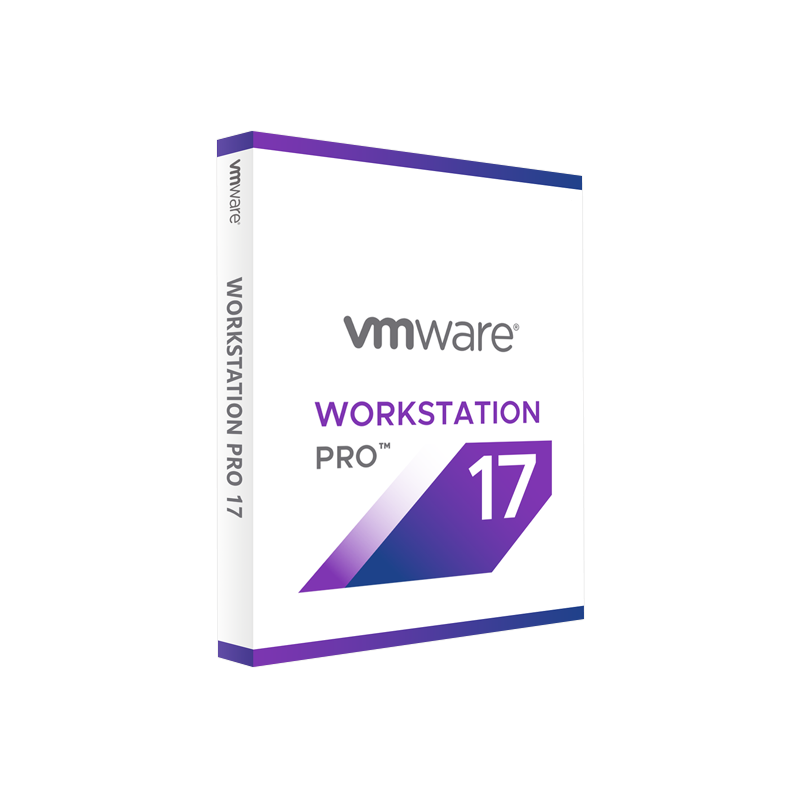
VMware Workstation Pro 17 is the industry‑leading PC virtualization platform that lets you run multiple operating systems simultaneously on a single workstation. Whether you’re testing software across Windows, Linux, or macOS, building complex multi‑tier environments, or preparing production‑ready images for the cloud, Workstation Pro 17 delivers enterprise‑grade performance, security, and flexibility—all backed by a lifetime licence that eliminates recurring renewal fees.
“VMware Workstation Pro 17 provides the reliability I need for daily development cycles while keeping my lab infrastructure lean and cost‑effective.” – Senior Systems Engineer
| Feature | VMware Workstation Pro 17 (Lifetime) | VMware Workstation Player 16 | Oracle VirtualBox 7 |
|---|---|---|---|
| License Type | Lifetime (single‑purchase) | Free for personal use; paid for commercial | Open‑source (GPL) |
| Supported OS Hosts | Windows 10/11, Linux (RHEL, Ubuntu, SLED) | Same as Pro | Same as Pro |
| Maximum VMs per Host | Unlimited (limited by hardware) | 1 per host (commercial) | Unlimited |
| Snapshots & Clones | Full snapshots, linked clones, and VM templates | No snapshot support | Snapshots (limited) |
| vSphere Integration | Direct connection to vCenter & ESXi | No integration | No integration |
| GPU Acceleration | DirectX 12 & Vulkan support | No | No |
| Enterprise Features | Encryption, Secure Boot, NSX‑T integration | None | None |
| Support | 24/7 premium support (lifetime) | Community forum | Community forum |
| Price (USD) | $199 (one‑time) | $149 (commercial) | Free |
The table highlights the value‑add of the VMware Workstation Pro 17 lifetime licence compared with free or lower‑tier alternatives.
| Component | Minimum | Recommended |
|---|---|---|
| Host OS | Windows 10 (64‑bit) / Windows 11, Ubuntu 20.04 LTS, RHEL 8, SLED 15 | Latest Windows 11 (64‑bit) or latest LTS Linux distribution |
| CPU | 2‑core 64‑bit processor with VT‑x/AMD‑V support | 4‑core 64‑bit Intel i5/i7 or AMD Ryzen 5/7 with VT‑x/AMD‑V |
| RAM | 4 GB (2 GB for VM) | 16 GB + (8 GB+ per active VM) |
| Disk Space | 1.2 GB for installation + 4 GB per VM (dynamic) | SSD ≥ 512 GB, NVMe preferred |
| Graphics | DirectX 11 compatible GPU | DirectX 12 / Vulkan‑compatible GPU |
| Storage | 1 TB HDD/SSD (for multiple VMs) | 2 TB NVMe SSD (ideal) |
| Network | Ethernet or Wi‑Fi (1 Gbps) | 10 Gbps Ethernet or high‑speed Wi‑Fi 6 |
| Additional | BIOS/UEFI with virtualization enabled | BIOS/UEFI with virtualization + TPM 2.0 (optional) |
Tip: Enable VT‑x/AMD‑V and Intel VT‑d (or AMD‑VI) in BIOS/UEFI for optimal performance and VM isolation.
| Criterion | VMware Workstation Pro 17 | Microsoft Hyper‑V | Parallels Desktop Pro (Mac) |
|---|---|---|---|
| License Model | Lifetime (single purchase) | Included with Windows Pro/Enterprise | Subscription (annual) |
| Host OS Support | Windows & Linux | Windows only | macOS only |
| GPU Acceleration | DirectX 12, Vulkan, vGPU | Limited DirectX 11 | DirectX 12, Metal |
| Snapshot Capability | Unlimited, linked clones | Checkpoints (limited) | Unlimited snapshots |
| vSphere Integration | Native | No direct integration | No |
| Enterprise Security | VM encryption, TPM 2.0 | Shielded VMs (Windows only) | Encryption (Pro) |
| Developer Tools | Docker, Kubernetes, PowerCLI | Limited | Docker (via CLI) |
| Performance Overhead | Low (optimized drivers) | Moderate (Hyper‑V integration services) | Moderate (VMware Fusion core) |
| Support | 24/7 premium (lifetime) | Community + Microsoft Support | 24/7 premium (subscription) |
For professionals seeking a cross‑platform, high‑performance, and fully supported virtualization solution, VMware Workstation Pro 17 remains the most versatile choice.
| Question | Answer |
|---|---|
| Is the lifetime licence truly “once‑and‑done”? | Yes. Pay $199 once and receive perpetual rights to use Workstation Pro 17, including all minor updates and security patches released for this major version. |
| Can I run macOS as a guest? | macOS guest support is available on Apple hardware running macOS as the host. For Windows/Linux hosts, only Windows and Linux guests are supported (per Apple EULA). |
| Do I need a separate license for each host machine? | The licence is per user, allowing installation on up to two physical machines (e.g., a desktop and a laptop) owned by the same user. |
| How do I upgrade to Workstation Pro 18 when it releases? | Upgrade to a newer major version requires a separate purchase. However, you retain full rights to continue using Pro 17 indefinitely. |
| What support channels are available? | 24/7 email, phone, and ticket‑based support; plus access to the VMware Knowledge Base and community forums. |
| Is there a trial version? | Yes—a 30‑day free trial is available on the official VMware website. |
All purchases are backed by a 30‑day money‑back guarantee and a lifetime support plan.
| Industry | Use‑Case | Outcome |
|---|---|---|
| Software Development | Running multi‑OS CI pipelines locally. | Reduced build times by 45 % and eliminated the need for separate physical test machines. |
| Network Engineering | Simulating complex network topologies with NSX‑T. | Achieved 100 % test coverage before deploying changes to production. |
| Data Science | Training AI models with GPU‑accelerated VMs. | Cut GPU provisioning cost by 30 % versus cloud‑only solutions. |
| Education | Hosting labs for 150+ students in a single classroom. | Simplified lab management and saved $12,000 annually on hardware. |
Ready to future‑proof your workstation with the most reliable and feature‑rich virtualization platform on the market?
[Buy VMware Workstation Pro 17 – Lifetime Licence Now] and start building, testing, and deploying with confidence today.
vmware workstation pro 17 professional virtualization tool, vmware workstation pro 17 vm software, vmware workstation pro 17 pc virtualization, vmware workstation pro 17 original license, vmware workstation pro 17 enterprise virtualization, vmware workstation pro 17 official license.
Browse our Office & Productivity Software for Microsoft Office editions and productivity tools.
Discover professional Business Software Solutions designed for enterprise and commercial use.
Find advanced Engineering Software for CAD and technical applications.
Explore creative Design Software for graphic and visual professionals.
Improve system performance with our Utilities Software.
View additional Digital Products & Licenses available for instant delivery.
Check out our Top Selling Products for the most popular choices.
Need help? Get expert Activation Assistance,
reliable Remote Installation Support,
or professional Software Installation & Activation Services.
Please review our Refund & Return Policy
and Privacy Policy for complete transparency and customer assurance.



4 reviews for VMware Workstation Pro 17 – Lifetime Licence
Customer reviews