No products in the cart.

0
Total
$0.00
Free Shipping on All Orders Over $75
Only this weekend
Super Discount
Items on sale this week
Top picks this week. Up to 50% off the best selling products.


✔ Quick Delivery
✔ 100% Original License
✔ Lifetime Warranty
✔ Free Support
Only logged in customers who have purchased this product may leave a review.
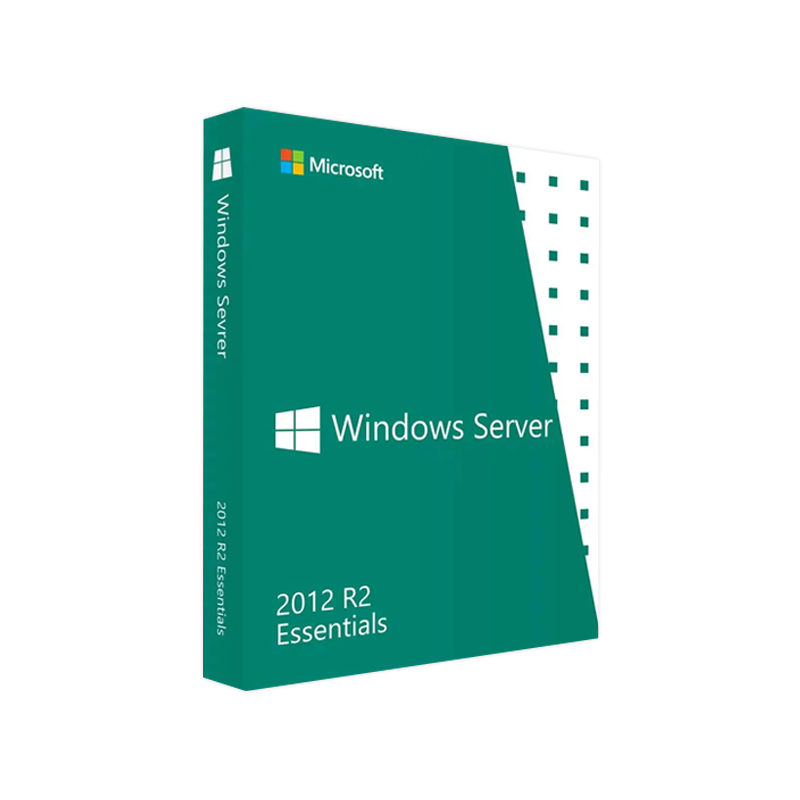
Your trusted source for a fully‑licensed, ready‑to‑install Windows Server 2012 R2 Essentials solution.
Whether you are a small‑business IT manager, a managed service provider, or a system integrator, the Microsoft Windows Server 2012 R2 Essentials product delivers a complete, secure, and easy‑to‑manage server platform for up to 25 users and 50 devices. This page provides a comprehensive, SEO‑friendly description of the product, its key features, system requirements, license options, and a side‑by‑side comparison with other Windows Server editions.
Bottom line: Windows Server 2012 R2 Essentials gives professionals a genuine, fully‑featured server without the overhead of larger editions.
| Feature | Description | Business Benefit |
|---|---|---|
| Dashboard & Remote Web Access | Centralized console + web‑based portal for remote administration. | Reduces travel time, enables 24/7 IT support. |
| Active Directory (AD) Domain Services | Lightweight AD with simplified user & device management. | Streamlines authentication and policy enforcement. |
| File and Print Services | Centralized file shares, printer pools, DFS Namespaces. | Improves data accessibility and reduces hardware costs. |
| Backup & Restore | Daily volume shadow copy backups, Windows Server Backup integration. | Guarantees business continuity with minimal admin effort. |
| Hybrid Cloud Integration | Azure Site Recovery, Office 365 sync, OneDrive for Business. | Enables scalable growth and cloud‑first strategies. |
| Security Enhancements | BitLocker, Secure Boot, Windows Defender, and Network Access Protection (NAP). | Meets PCI‑DSS and GDPR compliance requirements. |
| Virtualization Ready | Supports Hyper‑V (role‑based), ideal for test/dev labs. | Consolidates workloads, lowers data‑center footprint. |
Important: Ensure your hardware meets or exceeds the minimum specifications below to avoid performance bottlenecks.
| Component | Minimum Requirement | Recommended Specification |
|---|---|---|
| Processor | 1.4 GHz 64‑bit (x64) | 2.0 GHz + Quad‑core Intel Xeon or AMD Opteron |
| RAM | 2 GB (32‑bit) / 4 GB (64‑bit) | 8 GB + (16 GB for virtualization) |
| Disk Space | 32 GB | 120 GB + RAID 1 for redundancy |
| Network | Ethernet NIC (10/100/1000 Mbps) | Dual Gigabit NICs (for failover) |
| Operating System | N/A – this is the OS | – |
| Additional | DVD drive or USB for installation | UEFI firmware, TPM 2.0 for BitLocker |
All hardware must be Microsoft‑certified for Windows Server 2012 R2.
Tip: For environments that rely heavily on virtualization, allocate at least 8 GB of RAM per virtual machine and use hardware‑assisted virtualization (Intel VT‑x or AMD‑V).
| Item | Description |
|---|---|
| Product Name | Microsoft Windows Server 2012 R2 Essentials |
| License Type | Perpetual, full‑version digital license – no subscription required. |
| Activation Key | Windows Server 2012 R2 Essentials Activation Key (25‑digit alphanumeric). |
| Product Key | Windows Server 2012 R2 Essentials Product Key – delivered instantly via secure email. |
| Genuine Assurance | All keys are genuine Microsoft‑issued, backed by a certificate of authenticity. |
| Download Option | Windows Server 2012 R2 Essentials Download link (ISO, 4 GB) – encrypted, virus‑free. |
| Support Period | 24‑month Standard Support (includes security updates) – optional Extended Support available. |
Once activated, the server is fully functional and ready for production.
| Feature | Windows Server 2012 R2 Essentials | Windows Server 2012 R2 Standard | Windows Server 2012 R2 Datacenter |
|---|---|---|---|
| Target Market | Small businesses (≤25 users) | Mid‑size enterprises (≤500 users) | Large enterprises, highly virtualized environments |
| Maximum Users | 25 | Unlimited (requires CALs) | Unlimited (requires CALs) |
| Virtualization Rights | 1 virtual instance (Hyper‑V) | 2 virtual instances | Unlimited virtual instances |
| Active Directory | Simplified AD (no domain forest) | Full AD with forest support | Full AD with forest support |
| License Cost | One‑time, lower price | Higher, per‑Core/Server + CALs | Highest, per‑Core + CALs |
| Feature Set | Core server, backup, RWA, file services | All Standard features + Hyper‑V, Remote Desktop Services | All Datacenter features + unlimited virtualization |
| Hybrid Cloud Integration | Built‑in Azure Site Recovery | Same | Same |
| Support Lifecycle | 5 years mainstream, 5 years extended | Same | Same |
| Ideal Use‑Case | Office, retail, medical clinics | Departmental servers, branch offices | Data centers, cloud service providers |
Bottom line: If your organization does not exceed 25 users and you need a cost‑effective, fully‑featured server, Essentials is the optimal choice.
| Support Tier | What’s Included |
|---|---|
| Standard Support (24 months) | Monthly security patches, critical updates, and Microsoft Knowledge Base access. |
| Extended Support (Optional) | Additional 5 years of security updates, phone support with a dedicated technical account manager. |
| Self‑Help Resources | – Official Microsoft Docs – Windows Server 2012 R2 Essentials Documentation – Community forums, TechNet articles, and video tutorials. |
All updates are delivered via Windows Update or WSUS – no manual download required.
| Question | Answer |
|---|---|
| Can I upgrade from Essentials to Standard later? | Yes. You can perform an in‑place upgrade to Windows Server 2012 R2 Standard using a valid Standard license key. |
| Do I need CALs for the 25 users? | No. The Essentials edition includes unlimited CALs for up to 25 users and 50 devices. |
| Is the product compatible with Hyper‑V Server? | The Essentials edition includes the Hyper‑V role, allowing one virtual instance on the same hardware. |
| What happens after the mainstream support ends? | You may continue using the server, but you will not receive security updates unless you purchase Extended Support. |
| Can I install the OS on a virtual machine in Azure? | Yes – the Windows Server 2012 R2 Essentials ISO is fully supported on Azure VMs (Standard_D2s_v3 or larger). |
Secure a genuine Windows Server 2012 R2 Essentials license for your organization today. Click the button above to buy and receive your product key, digital license, and download link instantly.
Ready to empower your small‑business IT environment?
Buy Microsoft Windows Server 2012 R2 Essentials – Instant Delivery
Browse our Office & Productivity Software for Microsoft Office editions and productivity tools.
Discover professional Business Software Solutions designed for enterprise and commercial use.
Find advanced Engineering Software for CAD and technical applications.
Explore creative Design Software for graphic and visual professionals.
Improve system performance with our Utilities Software.
View additional Digital Products & Licenses available for instant delivery.
Check out our Top Selling Products for the most popular choices.
Need help? Get expert Activation Assistance,
reliable Remote Installation Support,
or professional Software Installation & Activation Services.
Please review our Refund & Return Policy
and Privacy Policy for complete transparency and customer assurance.
| Title |
|---|
| Title |
|---|
| Title |
|---|
| Title |
|---|
19 reviews for Buy Microsoft Windows Server 2012 R2 Essentials | Genuine License
Customer reviews