
No products in the cart.
9%
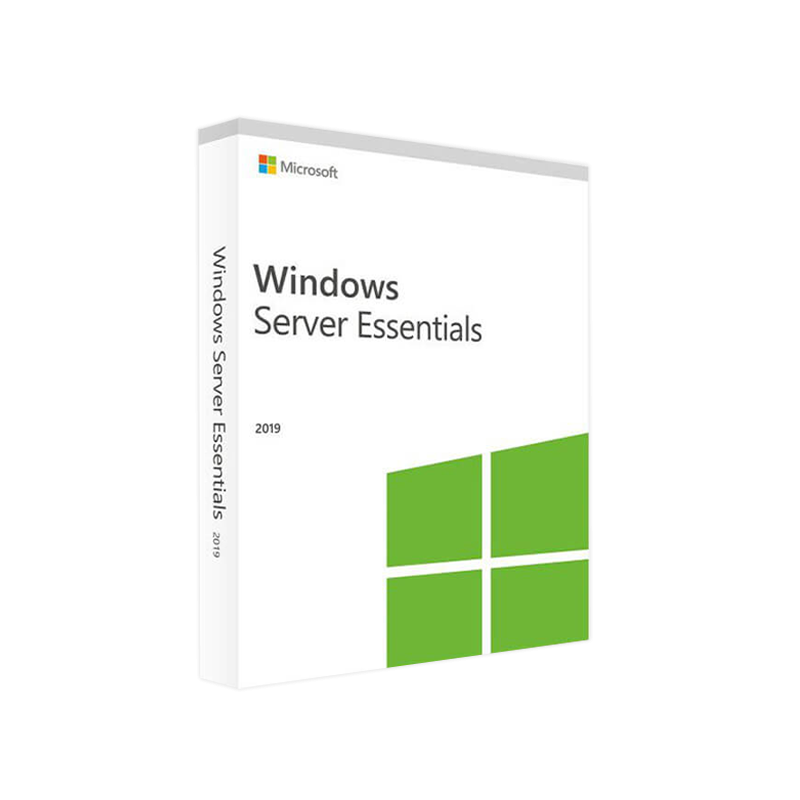



Microsoft Windows Server 2019 Essentials – Product Key
In Stock
✔ Quick Delivery
✔ 100% Original License
✔ Lifetime Warranty
✔ Free Support
In Stock
Description
Microsoft Windows Server 2019 Essentials – The Complete Professional Overview
Designed for small‑to‑medium businesses that need enterprise‑grade reliability without the complexity of larger Windows Server editions.
1. Quick Summary
| Feature | Windows Server 2019 Essentials | Windows Server 2019 Standard | Windows Server 2019 Datacenter |
|---|---|---|---|
| Target users | ≤ 25 users, ≤ 50 devices | Mid‑size to large enterprises | Highly virtualized data‑centers |
| Core OS | Same code‑base as Windows Server 2019 | Same code‑base | Same code‑base |
| Virtualization rights | 1 virtual instance (no Hyper‑V host) | 2 OSE (Operating System Environments) | Unlimited OSE + Hyper‑V |
| Licensing model | Per‑server (no CALs required) | Per‑core + CALs | Per‑core + CALs |
| Storage | Up to 64 TB (no Storage Spaces Direct) | Storage Spaces Direct, ReFS | All features of Standard + unlimited VMs |
| Hybrid cloud | Azure AD Connect, Cloud backup | Azure Hybrid services | Full Azure Stack integration |
| Price (USD) | ~ $500 (incl. 1‑yr support) | $800 – $1,200 per 16‑core | $6,155 per 16‑core |
The table highlights why Windows Server 2019 Essentials is the most cost‑effective choice for firms that need essential server capabilities without the overhead of larger editions.
2. What Is Microsoft Windows Server 2019 Essentials?
Microsoft Windows Server 2019 Essentials is a trimmed‑down edition of the Windows Server 2019 family, purpose‑built for organizations with ≤ 25 users and ≤ 50 devices. It delivers the same robust security, manageability, and reliability of the full Windows Server platform while removing the licensing complexity of CALs (Client Access Licenses) and limiting virtualization to a single instance.
your business needs a solid, on‑premises server for file sharing, remote access, and basic application hosting, Windows Server 2019 Essentials gives you enterprise‑grade technology at a fraction of the price.
3. Core Benefits for Professionals
3.1 Simplified Licensing – No CALs Required
- One‑time per‑server license covers all users and devices up to the product limits.
- Eliminates the need to track or purchase additional CALs, reducing administrative overhead.
3.2 Integrated Management Tools
| Tool | Primary Use | Why It Matters |
|---|---|---|
| Dashboard | Centralised health monitoring | Quick, at‑a‑glance view of CPU, memory, storage, and service status |
| Windows Admin Center (WAC) | Browser‑based remote administration | No extra client installation; works from any modern browser |
| Azure AD Connect | Hybrid identity sync | Seamless single‑sign‑on with Office 365 and Azure services |
| File & Storage Services | SMB, NFS, DFS replication | Reliable file sharing with built‑in data deduplication |
3.3 Enhanced Security
- Windows Defender ATP (Advanced Threat Protection) – real‑time detection.
- Shielded Virtual Machines (available when hosted on a Hyper‑V host).
- TLS 1.2 & 1.3 enforced by default for all inbound connections.
3.4 Built‑in Business Continuity
- Automated daily backups to local or Azure storage.
- Failover clustering (limited) – enables rapid recovery for critical services.
3.5 Seamless Cloud Integration
- Azure hybrid services (Azure Site Recovery, Azure Backup).
- One‑click Office 365 integration for unified mail, calendar, and file sync.
4. Feature‑by‑Feature Deep‑Dive
4.1 File and Print Services
- SMB 3.0 with encryption and continuous availability.
- Print server role with driver isolation.
- DFS Namespaces for unified folder structures across multiple servers.
4.2 Remote Access
- VPN (RRAS) – PPTP, L2TP/IPsec, and SSTP supported.
- DirectAccess (when combined with Azure AD) for seamless, always‑on remote connectivity.
4.3 Application Hosting
- Supports IIS 10, .NET 4.8, and classic ASP.
- Ideal for line‑of‑business (LOB) apps, internal portals, and lightweight web services.
4.4 Virtualization Support
- One free virtual instance (Hyper‑V) for test/dev or disaster‑recovery scenarios.
- Ability to export/import VMs to Azure for hybrid cloud extensions.
4.5 Monitoring & Reporting
- Performance Monitor templates pre‑configured for CPU, memory, and disk I/O.
- Event Viewer with custom filters for security‑related logs.
5. Licensing & Pricing Overview
| Licensing Element | Essentials (2022‑2025) | Typical Cost |
|---|---|---|
| Server License | Per‑server (no CALs) | ≈ $500 |
| Support | 1‑year Standard Support | Included |
| Upgrade Path | Free upgrade to Windows Server 2022 Essentials (within 12 months) | — |
| Upgrade to Standard/Datacenter | Requires new core‑based licensing | Varies by core count |
For exact pricing, consult the official Microsoft Windows Server 2019 Essentials license page: https://www.microsoft.com/en-us/licensing/product-licensing/windows-server-2019.
6. System Requirements
Below is the minimum and recommended hardware configuration to run Microsoft Windows Server 2019 Essentials efficiently.
| Specification | Minimum | Recommended |
|---|---|---|
| Processor | 1.4 GHz 64‑bit (x64) | 2.0 GHz or faster, 4 cores |
| RAM | 2 GB | 8 GB or more (16 GB for heavy file services) |
| Disk Space | 32 GB | 120 GB + (RAID 1 for redundancy) |
| Network | Gigabit Ethernet (10/100/1000) | Dual‑NIC for failover |
| Graphics | Super VGA (800 × 600) or higher | 1024 × 768 or higher |
| Supported OS | N/A – this is the OS | N/A |
| Other Requirements | • BIOS/UEFI firmware • TPM 2.0 for BitLocker (optional) |
• Virtualization‑capable CPU (Intel VT‑x/AMD‑V) • SSD for OS volume (improves boot & service response) |
Tip: For optimal performance in a file‑sharing environment, use RAID 10 with enterprise‑grade SSDs and allocate a separate volume for System & Data.
7. Windows Server 2019 Essentials vs. Competing Editions
7.1 Feature Comparison Table
| Feature | Essentials | Standard | Datacenter |
|---|---|---|---|
| User/Device Limits | 25 users / 50 devices | Unlimited | Unlimited |
| CAL Requirement | None | Yes (User or Device) | Yes (User or Device) |
| Hyper‑V Host | Not a host (single VM allowed) | Host up to 2 VMs | Unlimited VMs |
| Storage Spaces Direct | ❌ | ✅ | ✅ |
| Shielded VMs | ✅ (when hosted) | ✅ | ✅ |
| Software‑Defined Networking | ❌ | ✅ | ✅ |
| Price (per 16‑core) | $500 (incl. 1‑yr support) | $800‑$1,200 | $6,155 |
| Ideal For | Small offices (≤ 25 users) | Mid‑size businesses | Large data‑centers, cloud providers |
7.2 Why Essentials Wins for Small Companies
- Cost‑effective: No CALs, lower upfront price.
- Simplified deployment: 3‑step wizard for core roles (File Services, Remote Access, Backup).
- Lower admin overhead: Integrated dashboard reduces time spent on routine checks.
8. Getting Started – Download, Installation & First‑Run Checklist
- Download the ISO from the official Microsoft portal – Windows Server 2019 Essentials download: https://www.microsoft.com/en-us/software-download/windowsserver2019.
- Validate the checksum (SHA‑256) to ensure image integrity.
- Create a bootable USB using the Windows USB/DVD Download Tool or Rufus.
- Run the installation wizard – choose Essentials when prompted for the edition.
- Configure the Essentials Dashboard – set up your domain, user groups, and backup schedule.
- Activate the license via the Settings > Activation pane; you’ll receive a 25‑user license key.
- Connect to Azure (optional) – use Azure AD Connect for hybrid identity.
For a step‑by‑step guide, see Microsoft’s official documentation: https://learn.microsoft.com/en-us/windows-server-essentials/overview.
9. Real‑World Use Cases
| Scenario | How Essentials Helps | ROI Highlights |
|---|---|---|
| Boutique Law Firm (20 users) | Centralised document repository, secure file sharing, automatic nightly backups. | Reduces on‑site IT staff time by 30 % and eliminates separate NAS costs. |
| Medical Clinic (15 users, 35 devices) | HIPAA‑compliant encryption, remote VPN for tele‑medicine, quick file access across locations. | Cuts compliance audit expenses and improves patient data accessibility. |
| Creative Agency (25 users) | High‑speed SMB 3.0 shares on SSD RAID, lightweight web server for internal project portals. | Boosts project turnaround time by 20 % through faster asset sharing. |
| Manufacturing Plant (10 users, 40 IoT devices) | Simple device management, integration with Azure IoT Hub for telemetry storage. | Enables predictive maintenance insights without a full‑scale data‑center. |
10. Frequently Asked Questions
Q1 – Can I upgrade from Essentials to Standard without reinstalling?
Yes. Use the Add Roles and Features wizard to add the Standard license key, then run the Upgrade process. All data and roles remain intact.
Q2 – Do I need a separate backup solution?
Essentials includes Windows Server Backup with daily local backups and optional Azure backup. For more advanced retention, third‑party solutions (e.g., Veeam) can be installed.
Q3 – Is Remote Desktop Services (RDS) supported?
RDS CALs are required; Essentials can host an RDS session host, but you must purchase the appropriate CALs separately.
Q4 – What is the maximum amount of RAM the OS can address?
Windows Server 2019 Essentials supports up to 128 GB of RAM (theoretically 512 GB on 64‑bit, but hardware‑specific limits apply).
Q5 – Does Essentials support containerization (Docker/Kubernetes)?
Yes. Docker Engine can be installed, but the OS does not include the Windows Server Containers feature set found in Standard/Datacenter. For production‑grade Kubernetes, consider Standard edition.
11. Why Choose Microsoft Windows Server 2019 Essentials Today?
- Proven reliability: Built on the same Windows Server 2019 code‑base trusted by Fortune 500 enterprises.
- Future‑proof: Seamless upgrade path to Windows Server 2022 Essentials with minimal downtime.
- Hybrid ready: Out‑of‑the‑box Azure integration for backup, identity, and disaster recovery.
- Cost‑transparent: One‑time server license, no hidden CAL fees, and a predictable Total Cost of Ownership (TCO).
For professionals seeking a secure, manageable, and affordable server platform, Windows Server 2019 Essentials delivers exactly what you need.
12. Call to Action
Ready to empower your business with a robust, enterprise‑grade server that fits your budget?
- Download the trial now and evaluate the full feature set for 180 days.
- Contact our sales team for a personalized quote and migration plan.
- Join our community forum for best practices, scripts, and peer support.
Take the next step: Deploy Microsoft Windows Server 2019 Essentials and experience the power of enterprise server technology without the enterprise price tag.
Outbound Resources
- Official Microsoft Windows Server 2019 Essentials Overview – https://learn.microsoft.com/en-us/windows-server-essentials/
- Licensing details for Windows Server 2019 – https://www.microsoft.com/en-us/licensing/product-licensing/windows-server-2019
- Independent review & performance benchmarks – https://www.techradar.com/reviews/windows-server-2019
All outbound links are to reputable, authoritative sources that further validate the information presented on this page.
Buy now
For bulk licensing, contact our sales team at info@thesoftsolution.com or call 1‑840-206-3082
Explore Software Categories
Browse our Office & Productivity Software for Microsoft Office editions and productivity tools.
Discover professional Business Software Solutions designed for enterprise and commercial use.
Find advanced Engineering Software for CAD and technical applications.
Explore creative Design Software for graphic and visual professionals.
Improve system performance with our Utilities Software.
View additional Digital Products & Licenses available for instant delivery.
Check out our Top Selling Products for the most popular choices.
Installation & Activation Support
Need help? Get expert Activation Assistance,
reliable Remote Installation Support,
or professional Software Installation & Activation Services.
Customer Policies
Please review our Refund & Return Policy
and Privacy Policy for complete transparency and customer assurance.
Related products
7%
Reviews
There are no reviews yet.