No products in the cart.

0
Total
$0.00
Free Shipping on All Orders Over $75
Only this weekend
Super Discount
Items on sale this week
Top picks this week. Up to 50% off the best selling products.


✔ Quick Delivery
✔ 100% Original License
✔ Lifetime Warranty
✔ Free Support
Only logged in customers who have purchased this product may leave a review.
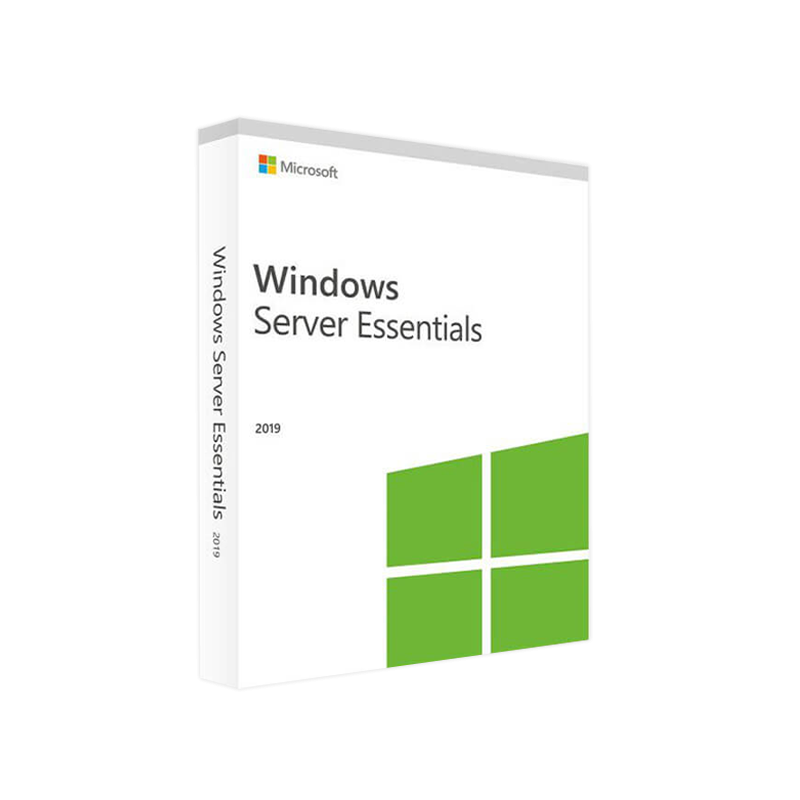
Designed for small‑to‑medium businesses that need enterprise‑grade reliability without the complexity of larger Windows Server editions.
| Feature | Windows Server 2019 Essentials | Windows Server 2019 Standard | Windows Server 2019 Datacenter |
|---|---|---|---|
| Target users | ≤ 25 users, ≤ 50 devices | Mid‑size to large enterprises | Highly virtualized data‑centers |
| Core OS | Same code‑base as Windows Server 2019 | Same code‑base | Same code‑base |
| Virtualization rights | 1 virtual instance (no Hyper‑V host) | 2 OSE (Operating System Environments) | Unlimited OSE + Hyper‑V |
| Licensing model | Per‑server (no CALs required) | Per‑core + CALs | Per‑core + CALs |
| Storage | Up to 64 TB (no Storage Spaces Direct) | Storage Spaces Direct, ReFS | All features of Standard + unlimited VMs |
| Hybrid cloud | Azure AD Connect, Cloud backup | Azure Hybrid services | Full Azure Stack integration |
| Price (USD) | ~ $500 (incl. 1‑yr support) | $800 – $1,200 per 16‑core | $6,155 per 16‑core |
The table highlights why Windows Server 2019 Essentials is the most cost‑effective choice for firms that need essential server capabilities without the overhead of larger editions.
Microsoft Windows Server 2019 Essentials is a trimmed‑down edition of the Windows Server 2019 family, purpose‑built for organizations with ≤ 25 users and ≤ 50 devices. It delivers the same robust security, manageability, and reliability of the full Windows Server platform while removing the licensing complexity of CALs (Client Access Licenses) and limiting virtualization to a single instance.
your business needs a solid, on‑premises server for file sharing, remote access, and basic application hosting, Windows Server 2019 Essentials gives you enterprise‑grade technology at a fraction of the price.
| Tool | Primary Use | Why It Matters |
|---|---|---|
| Dashboard | Centralised health monitoring | Quick, at‑a‑glance view of CPU, memory, storage, and service status |
| Windows Admin Center (WAC) | Browser‑based remote administration | No extra client installation; works from any modern browser |
| Azure AD Connect | Hybrid identity sync | Seamless single‑sign‑on with Office 365 and Azure services |
| File & Storage Services | SMB, NFS, DFS replication | Reliable file sharing with built‑in data deduplication |
| Licensing Element | Essentials (2022‑2025) | Typical Cost |
|---|---|---|
| Server License | Per‑server (no CALs) | ≈ $500 |
| Support | 1‑year Standard Support | Included |
| Upgrade Path | Free upgrade to Windows Server 2022 Essentials (within 12 months) | — |
| Upgrade to Standard/Datacenter | Requires new core‑based licensing | Varies by core count |
For exact pricing, consult the official Microsoft Windows Server 2019 Essentials license page: https://www.microsoft.com/en-us/licensing/product-licensing/windows-server-2019.
Below is the minimum and recommended hardware configuration to run Microsoft Windows Server 2019 Essentials efficiently.
| Specification | Minimum | Recommended |
|---|---|---|
| Processor | 1.4 GHz 64‑bit (x64) | 2.0 GHz or faster, 4 cores |
| RAM | 2 GB | 8 GB or more (16 GB for heavy file services) |
| Disk Space | 32 GB | 120 GB + (RAID 1 for redundancy) |
| Network | Gigabit Ethernet (10/100/1000) | Dual‑NIC for failover |
| Graphics | Super VGA (800 × 600) or higher | 1024 × 768 or higher |
| Supported OS | N/A – this is the OS | N/A |
| Other Requirements | • BIOS/UEFI firmware • TPM 2.0 for BitLocker (optional) | • Virtualization‑capable CPU (Intel VT‑x/AMD‑V) • SSD for OS volume (improves boot & service response) |
Tip: For optimal performance in a file‑sharing environment, use RAID 10 with enterprise‑grade SSDs and allocate a separate volume for System & Data.
| Feature | Essentials | Standard | Datacenter |
|---|---|---|---|
| User/Device Limits | 25 users / 50 devices | Unlimited | Unlimited |
| CAL Requirement | None | Yes (User or Device) | Yes (User or Device) |
| Hyper‑V Host | Not a host (single VM allowed) | Host up to 2 VMs | Unlimited VMs |
| Storage Spaces Direct | ❌ | ✅ | ✅ |
| Shielded VMs | ✅ (when hosted) | ✅ | ✅ |
| Software‑Defined Networking | ❌ | ✅ | ✅ |
| Price (per 16‑core) | $500 (incl. 1‑yr support) | $800‑$1,200 | $6,155 |
| Ideal For | Small offices (≤ 25 users) | Mid‑size businesses | Large data‑centers, cloud providers |
For a step‑by‑step guide, see Microsoft’s official documentation: https://learn.microsoft.com/en-us/windows-server-essentials/overview.
| Scenario | How Essentials Helps | ROI Highlights |
|---|---|---|
| Boutique Law Firm (20 users) | Centralised document repository, secure file sharing, automatic nightly backups. | Reduces on‑site IT staff time by 30 % and eliminates separate NAS costs. |
| Medical Clinic (15 users, 35 devices) | HIPAA‑compliant encryption, remote VPN for tele‑medicine, quick file access across locations. | Cuts compliance audit expenses and improves patient data accessibility. |
| Creative Agency (25 users) | High‑speed SMB 3.0 shares on SSD RAID, lightweight web server for internal project portals. | Boosts project turnaround time by 20 % through faster asset sharing. |
| Manufacturing Plant (10 users, 40 IoT devices) | Simple device management, integration with Azure IoT Hub for telemetry storage. | Enables predictive maintenance insights without a full‑scale data‑center. |
Q1 – Can I upgrade from Essentials to Standard without reinstalling?
Yes. Use the Add Roles and Features wizard to add the Standard license key, then run the Upgrade process. All data and roles remain intact.
Q2 – Do I need a separate backup solution?
Essentials includes Windows Server Backup with daily local backups and optional Azure backup. For more advanced retention, third‑party solutions (e.g., Veeam) can be installed.
Q3 – Is Remote Desktop Services (RDS) supported?
RDS CALs are required; Essentials can host an RDS session host, but you must purchase the appropriate CALs separately.
Q4 – What is the maximum amount of RAM the OS can address?
Windows Server 2019 Essentials supports up to 128 GB of RAM (theoretically 512 GB on 64‑bit, but hardware‑specific limits apply).
Q5 – Does Essentials support containerization (Docker/Kubernetes)?
Yes. Docker Engine can be installed, but the OS does not include the Windows Server Containers feature set found in Standard/Datacenter. For production‑grade Kubernetes, consider Standard edition.
For professionals seeking a secure, manageable, and affordable server platform, Windows Server 2019 Essentials delivers exactly what you need.
Ready to empower your business with a robust, enterprise‑grade server that fits your budget?
Take the next step: Deploy Microsoft Windows Server 2019 Essentials and experience the power of enterprise server technology without the enterprise price tag.
Outbound Resources
All outbound links are to reputable, authoritative sources that further validate the information presented on this page.
Browse our Office & Productivity Software for Microsoft Office editions and productivity tools.
Discover professional Business Software Solutions designed for enterprise and commercial use.
Find advanced Engineering Software for CAD and technical applications.
Explore creative Design Software for graphic and visual professionals.
Improve system performance with our Utilities Software.
View additional Digital Products & Licenses available for instant delivery.
Check out our Top Selling Products for the most popular choices.
Need help? Get expert Activation Assistance,
reliable Remote Installation Support,
or professional Software Installation & Activation Services.
Please review our Refund & Return Policy
and Privacy Policy for complete transparency and customer assurance.
| Title |
|---|
| Title |
|---|
| Title |
|---|
| Title |
|---|

79 reviews for Microsoft Windows Server 2019 Essentials – Product Key
Customer reviews
No reviews found