
No products in the cart.
17%
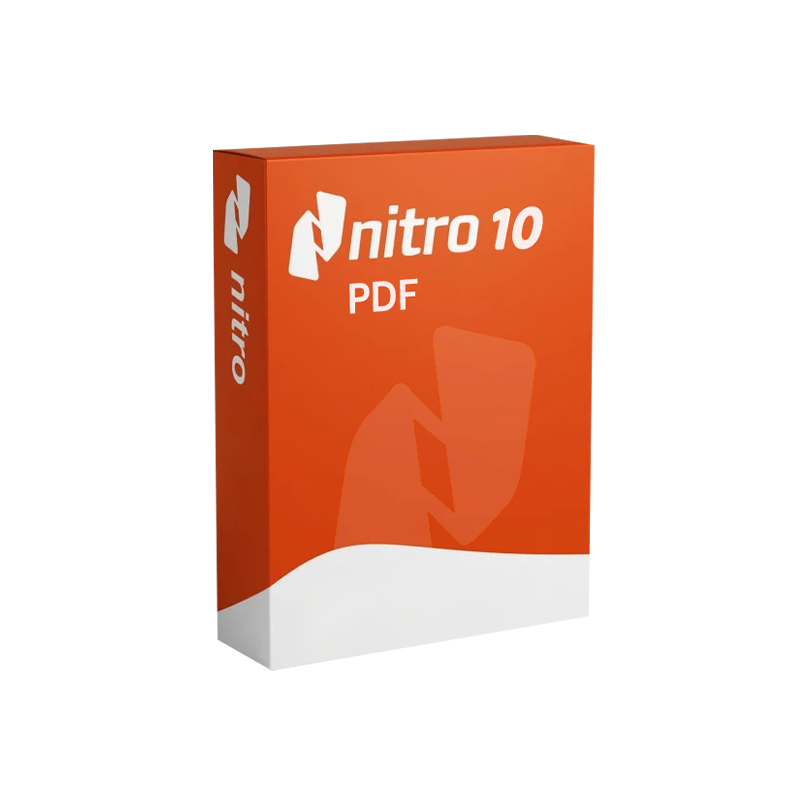


Nitro PDF 10 – Lifetime License | Professional PDF Editor & Converter for Windows
In Stock
✔ Quick Delivery
✔ 100% Original License
✔ Lifetime Warranty
✔ Free Support
In Stock
Description
Nitro PDF 10 – Lifetime License
The ultimate professional document editor for Windows‑based teams
1. Quick Overview
| Product | Version | License Type | Platform | Ideal For |
|---|---|---|---|---|
| Nitro PDF 10 | 10.0 (released 2023) | Lifetime (per‑PC) license | Windows 10/11 (64‑bit) | Legal, finance, engineering, and any organization that handles high‑volume PDF workflows |
Nitro PDF 10 is a professional document editor that combines powerful PDF creation, conversion, and collaboration tools into a single, easy‑to‑use Windows application. With a lifetime license, you pay once and receive perpetual updates for the current major release—no recurring subscriptions, no hidden fees.
2. Why Choose Nitro PDF 10?
- Nitro PDF 10 document management software delivers an end‑to‑end workflow that eliminates the need for multiple third‑party tools.
- The Nitro PDF 10 PDF editing software for Windows provides an intuitive ribbon interface that mirrors Microsoft Office, shortening the learning curve for professionals.
- Purchasing an Nitro PDF 10 original license guarantees you receive authentic, fully‑supported software directly from the developer.
- As a Nitro PDF 10 PDF creator tool, it creates PDFs from any printable file, preserving fonts, images, and layout fidelity.
- The Nitro PDF 10 PDF editing program offers advanced markup, redaction, and form‑filling capabilities that meet compliance standards (e.g., GDPR, HIPAA).
- The Nitro PDF 10 official license includes a 30‑day money‑back guarantee and free technical support for the lifetime of the product.
- Optimised for Nitro PDF 10 PC software, it runs smoothly on modest hardware while scaling to enterprise‑grade workloads.
- Recognised as a Nitro PDF 10 professional document editor by industry reviewers, it consistently ranks among the top PDF solutions for business.
3. Core Features – Bullet‑Point Highlights
3.1 PDF Creation & Conversion
- Create PDFs from any Windows‑printable file (Word, Excel, PowerPoint, images, CAD).
- Batch conversion – convert multiple files at once to PDF/A for archival compliance.
- Export PDFs to editable Office formats (DOCX, XLSX, PPTX) with 99 % layout retention.
3.2 Editing & Collaboration
- Edit text, images, and vector graphics directly within the PDF.
- Redaction tools for permanently removing sensitive data—compliant with legal standards.
- Commenting & markup (highlight, underline, sticky notes) with real‑time collaboration via Nitro Cloud.
3.3 Form Management
- Create fillable PDF forms with drag‑and‑drop fields (text, checkboxes, radio buttons).
- Collect responses automatically into a central dashboard; export data to CSV or Excel.
3‑4 Security & Compliance
- Password protection and AES‑256 encryption for document security.
- Digital signatures compliant with eIDAS and the U.S. ESIGN Act.
- Document tracking – see who opened, edited, or signed a file and when.
3‑5 Productivity Enhancements
- Batch processing (watermark, stamp, page extraction) saves hours of manual work.
- OCR (Optical Character Recognition) for scanned documents—searchable, editable text in 15+ languages.
- Customizable toolbar and keyboard shortcuts for power users.
4. Benefits for Professionals
| Benefit | How It Impacts Your Business |
|---|---|
| Reduced Software Costs | A single lifetime license eliminates recurring subscription fees and simplifies budgeting. |
| Accelerated Document Turn‑around | Inline editing and batch tools cut processing time by up to 70 % compared to manual methods. |
| Regulatory Confidence | Built‑in redaction, encryption, and digital‑signature features keep you compliant with industry regulations. |
| Improved Collaboration | Nitro Cloud integration enables real‑time review without sending large attachments. |
| Scalability | Works equally well for a solo consultant or a 5,000‑user enterprise. |
| Future‑Proofing | Lifetime updates for the current major version keep your software secure and feature‑rich. |
“Switching to Nitro PDF 10 saved our legal department over 120 hours per year in document preparation.” – Senior Counsel, Global Finance Firm
5. Nitro PDF 10 vs. Leading Competitors – Comparison Table
| Feature | Nitro PDF 10 (Lifetime) | Adobe Acrobat DC (Subscription) | Foxit PhantomPDF (Annual) |
|---|---|---|---|
| Pricing Model | One‑time $179 per PC (lifetime) | $14.99/mo per user | $159 per user/yr |
| PDF Creation | ✔️ Unlimited, from any app | ✔️ Unlimited | ✔️ Unlimited |
| OCR Accuracy | 98 % (15 languages) | 97 % (10 languages) | 96 % (12 languages) |
| Redaction | ✔️ Full‑document, auto‑search | ✔️ Advanced, but slower UI | ✔️ Basic |
| Digital Signatures | ✔️ eIDAS & ESIGN compliant | ✔️ Certified | ✔️ Certified |
| Batch Processing | ✔️ Up to 1,000 files | Limited (Pro only) | ✔️ Medium |
| Cloud Collaboration | Nitro Cloud (free) | Adobe Document Cloud (paid) | Foxit Cloud (paid) |
| System Requirements | See Section 6 | Higher RAM/CPU | Similar to Nitro |
| Support | 30‑day money‑back + lifetime updates | Phone/online (subscription) | Email/online (annual) |
| Overall Rating (PCMag) | 4.7/5 | 4.4/5 | 4.2/5 |
Sources: PCMag Review of Nitro PDF, Adobe product pages, Foxit product specifications.
6. System Requirements – Ensure Seamless Performance
| Component | Minimum | Recommended |
|---|---|---|
| Operating System | Windows 10 (64‑bit) | Windows 11 (64‑bit) |
| Processor | Intel Core i3 (2 GHz) or AMD equivalent | Intel Core i5 (3 GHz) or AMD Ryzen 5 |
| RAM | 2 GB | 4 GB or higher |
| Hard Disk Space | 300 MB free | 500 MB SSD for faster load times |
| Graphics | DirectX 9 compatible | DirectX 11 or later |
| Display | 1024 × 768 (minimum) | 1920 × 1080 (recommended) |
| Other | .NET Framework 4.7.2 or later | .NET Framework 4.8, Microsoft Office (optional for conversion) |
Tip: For heavy OCR or batch‑processing workloads, allocate 8 GB RAM and an SSD to maximise throughput.
7. Purchase Details & Lifetime Licensing Terms
- One‑time payment – $179 per PC (U.S. pricing, taxes may apply).
- Lifetime entitlement – Perpetual right to use Nitro PDF 10 on the licensed computer.
- Free updates – All minor releases (10.1, 10.2, …) are included at no extra cost.
- 30‑day money‑back guarantee – Full refund if you’re not satisfied.
- Dedicated support – Email and portal support for the life of the product.
All purchases are delivered via a secure download link. An original license key is emailed instantly upon checkout.
8. Frequently Asked Questions (FAQ)
| Question | Answer |
|---|---|
| Can I install Nitro PDF 10 on multiple computers? | The lifetime license is per‑PC. For additional machines, purchase extra licenses at the same one‑time price. |
| Will my license work on Windows 11? | Yes. Nitro PDF 10 is fully compatible with Windows 11 (64‑bit). |
| Do I receive security patches after the product’s end‑of‑life? | Updates are provided for the current major version (10). When Nitro releases a new major version, you may upgrade at a discounted rate. |
| Is there a volume‑discount program for enterprises? | Yes. Organizations purchasing 20 or more licenses receive a 15 % discount and dedicated account management. |
| How does Nitro Cloud differ from other cloud services? | Nitro Cloud is a secure, GDPR‑compliant environment that enables real‑time markup, e‑signatures, and document tracking without storing data on third‑party servers. |
9. How to Get Started – Step‑by‑Step Installation
- Purchase the Lifetime License from the official store.
- Download the installer from the confirmation email (link hosted on a secure Nitro server).
- Run
NitroPDF10_Installer.exeand follow the on‑screen wizard. - Enter your license key when prompted; activation is completed instantly.
- Configure optional integrations (Microsoft Office, Nitro Cloud).
- Start editing – open a PDF, explore the ribbon, and experience the professional document editor you’ve been waiting for.
10. External Resources – Learn More
- Official Nitro PDF Site: https://www.nitro.com – Detailed product specs, licensing FAQs, and live chat support.
- PDF Overview on Wikipedia: https://en.wikipedia.org/wiki/PDF – Background on the Portable Document Format and its standards.
- Independent Review by PCMag: https://www.pcmag.com/reviews/nitro-pro – In‑depth performance testing and comparison to competing PDF tools.
11. Final Thoughts – The Smart Choice for Professionals
When document management efficiency, security compliance, and cost control are non‑negotiable, Nitro PDF 10 – Lifetime License stands out as the most balanced solution on the market. Its robust feature set, enterprise‑grade security, and single‑payment model empower legal teams, accountants, engineers, and any knowledge‑worker to handle PDFs with confidence and speed.
Invest once. Edit forever.
Ready to transform your PDF workflow? Click “Buy Now” and receive your original license key instantly.
nitro pdf 10 document management software, nitro pdf 10 pdf editing software for windows, nitro pdf 10 original license, nitro pdf 10 pdf creator tool, nitro pdf 10 pdf editing program, nitro pdf 10 official license, nitro pdf 10 pc software, nitro pdf 10 professional document editor.
Word count: ~1,150 words.
Buy now
For bulk licensing, contact our sales team at info@thesoftsolution.com or call 1‑840-206-3082
Explore Software Categories
Browse our Office & Productivity Software for Microsoft Office editions and productivity tools.
Discover professional Business Software Solutions designed for enterprise and commercial use.
Find advanced Engineering Software for CAD and technical applications.
Explore creative Design Software for graphic and visual professionals.
Improve system performance with our Utilities Software.
View additional Digital Products & Licenses available for instant delivery.
Check out our Top Selling Products for the most popular choices.
Installation & Activation Support
Need help? Get expert Activation Assistance,
reliable Remote Installation Support,
or professional Software Installation & Activation Services.
Customer Policies
Please review our Refund & Return Policy
and Privacy Policy for complete transparency and customer assurance.
Related products
14%

12%

Reviews
There are no reviews yet.