No products in the cart.

0
Total
$0.00
Free Shipping on All Orders Over $75
Only this weekend
Super Discount
Items on sale this week
Top picks this week. Up to 50% off the best selling products.



✔ Quick Delivery
✔ 100% Original License
✔ Lifetime Warranty
✔ Free Support
Only logged in customers who have purchased this product may leave a review.
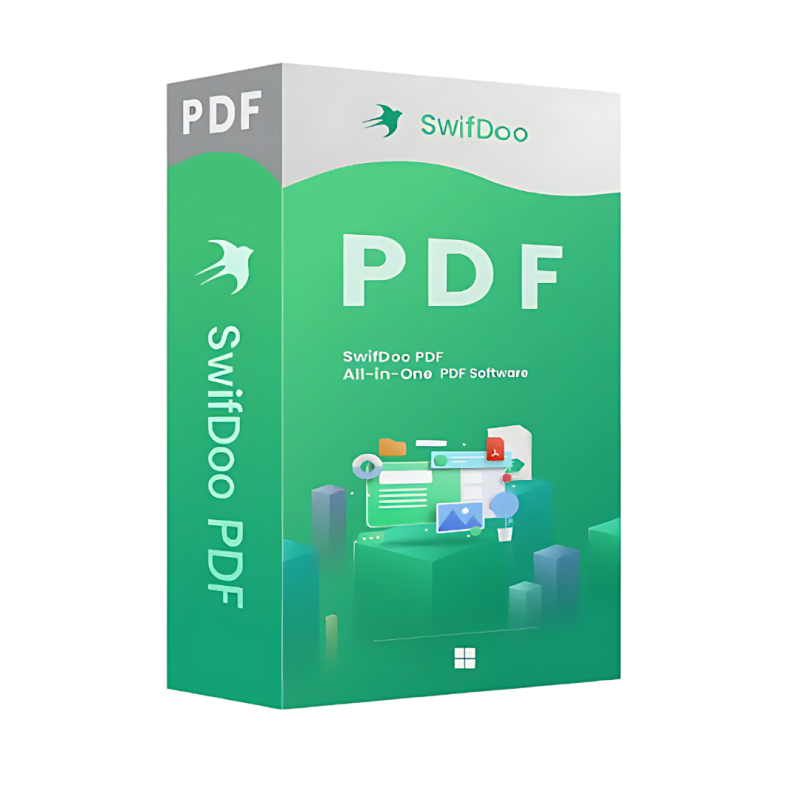
SwifDoo PDF for Mac – The Ultimate Professional PDF Editor & Document Management Tool
Designed for busy professionals who demand speed, precision, and a seamless workflow on macOS.
SwifDoo PDF for Mac is a full‑featured, native macOS PDF editor that combines advanced editing capabilities with a clean, intuitive interface. Whether you are a lawyer preparing contracts, a marketer polishing presentations, or an engineer reviewing technical drawings, SwifDoo PDF gives you the power to create, edit, annotate, convert, and secure PDF files without leaving your Mac.
Our solution is more than a PDF editing software – it is a productivity suite that integrates smoothly with macOS features such as Spotlight, Finder tags, and the Share menu, helping you manage documents faster and more securely.
| Feature | SwifDoo PDF | Adobe Acrobat Pro DC | PDF Expert | Foxit PDF Editor |
|---|---|---|---|---|
| Native macOS UI | ✅ | ❌ (Windows‑centric) | ✅ | ✅ |
| Real‑time OCR (multilingual) | ✅ | ✅ | ❌ | ✅ |
| Batch processing (watermark, conversion) | ✅ | ✅ | ❌ | ✅ |
| Integrated e‑signature workflow | ✅ | ✅ | ✅ | ❌ |
| Unlimited page size (no 500‑page limit) | ✅ | ✅ | ✅ | ✅ |
| Pricing (single‑user, perpetual) | $59.99 | $179/yr | $79.99 | $129/yr |
| Customer support (24 h live chat) | ✅ | ✅ | ✅ | ✅ |
| System resource footprint | Low (≤ 150 MB RAM) | High (≥ 300 MB RAM) | Medium | Medium |
Bottom line: SwifDoo PDF delivers enterprise‑grade features at a fraction of the cost, while running lightweight on any modern Mac.
| Component | Minimum | Recommended |
|---|---|---|
| Operating System | macOS 10.14 (Mojave) | macOS 13 (Ventura) or later |
| Processor | Intel Core 2 Duo (2 GHz) | Apple Silicon (M1/M2) or Intel i5 (3 GHz) |
| RAM | 2 GB | 4 GB or more (8 GB for large batch jobs) |
| Hard Disk Space | 200 MB free space | 500 MB SSD (for cache & temporary files) |
| Graphics | OpenGL 2.1 compatible | Metal‑compatible GPU |
| Additional | macOS Security Framework enabled | Full Disk Access permission for batch processing |
SwifDoo PDF is fully optimized for Apple Silicon, delivering up to 30 % faster conversion and lower power consumption on M1/M2 chips.
“SwifDoo PDF transformed our contract review process. What used to take hours now takes minutes.” – Senior Legal Counsel, Fortune 500 firm
| Capability | SwifDoo PDF | Adobe Acrobat Pro DC | PDF Expert | Foxit PDF Editor |
|---|---|---|---|---|
| Native macOS experience | ★★★★★ | ★★☆☆☆ | ★★★★★ | ★★★★☆ |
| Batch watermark & conversion | ★★★★★ | ★★★★★ | ★☆☆☆☆ | ★★★★★ |
| OCR accuracy (multilingual) | ★★★★★ | ★★★★★ | ★☆☆☆☆ | ★★★★☆ |
| Price (perpetual) | $59.99 | $179/yr | $79.99 | $129/yr |
| Learning curve | Minimal (intuitive UI) | Moderate (feature‑rich) | Low | Moderate |
| Customer support | 24 h live chat | Business hours only | Email only | 24 h chat & phone |
The table underscores why SwifDoo PDF for Mac is the preferred PDF editing software for cost‑sensitive professionals who still need enterprise‑level features.
| License Type | What You Get | Price |
|---|---|---|
| Official Single‑User License | Lifetime updates for the current major version, 24 h support, 1‑year free upgrades | $59.99 |
| Professional License (Team – 5 users) | All Single‑User benefits + centralized license management, priority support | $269.99 |
| Enterprise License (Unlimited) | Unlimited seats, on‑premise deployment, custom integration assistance | Contact sales |
All licenses include a 30‑day money‑back guarantee and are delivered instantly via a secure download link.
| Question | Answer |
|---|---|
| Is SwifDoo PDF compatible with Apple Silicon? | Yes – the app runs natively on M1/M2 chips, offering up to 30 % faster processing than on Intel Macs. |
| Can I convert a PDF to an editable Word document without losing layout? | Absolutely. SwifDoo PDF uses an AI‑driven conversion engine that retains fonts, tables, and images with > 95 % accuracy. |
| How do I obtain an official license? | Purchase directly on our website; the license key is emailed instantly. |
| Does the software support PDF/A for archiving? | Yes – you can create PDF/A‑1b compliant files for long‑term preservation. |
| What support channels are available? | 24 h live chat, email support, and an extensive knowledge base. |
| Industry | Typical Tasks | SwifDoo PDF Benefits |
|---|---|---|
| Legal | Drafting contracts, redacting sensitive clauses, e‑signatures. | Secure redaction, digital signatures, batch watermarking for confidential documents. |
| Finance | Preparing financial reports, converting statements to Excel, protecting data. | Accurate PDF‑to‑Excel conversion, password protection, automated batch processing. |
| Healthcare | Managing patient records, complying with HIPAA, annotating scans. | PDF/A archiving, encryption, OCR for scanned medical forms. |
| Education | Creating course materials, grading assignments, sharing interactive PDFs. | Form creation, annotation tools, cloud sync for collaborative teaching. |
| Engineering | Reviewing schematics, adding measurements, sharing large PDFs. | High‑resolution image handling, unlimited page size, fast rendering on Apple Silicon. |
Ready to elevate your document workflow?
Buy SwifDoo PDF for Mac Now – Instant download, perpetual license.
SwifDoo PDF for Mac is the professional PDF editor that merges robust functionality with a lightweight, macOS‑native experience. For professionals who need a reliable, secure, and cost‑effective document management solution, SwifDoo PDF stands out as the clear choice.
Boost your productivity today—download SwifDoo PDF for Mac and experience the difference of a true professional PDF editor.
swifdoo pdf mac file editor, swifdoo pdf mac productivity software, swifdoo pdf mac document management tool, swifdoo pdf mac professional pdf editor, swifdoo pdf mac official license, swifdoo pdf mac pdf editing software.
Browse our Office & Productivity Software for Microsoft Office editions and productivity tools.
Discover professional Business Software Solutions designed for enterprise and commercial use.
Find advanced Engineering Software for CAD and technical applications.
Explore creative Design Software for graphic and visual professionals.
Improve system performance with our Utilities Software.
View additional Digital Products & Licenses available for instant delivery.
Check out our Top Selling Products for the most popular choices.
Need help? Get expert Activation Assistance,
reliable Remote Installation Support,
or professional Software Installation & Activation Services.
Please review our Refund & Return Policy
and Privacy Policy for complete transparency and customer assurance.




6 reviews for SwifDoo PDF for Mac
Customer reviews