No products in the cart.

0
Total
$0.00
Free Shipping on All Orders Over $75
Only this weekend
Super Discount
Items on sale this week
Top picks this week. Up to 50% off the best selling products.



✔ Quick Delivery
✔ 100% Original License
✔ Lifetime Warranty
✔ Free Support
Only logged in customers who have purchased this product may leave a review.
Windows 11 Pro – Instant Digital Delivery for Professionals
The ultimate operating‑system solution for power users, creative studios, and enterprise environments.
Windows 11 Pro is engineered to meet the demanding workflow of today’s professionals. Whether you need secure activation, seamless network management, or high‑performance multitasking, the full version delivers every feature you expect—instantly.
| Feature | Windows 11 Pro | Windows 11 Home |
|---|---|---|
| Domain Join | ✔️ | ❌ |
| BitLocker Encryption | ✔️ | ❌ |
| Remote Desktop | ✔️ | ❌ |
| Hyper‑V Virtualisation | ✔️ | ❌ |
| Enterprise‑Level Security | ✔️ | ❌ |
| Secure Activation (Digital License) | ✔️ | ✔️ (limited) |
| Upgrade Path | Direct upgrade key from Windows 10 Pro | Requires upgrade key to Pro |
The table highlights why Windows 11 Pro is the preferred choice for professional environments.
All items are delivered electronically; no physical media or shipping required.
| Question | Answer |
|---|---|
| Is the Windows 11 Pro license tied to hardware? | No. The digital license is linked to your Microsoft account, allowing transfer to a new device (subject to Microsoft’s licensing policy). |
| Can I upgrade from Windows 10 Home to Windows 11 Pro? | Yes – simply purchase a Windows 11 Pro upgrade key and follow the activation steps. |
| Do I need an internet connection for activation? | Secure activation requires an online check the first time; thereafter you can work offline. |
| What support is included? | 24/7 Microsoft support, regular security updates, and access to the Windows 11 Insider Program. |
| Is Windows 11 Pro compatible with older hardware? | Minimum system requirements are listed below; for optimal performance we recommend the recommended specifications. |
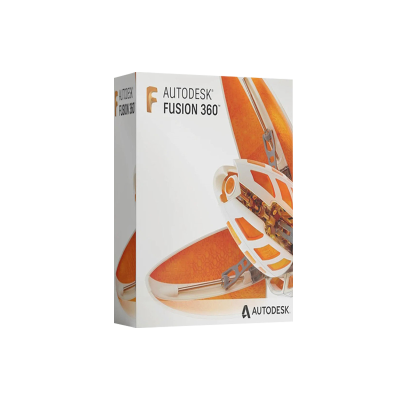
While Windows 11 Pro powers your PC, many professionals also rely on Autodesk Fusion 360 for advanced CAD, CAM, and CAE workflows on macOS. Below are the official system requirements for the latest version (2026 release) of Fusion 360 on Mac.
| Component | Minimum Specification |
|---|---|
| Operating System | macOS 12 Monterey (64‑bit) |
| Processor | Intel® Core™ i5 (2.5 GHz) or Apple Silicon M1/M2 (Rosetta 2 not required) |
| RAM | 8 GB (16 GB recommended) |
| Graphics | Metal‑compatible GPU with 2 GB VRAM (e.g., AMD Radeon 5600M, Apple M1/M2 integrated) |
| Storage | 3 GB free SSD space for installation; additional space for projects |
| Display | 1280 × 800 minimum resolution (retina displays recommended) |
| Internet | Broadband connection for license validation and cloud services |
| Additional | USB 3.0 port for peripheral devices (e.g., 3‑D printers, CNC) |
| Component | Recommended Specification |
|---|---|
| OS | macOS 13 Ventura |
| CPU | Apple M2 Pro/Max or Intel® Core™ i7/i9 (3.3 GHz or higher) |
| RAM | 32 GB (or more for large assemblies) |
| GPU | Apple M2 Max (or AMD Radeon 6800M) with 4 GB+ VRAM |
| Storage | 512 GB – 1 TB SSD (NVMe) |
| Display | 2560 × 1600 or higher; external 4K monitor for detailed modeling |
| Network | Ethernet or Wi‑Fi 6 for faster cloud sync |
Tip: Running Fusion 360 on Apple Silicon delivers up to 40 % faster render times compared with Intel‑based Macs (source: Autodesk Technical Blog).
By combining Windows 11 Pro on your workstation with Autodesk Fusion 360 on a Mac, you get:
Professional tip: Export Fusion 360 models to STEP or IGES, then import them directly into Windows‑based simulation tools (e.g., ANSYS, SolidWorks) without conversion headaches.
| Feature | Windows 11 Pro | macOS 13 Ventura (Enterprise) | Linux (Ubuntu 22.04 LTS) |
|---|---|---|---|
| Secure Activation | ✔️ (Digital License) | ✔️ (Apple ID) | ❌ (Manual) |
| Domain Join | ✔️ | ❌ | ✔️ (via Samba) |
| BitLocker Encryption | ✔️ | ❌ (FileVault only) | ❌ (LUKS) |
| Remote Desktop | ✔️ (Native) | ❌ (Third‑party) | ✔️ (RDP/SSH) |
| Hardware Compatibility | ★★★★★ (Broad) | ★★★★☆ (Apple‑only) | ★★★★☆ (Wide) |
| Software Ecosystem | ★★★★★ (Enterprise apps) | ★★★★☆ (Creative apps) | ★★★★☆ (Open‑source) |
| Support & Updates | 24/7 Microsoft | Apple Support | Community‑driven |
Windows 11 Pro stands out for enterprise‑grade security, extensive hardware support, and a mature update cycle.
Ready to upgrade? Click the Buy Now button below and start working with a fully licensed, secure, and future‑ready operating system.
Disclaimer: All product information is accurate as of the 2026 release cycle. System requirements and feature sets may evolve with future updates
Browse our Office & Productivity Software for Microsoft Office editions and productivity tools.
Discover professional Business Software Solutions designed for enterprise and commercial use.
Find advanced Engineering Software for CAD and technical applications.
Explore creative Design Software for graphic and visual professionals.
Improve system performance with our Utilities Software.
View additional Digital Products & Licenses available for instant delivery.
Check out our Top Selling Products for the most popular choices.
Need help? Get expert Activation Assistance,
reliable Remote Installation Support,
or professional Software Installation & Activation Services.
Please review our Refund & Return Policy
and Privacy Policy for complete transparency and customer assurance.

16 reviews for Autodesk Fusion 360 for Mac
Customer reviews