No products in the cart.

0
Total
$0.00
Free Shipping on All Orders Over $75
Only this weekend
Super Discount
Items on sale this week
Top picks this week. Up to 50% off the best selling products.



✔ Quick Delivery
✔ 100% Original License
✔ Lifetime Warranty
✔ Free Support
Only logged in customers who have purchased this product may leave a review.
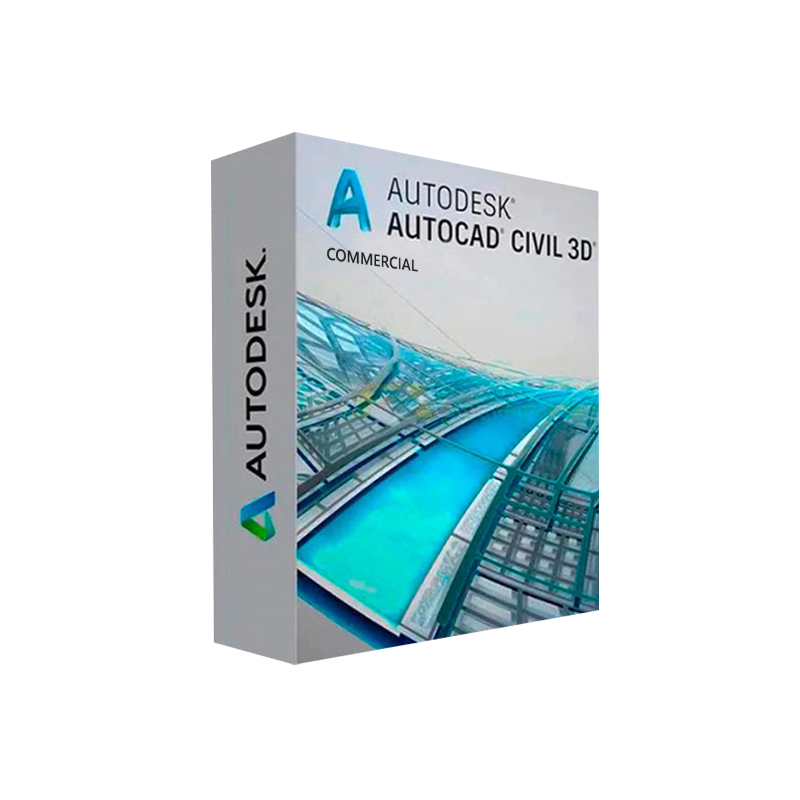
Autodesk Civil 3D is the industry‑standard Civil 3D Windows Download that delivers a complete, data‑driven workflow for civil engineering, transportation, land development, and water‑resource projects. Whether you are a senior civil engineer, a BIM manager, or a design‑consultant, a Genuine Autodesk Civil 3D License gives you the reliability, support, and future‑proofing you need to stay competitive.
Below you will find a full,optimized product description, feature breakdown, licensing comparison, system requirements, and purchasing guide designed specifically for professionals who demand the highest level of accuracy and efficiency.
“Autodesk Civil 3D has transformed how our team designs road corridors—speed, accuracy, and collaboration have never been better.” – Senior Civil Engineer, Global Infrastructure Firm
| Feature | What It Does | Professional Benefit |
|---|---|---|
| Dynamic Modeling | Alignments, profiles, and corridors update automatically when design data changes. | Eliminates manual redraws, saving time and reducing errors. |
| Surface Modeling & Analysis | Generates 2‑D/3‑D surfaces from point clouds, survey data, or GIS files. | Enables rapid earth‑work calculations and volume reports. |
| Pipe Networks | Design storm‑, sanitary‑, and pressure‑pipe systems with hydraulic analysis. | Guarantees compliance with local codes and optimizes material usage. |
| Road Design Tools | Advanced corridor creation, superelevation, and cross‑section templates. | Accelerates highway and arterial design cycles. |
| Survey Integration | Direct import of .dwg, .dxf, .las, .csv, and Autodesk Survey‑oriented formats. | Streamlines field‑to‑office data flow. |
| Construction Documentation | Automated quantity take‑offs, plan production, and annotation styles. | Guarantees accurate bid packages and reduces post‑construction disputes. |
| Collaboration Hub | Cloud‑based BIM 360 integration for real‑time team access. | Improves stakeholder communication and reduces project silos. |
| License | Price (USD, per year) | Seats Included | Support Level | Ideal For |
|---|---|---|---|---|
| Autodesk Civil 3D Commercial License (Single‑User) | $2,590 | 1 | Standard 24/7 web & phone support | Small‑to‑mid‑size firms, consultants |
| Autodesk Civil 3D Commercial License (Multi‑User – 5 Seats) | $12,450 | 5 | Priority support + training webinars | Growing offices, multi‑disciplinary teams |
| Autodesk Civil 3D Enterprise Agreement | Custom (volume‑based) | Unlimited | Dedicated technical account manager, on‑site training | Large enterprises, government agencies |
| Student/Academic License (Free) | $0 | 1 | Community forum only | Universities, training programs |
Tip: Purchasing a Civil 3D Commercial Software License through an authorized reseller often includes complimentary migration assistance and a 30‑day money‑back guarantee.
| Component | Minimum Requirement | Recommended Specification |
|---|---|---|
| Operating System | Windows 10 (64‑bit) | Windows 11 (64‑bit) |
| Processor | 2.5 GHz × 2 cores | 3.5 GHz × 4 cores (Intel i7 / AMD Ryzen 7) |
| RAM | 8 GB | 16 GB – 32 GB |
| Graphics Card | DirectX 11 compatible, 1 GB VRAM | NVIDIA Quadro RTX 3000 / AMD Radeon Pro WX 7100, 4 GB+ VRAM |
| Disk Space | 7 GB free SSD | 15 GB free SSD + additional space for project files |
| Display | 1920 × 1080 (Full HD) | 2560 × 1440 or 4K UHD |
| Internet | Broadband connection (for activation & updates) | High‑speed (≥ 25 Mbps) for BIM 360 collaboration |
| Additional Software | .NET Framework 4.8, Microsoft Visual C++ Redistributable | Autodesk Desktop Connector, Revit 2025 (optional) |
All Autodesk Civil 3D Full Version Windows installations require a reliable internet connection for license activation and periodic updates.
Pro Tip: Enable Autodesk Desktop Connector to sync your local projects with BIM 360, ensuring real‑time collaboration across the office and field teams.
| Question | Answer |
|---|---|
| Can I install Civil 3D on multiple computers? | A single‑user license permits installation on two devices (e.g., desktop and laptop) but only one can be active at a time. Multi‑user licenses allow concurrent usage up to the seat count. |
| What is the difference between a subscription and a perpetual license? | Autodesk now offers subscription‑only models. Subscriptions include updates, cloud services, and support, eliminating the need for costly upgrades. |
| Is there a trial version available? | Yes – a 30‑day free trial of Autodesk Civil 3D for Windows is offered through the Autodesk website. It provides full functionality without watermarks. |
| How do I migrate from an older version (e.g., Civil 3D 2022) to the latest release? | Use the Autodesk Migration Tool (downloadable from the Autodesk Knowledge Network). It transfers settings, templates, and custom styles automatically. |
| Can Civil 3D integrate with GIS data? | Absolutely. Civil 3D supports .shp, .gdb, and .kml formats, allowing direct import of terrain, cadastral, and utility layers. |
| What support options are included? | All subscriptions include 24/7 online support, access to the Autodesk Knowledge Base, and optional premium phone support for enterprise agreements. |
| Is training available? | Autodesk offers free webinars, a paid certification program, and partner‑delivered classroom courses. A license purchase often includes a complimentary introductory workshop. |
These links are provided for verification and additional learning. They are external to our site and are not under our control.
Ready to transform your civil‑engineering workflow?
Buy Autodesk Civil 3D for Windows today, download the full version instantly, and start delivering smarter, faster, and more accurate infrastructure designs.
Add to Cart – Secure Checkout (Button placeholder for website integration)
Autodesk Civil 3D for Windows, Autodesk Civil 3D Commercial License, Buy Autodesk Civil 3D License, Civil 3D Windows Download, Autodesk Civil 3D Professional Software, Civil 3D Commercial Software License, Genuine Autodesk Civil 3D License, Autodesk Civil 3D Full Version Windows, Civil 3D Engineering Software.
Browse our Office & Productivity Software for Microsoft Office editions and productivity tools.
Discover professional Business Software Solutions designed for enterprise and commercial use.
Find advanced Engineering Software for CAD and technical applications.
Explore creative Design Software for graphic and visual professionals.
Improve system performance with our Utilities Software.
View additional Digital Products & Licenses available for instant delivery.
Check out our Top Selling Products for the most popular choices.
Need help? Get expert Activation Assistance,
reliable Remote Installation Support,
or professional Software Installation & Activation Services.
Please review our Refund & Return Policy
and Privacy Policy for complete transparency and customer assurance.

16 reviews for Buy Autodesk Civil 3D for Windows | Genuine Autodesk License
Customer reviews