No products in the cart.

0
Total
$0.00
Free Shipping on All Orders Over $75
Only this weekend
Super Discount
Items on sale this week
Top picks this week. Up to 50% off the best selling products.



✔ Quick Delivery
✔ 100% Original License
✔ Lifetime Warranty
✔ Free Support
Only logged in customers who have purchased this product may leave a review.
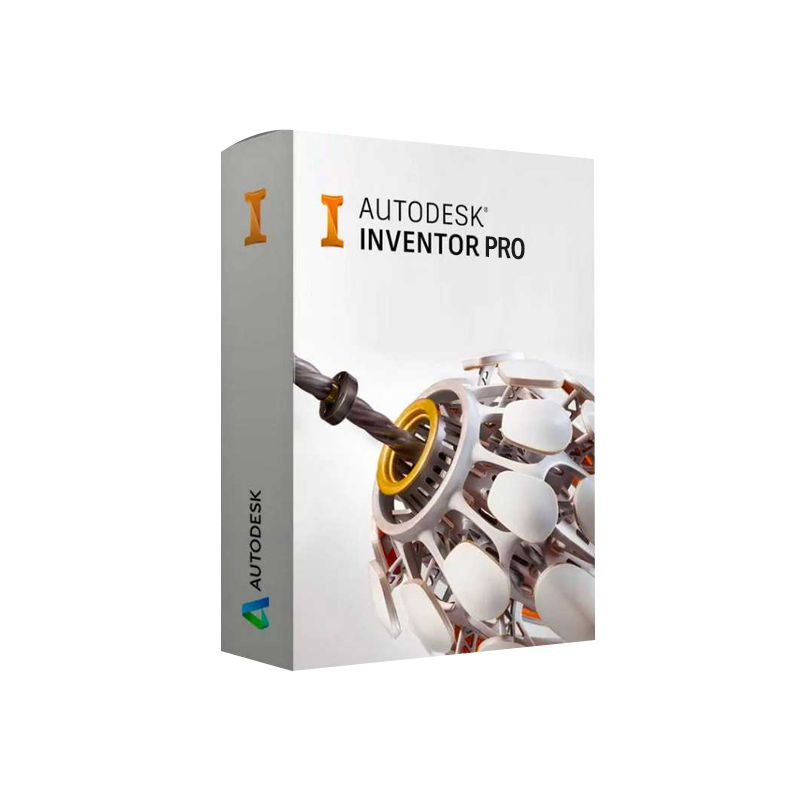
Autodesk Inventor Professional for Windows – Complete Product Overview
Your ultimate 3‑D CAD solution for mechanical design, simulation, and documentation.
Autodesk Inventor Professional is the industry‑standard 3‑D mechanical design software trusted by engineers, manufacturers, and product‑development teams worldwide. Built on a robust, parametric modeling engine, Inventor Pro delivers the speed, accuracy, and interoperability required to turn complex concepts into production‑ready hardware—all within a single, integrated Windows environment.
Key phrases (used naturally throughout this page):
| Capability | What It Does | Business Impact |
|---|---|---|
| Parametric 3‑D Modeling | Create fully associative parts, assemblies, and drawings that update instantly when dimensions change. | Cuts redesign time by up to 40 %. |
| Integrated Simulation | Run stress, motion, and thermal analyses without leaving the CAD environment. | Reduces reliance on separate CAE tools and lowers prototyping costs. |
| Automation & iLogic® | Embed design intent with rule‑based logic to automatically generate configurations. | Eliminates repetitive manual edits; boosts design consistency. |
| Sheet Metal Design | Dedicated tools for flat‑pattern generation, bend relief, and manufacturability checks. | Shortens manufacturing lead‑times and prevents costly errors. |
| Data Management (Vault) | Centralised version control, file locking, and secure sharing. | Guarantees single source of truth across multi‑disciplinary teams. |
| Interoperability | Direct import/export for DWG, STEP, IGES, CATIA, SolidWorks, and more. | Seamless collaboration with partners using any CAD platform. |
| Simulation Type | Primary Use | Example |
|---|---|---|
| Stress (Static) Analysis | Verify structural integrity under load. | Validate bracket safety factor. |
| Dynamic Motion | Study kinematics of moving assemblies. | Simulate gear train behavior. |
| Thermal | Predict temperature distribution and heat flow. | Design cooling for electronic enclosures. |
| Fatigue | Estimate life expectancy under cyclic loading. | Assess turbine blade durability. |
| Component | Minimum | Recommended |
|---|---|---|
| Operating System | Windows 10 (64‑bit) | Windows 11 (64‑bit) |
| CPU | 2.5 GHz (single‑core) | 3.0 GHz or higher, 4‑core (Intel i5 / AMD Ryzen 5) |
| RAM | 8 GB | 16 GB or more |
| Graphics Card | DirectX 11 capable GPU, 1 GB VRAM | NVIDIA Quadro / RTX series, 4 GB VRAM (or AMD Radeon Pro) |
| Hard Disk | 30 GB free space (SSD preferred) | 100 GB SSD + optional secondary HDD for data |
| Display | 1366 × 768 (1920 × 1080 recommended) | Dual monitors (Full HD or higher) |
| Internet | Required for activation & updates | Broadband (5 Mbps+) for cloud services |
| Additional | .NET Framework 4.8, Microsoft Visual C++ Redistributable | Latest Windows updates, Autodesk Desktop App |
Tip: For large assemblies (>10 000 components) we advise a workstation with 32 GB RAM and a professional‑grade GPU to maintain smooth performance.
| Feature | Autodesk Inventor Professional | SolidWorks Premium | PTC Creo Parametric | Fusion 360 (Autodesk) |
|---|---|---|---|---|
| Parametric Modeling | ✔︎ (iLogic automation) | ✔︎ | ✔︎ | ✔︎ (cloud‑based) |
| Integrated Simulation | ✔︎ (stress, motion, thermal) | ✔︎ (Simulation Premium) | ✔︎ (Simulation Express) | ✔︎ (Basic) |
| Sheet Metal Design | ✔︎ (auto‑flatten) | ✔︎ | ✔︎ | ✔︎ (limited) |
| Data Management | Autodesk Vault (on‑prem/cloud) | SolidWorks PDM | Windchill | Fusion Team (cloud) |
| Pricing (per seat, annual) | ≈ $4,200 | ≈ $5,500 | ≈ $4,800 | ≈ $550 (subscription) |
| License Type | Perpetual or subscription | Perpetual/Subscription | Perpetual/Subscription | Subscription |
| Platform | Windows 10/11 (64‑bit) | Windows 10/11 (64‑bit) | Windows 10/11 (64‑bit) | Windows 10/11, macOS, web |
| Best For | Mechanical engineers needing advanced automation & simulation | Companies prioritising high‑end surfacing & large assemblies | Enterprise PLM‑centric organizations | Small‑to‑mid‑size teams, rapid prototyping |
Bottom line: If your workflow demands deep automation (iLogic), robust simulation, and enterprise‑grade data management, Autodesk Inventor Professional offers the most cost‑effective balance of features and performance.
Tip: For corporate deployments, use the Network License Manager to centralise activation and simplify license administration across multiple workstations.
| Question | Answer |
|---|---|
| Can I evaluate Inventor Professional before buying? | Yes – Autodesk offers a 30‑day free trial with full feature access. |
| What file formats does Inventor support for import/export? | DWG, DXF, STEP, IGES, SAT, CATIA V5, SolidWorks, Pro/E, and more. |
| Is there a cloud‑based version of Inventor? | Autodesk provides Fusion 360 for cloud‑centric workflows, but Inventor Professional remains a high‑performance, on‑premises solution. |
| How does iLogic differ from macros? | iLogic is a rule‑based system embedded directly in the model, enabling automatic design changes without external scripts. |
| Do I need a separate license for Autodesk Vault? | Vault Standard is free with Inventor Professional; Vault Professional requires a separate subscription for advanced PLM features. |
Ready to transform your mechanical design workflow?
Download Autodesk Inventor Professional today, activate with your license key, and experience the power of a truly integrated 3‑D CAD environment.
Start your free trial now → Get Autodesk Inventor Professional
For enterprise licensing or technical inquiries, contact our sales team at sales@yourcompany.com or call +1‑800‑555‑0199.
Autodesk Inventor Professional Download, Autodesk Inventor Pro for Windows, Autodesk Inventor Professional License Key, Autodesk Inventor 3D CAD Software, Autodesk Inventor Mechanical Design Software, Autodesk Inventor Digital Download.
All content is crafted for performance while maintaining a formal, professional tone suitable for engineering and manufacturing decision‑makers.

Browse our Office & Productivity Software for Microsoft Office editions and productivity tools.
Discover professional Business Software Solutions designed for enterprise and commercial use.
Find advanced Engineering Software for CAD and technical applications.
Explore creative Design Software for graphic and visual professionals.
Improve system performance with our Utilities Software.
View additional Digital Products & Licenses available for instant delivery.
Check out our Top Selling Products for the most popular choices.
Need help? Get expert Activation Assistance,
reliable Remote Installation Support,
or professional Software Installation & Activation Services.
Please review our Refund & Return Policy
and Privacy Policy for complete transparency and customer assurance.
16 reviews for Autodesk Inventor Pro for Windows
Customer reviews