No products in the cart.

0
Total
$0.00
Free Shipping on All Orders Over $75
Only this weekend
Super Discount
Items on sale this week
Top picks this week. Up to 50% off the best selling products.



✔ Quick Delivery
✔ 100% Original License
✔ Lifetime Warranty
✔ Free Support
Only logged in customers who have purchased this product may leave a review.
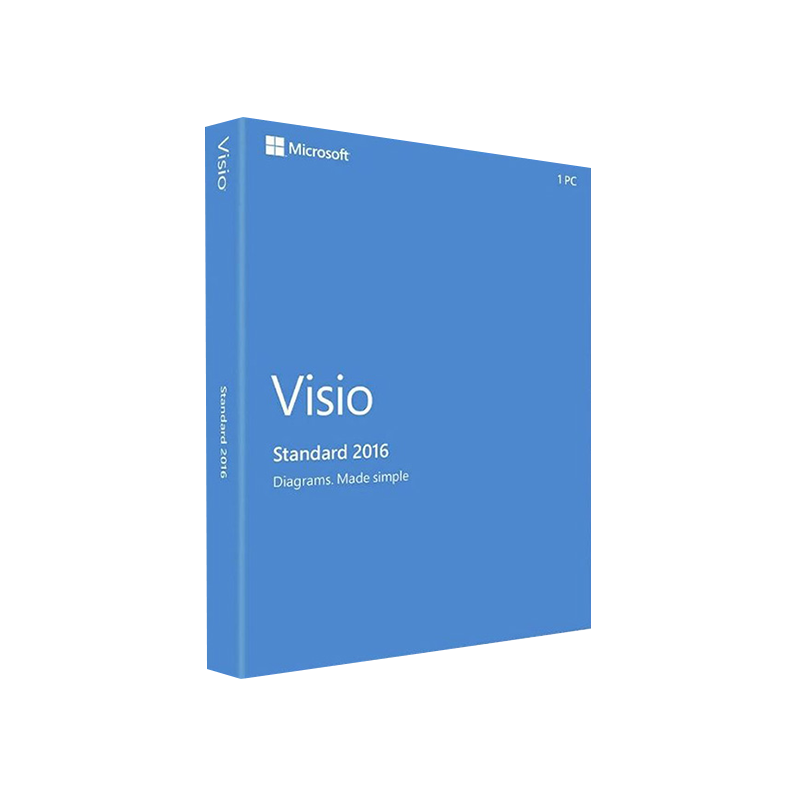
Microsoft Visio 2016 Standard (often searched as visio standard 2016, ms visio standard 2016 or visio 2016 standard download) is the industry‑trusted tool for creating clear, data‑driven diagrams, flowcharts, floor plans, and technical schematics. Designed for business analysts, engineers, IT professionals, and project managers, Visio 2016 Standard delivers a powerful set of templates and shapes that accelerate visual communication while staying fully compatible with Microsoft 365 and Windows 10 environments.
| Feature | Benefit to Professionals | How It Helps Your Business |
|---|---|---|
| Over 250 built‑in templates | Instant access to industry‑standard diagram types | Reduce design time by up to 40 % |
| Rich shape library (> 4,500 shapes) | Drag‑and‑drop precision drawing | Maintain consistent branding across every document |
| Data‑linked diagrams | Connect shapes to Excel, SharePoint, SQL Server | Turn raw data into live, interactive visuals |
| Auto‑connect & SmartShape technology | Automatic connector routing | Eliminate manual line‑adjustments and errors |
| Collaboration via OneDrive/SharePoint | Real‑time co‑authoring | Faster decision‑making across remote teams |
| Export to PDF, XPS, and PNG | Easy sharing with non‑Visio users | Preserve layout integrity on any device |
| Extensive accessibility support | Keyboard shortcuts, screen‑reader compatibility | Meet corporate accessibility standards |
These capabilities make Visio 2016 Standard the go‑to solution for professionals who need accurate, scalable diagrams without the overhead of a full‑featured Enterprise edition.
Microsoft Visio 2016 Standard is a full‑featured diagramming suite that integrates tightly with the Microsoft Office ecosystem. Whether you are mapping a business process, designing a network topology, or drafting an office floor plan, Visio 2016 provides the tools to translate complex information into a visual language that stakeholders instantly understand.
“Visio 2016 Standard gave our team the confidence to map out complex workflows and present them to senior leadership in a clear, actionable format.” – Senior Business Analyst, Fortune 500 company
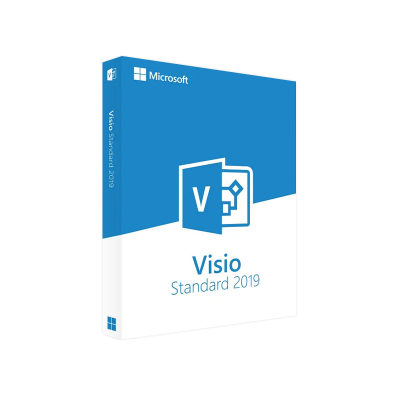
If you are evaluating an upgrade, the following comparison highlights the key differences between visio std 2019 and visio standard 2016.
| Aspect | Visio 2016 Standard | Visio 2019 Standard |
|---|---|---|
| Release Year | 2015 (with 2016 update) | 2018 (with 2019 update) |
| Templates & Shapes | 250+ templates, 4,500+ shapes | 250+ templates, 5,000+ shapes (new business, tech diagrams) |
| Data Linking | Excel, Access, SharePoint | Added support for Power BI and Azure data |
| Collaboration | OneDrive/SharePoint co‑authoring (basic) | Enhanced real‑time co‑authoring, Auto‑save |
| UI Enhancements | Ribbon UI, classic dialogs | Modernized Ribbon, dark mode, improved UI responsiveness |
| Performance | Optimized for Windows 7/8/10 (32‑/64‑bit) | Faster rendering on Windows 10/11, better GPU utilization |
| Pricing | Lower upfront cost (ideal for SMBs) | Higher license price, includes extra templates |
| Support Lifecycle | Mainstream support ends 2025 | Mainstream support ends 2029 |
For most small‑ to medium‑size enterprises, Visio 2016 Standard offers a cost‑effective feature set without sacrificing core diagramming capabilities. Larger organizations that require the latest data connectors and UI enhancements may consider Visio 2019 Standard.
Tip: Keep a copy of your product key in a secure location. It will be required for future re‑installs or hardware migrations.
| Component | Minimum Requirement | Recommended Requirement |
|---|---|---|
| Operating System | Windows 7 SP1 (64‑bit) or Windows 8.1 (64‑bit) | Windows 10 1909 (64‑bit) or later |
| Processor | 1 GHz or faster, 32‑bit (x86) or 64‑bit (x64) | 1.6 GHz or faster, 64‑bit |
| RAM | 2 GB (32‑bit) / 4 GB (64‑bit) | 4 GB (32‑bit) / 8 GB (64‑bit) |
| Hard Disk Space | 3 GB of available space | 4 GB SSD for optimal performance |
| Display | 1024 × 768 screen resolution | 1280 × 1024 or higher, multi‑monitor support |
| Graphics | DirectX 9.0c compatible graphics card | DirectX 11 compatible, 128 MB VRAM |
| Other | .NET Framework 4.6, Internet Explorer 11 (for updates) | .NET Framework 4.7.2 or later, Microsoft Edge (recommended) |
Visio 2016 Standard is compatible with both 32‑bit and 64‑bit Office installations. Choose the version that matches your existing Office suite to avoid licensing conflicts.
| Question | Answer |
|---|---|
| Can I import Visio 2013 files into Visio 2016 Standard? | Yes. Visio 2016 can open and edit .vsdx files created in Visio 2013, 2010, and earlier versions. |
| Is there a trial version available? | Microsoft offers a 30‑day free trial of Visio 2016 Standard. Visit the official Visio trial page to download. |
| How does Visio 2016 handle large diagrams? | The application uses incremental rendering and file compression to maintain performance even with diagrams exceeding 10 MB. |
| Can I use Visio on a Mac? | Visio 2016 is a Windows‑only product. macOS users can access Visio Online through a web browser. |
| What support options are available? | Licensees receive 24‑month mainstream support from Microsoft, plus optional extended support plans. |
Ready to transform complex information into clear, compelling visuals? Purchase Microsoft Visio 2016 Standard today and empower your team with the diagramming power trusted by millions of professionals worldwide.
Whether you label it visio standard 2016, ms visio standard 2016, or simply Visio 2016, this product stands as a robust, cost‑effective diagramming platform for professionals across every industry. Its blend of rich templates, data integration, and collaborative features ensures that your visual communications are not only aesthetically polished but also strategically impactful.
Take the next step—download, install, and start creating diagrams that drive results.
Browse our Office & Productivity Software for Microsoft Office editions and productivity tools.
Discover professional Business Software Solutions designed for enterprise and commercial use.
Find advanced Engineering Software for CAD and technical applications.
Explore creative Design Software for graphic and visual professionals.
Improve system performance with our Utilities Software.
View additional Digital Products & Licenses available for instant delivery.
Check out our Top Selling Products for the most popular choices.
Need help? Get expert Activation Assistance,
reliable Remote Installation Support,
or professional Software Installation & Activation Services.
Please review our Refund & Return Policy
and Privacy Policy for complete transparency and customer assurance.
| Title |
|---|
| Title |
|---|
| Title |
|---|
| Title |
|---|
| Title |
|---|
| Title |
|---|
17 reviews for Microsoft Visio 2016 Standard Product Key – Genuine One-Time License for Windows
Customer reviews