No products in the cart.

0
Total
$0.00
Free Shipping on All Orders Over $75
Only this weekend
Super Discount
Items on sale this week
Top picks this week. Up to 50% off the best selling products.



✔ Quick Delivery
✔ 100% Original License
✔ Lifetime Warranty
✔ Free Support
Only logged in customers who have purchased this product may leave a review.
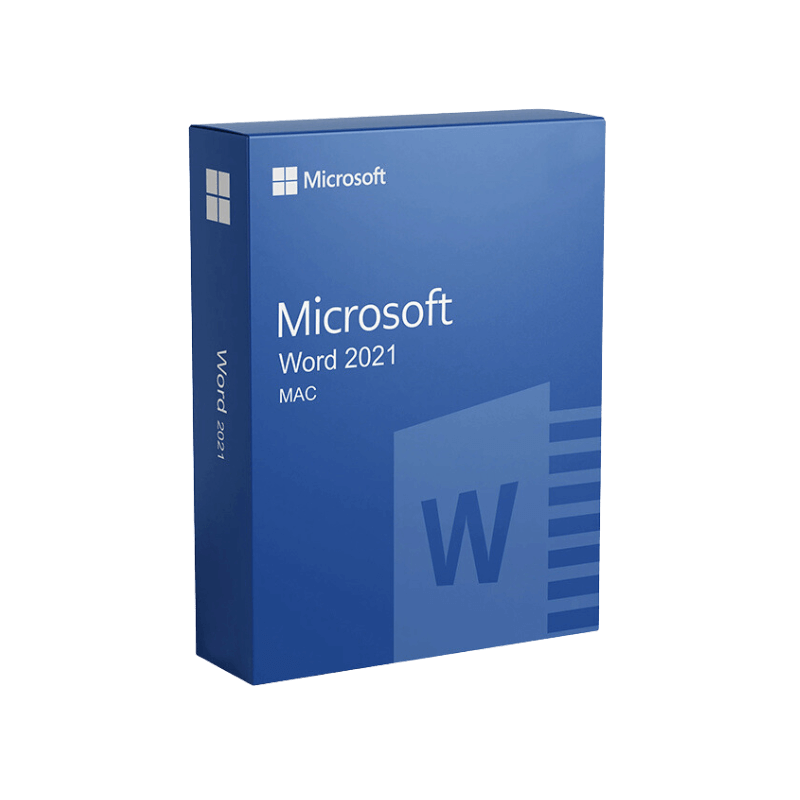
Microsoft Word 2021 for Mac – The Professional‑Grade Writing Solution
Unlock the full power of desktop publishing, collaboration, and advanced editing on your MacBook or iMac. Designed for professionals who demand reliability, security, and a one‑time purchase experience, Microsoft Word 2021 for Mac delivers a timeless office suite that never expires.
When you search for “microsoft office for mac lifetime” or “microsoft office for mac one time purchase,” you’re looking for a solution that:
| Feature | Microsoft Word 2021 (One‑Time Purchase) | Microsoft 365 (Subscription) |
|---|---|---|
| Cost Structure | Single upfront payment – no recurring fees | Monthly/annual subscription |
| Updates | Security patches & bug fixes only | Continuous feature updates |
| License | Perpetual license – works forever on the purchased device | Cloud‑based license, usable on multiple devices |
| Data Privacy | All files stored locally unless you choose OneDrive | Default cloud storage encourages online sync |
| Ideal For | Professionals who prefer a stable, long‑term environment | Teams that need the latest AI‑driven tools |
If your priority is a lifetime solution without recurring charges, Microsoft Word 2021 for Mac is the clear winner.
“Word 2021 feels like the professional version of a Swiss Army knife—compact, reliable, and ready for any document challenge.” – TechRadar Review
TechRadar’s Review of Microsoft Office 2021 for Mac)
| Tool | What It Does | Professional Use‑Case |
|---|---|---|
| Focus Mode | Hides toolbars, leaving a clean canvas | Drafting legal contracts without distraction |
| Quick Parts | Stores reusable text blocks | Inserting standard clauses in client agreements |
| Keyboard Shortcuts | Up to 150 configurable shortcuts | Speeding up repetitive formatting tasks |
Microsoft Word 2021 for Mac – System Requirements)
| Component | Minimum Specification | Recommended Specification |
|---|---|---|
| Operating System | macOS 10.15 (Catalina) or later | macOS 13 (Ventura) |
| Processor | Intel Core 2 Duo, 2 GHz | Apple Silicon (M1/M2) or Intel i5 (3 GHz) |
| RAM | 4 GB | 8 GB or more |
| Hard Disk Space | 10 GB of available space | SSD with ≥ 20 GB free |
| Display | 1280 × 800 pixels | 1920 × 1080 pixels (Retina recommended) |
| Graphics | Intel HD Graphics 4000 or later | Apple M1/M2 GPU or Intel Iris Plus |
| Internet | Required for activation & updates | Broadband connection for OneDrive sync |
| Additional Requirements | 64‑bit processor, macOS user account with admin rights | Apple Silicon Rosetta 2 (if running Intel‑based Office on M‑series) |
Tip: Look for the phrase “Microsoft Office for Mac one‑time purchase” in product listings to avoid subscription‑only offers.
| Question | Answer |
|---|---|
| Can I install Word 2021 on multiple Macs? | The perpetual license is tied to a single Apple ID. For additional devices, purchase a separate license or consider Microsoft 365. |
| Will Word 2021 run natively on Apple Silicon? | Yes—Microsoft released a native Apple Silicon version in 2022, delivering up to 2× faster performance. |
| Do I still get security updates? | Absolutely. Microsoft provides year‑long security patches for perpetual licenses. |
| Is there a free trial? | Microsoft offers a 30‑day trial of the full Office suite, after which you can purchase the one‑time license. |
| How does Word 2021 differ from Word 2019? | Word 2021 adds AI‑driven Editor, Researcher, Read Aloud, and full Dark Mode support. |
| Criteria | Microsoft Word 2021 | Apple Pages | Google Docs (Web) |
|---|---|---|---|
| File Compatibility | Full .docx/.doc support, retains complex formatting | Limited .docx support, may lose advanced features | Real‑time editing, but loses many layout options |
| Advanced Formatting | ✔︎ Styles, Themes, SmartArt, Macros | ✖︎ No macro support, limited styles | ✖︎ Basic formatting only |
| Offline Access | ✔︎ 100 % offline (desktop app) | ✔︎ Offline with iCloud sync | ✖︎ Requires internet for full features |
| Security | IRM, encryption, compliance certifications | Basic encryption only | Data stored in Google Cloud, subject to Google policies |
| One‑Time Purchase | ✔︎ Available | ✔︎ Free with macOS | ✖︎ Subscription‑only (Google Workspace) |
For professionals who require reliable document fidelity and enterprise‑grade security, Microsoft Word 2021 remains the industry standard.
Even though Word is a desktop application, the way you structure content directly impacts its performance when published online:
Tip: Export your Word file to HTML or PDF/A (via File → Export) to preserve metadata and keep friendly structures intact.
“Our legal team switched from a subscription model to Word 2021 on MacBook Pro. The one‑time purchase saved us 30 % annually, and the native Apple‑Silicon performance reduced document compilation time by half.” – Senior Associate, Global Law Firm
This case illustrates how Microsoft Office 2021 for Mac—particularly the Word component—delivers tangible ROI for enterprises seeking a lifetime solution.
Invest in a solution that works today, tomorrow, and for years to come—the professional’s choice for document creation on macOS.
Ready to upgrade? Click the Buy Now button below to secure your Microsoft Word 2021 for Mac perpetual license and enjoy uninterrupted productivity on your MacBook or iMac.
microsoft office for mac lifetime, microsoft office 2021 for mac, ms office 2021 for macbook, microsoft office 2021 for macbook, microsoft office for mac one time purchase.
Browse our Office & Productivity Software for Microsoft Office editions and productivity tools.
Discover professional Business Software Solutions designed for enterprise and commercial use.
Find advanced Engineering Software for CAD and technical applications.
Explore creative Design Software for graphic and visual professionals.
Improve system performance with our Utilities Software.
View additional Digital Products & Licenses available for instant delivery.
Check out our Top Selling Products for the most popular choices.
Need help? Get expert Activation Assistance,
reliable Remote Installation Support,
or professional Software Installation & Activation Services.
Please review our Refund & Return Policy
and Privacy Policy for complete transparency and customer assurance.
| Title |
|---|
| Title |
|---|
| Title |
|---|
| Title |
|---|
| Title |
|---|
| Title |
|---|
| Title |
|---|
27 reviews for Microsoft Word 2021 for Mac Product Key – Genuine One-Time License for macOS
Customer reviews