No products in the cart.

0
Total
$0.00
Free Shipping on All Orders Over $75
Only this weekend
Super Discount
Items on sale this week
Top picks this week. Up to 50% off the best selling products.


✔ Quick Delivery
✔ 100% Original License
✔ Lifetime Warranty
✔ Free Support
Only logged in customers who have purchased this product may leave a review.
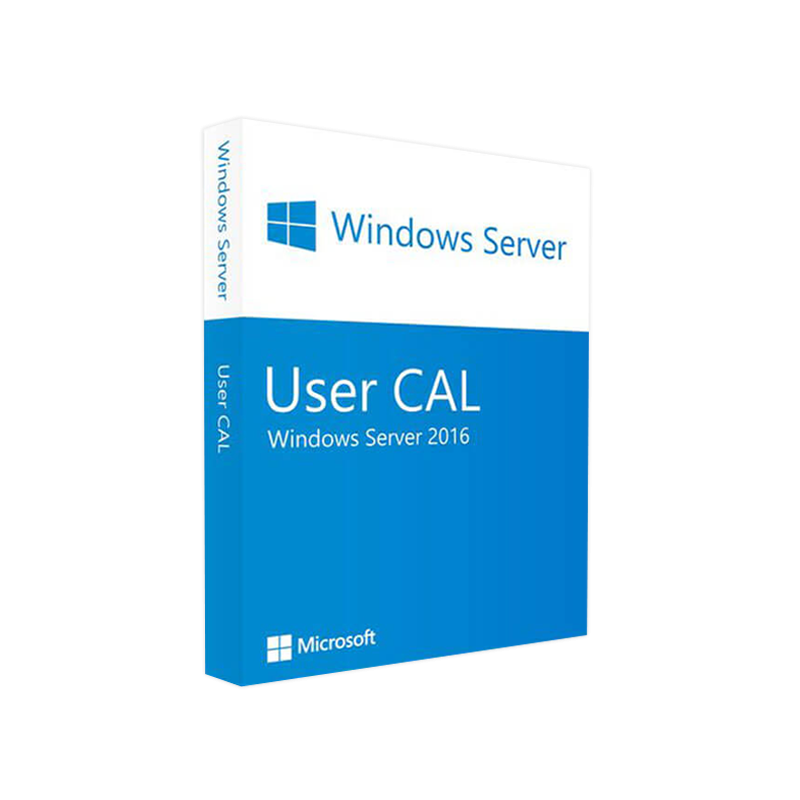
Microsoft Windows Server 2016 User CAL – The Enterprise‑Ready Client Access License
Designed for professionals who demand reliable, scalable, and secure access to Windows Server 2016 services.
A Microsoft Windows Server 2016 User CAL (Client Access License) grants a named user the right to connect to a server running Windows Server 2016. Whether you are delivering file shares, Remote Desktop Services, or enterprise‑level applications, a Windows Server 2016 User CAL License ensures compliance with Microsoft licensing rules while providing flexibility for modern, mobile workforces.
Why choose a User CAL?
A User CAL follows the individual, not the device. It is ideal for organizations where employees use multiple devices—laptops, tablets, smartphones, or shared workstations—to access server resources.
| Benefit | How It Helps Your Business | Typical Use Cases |
|---|---|---|
| Unlimited device access | One license covers all devices used by a single employee. | Remote workers, BYOD policies |
| Simplified license management | No need to track which device uses which CAL. | Large, geographically dispersed teams |
| Cost‑effective scaling | Add or remove users without purchasing new CALs per device. | Seasonal staffing, project‑based teams |
| Full compliance with Microsoft terms | Avoid costly audit penalties. | Regulated industries (finance, healthcare) |
| Seamless integration with Windows Server 2016 features | Supports RDS, Hyper‑V, Storage Spaces Direct, and more. | Virtual desktop infrastructure, private cloud |
Each bullet point emphasizes a core advantage that resonates with IT directors, compliance officers, and procurement specialists.
The Microsoft Server 2016 User Access License is a per‑user entitlement that works in conjunction with a licensed copy of Windows Server 2016. It does not contain any software; instead, it authorizes the named user to access the server’s services. The license is perpetual, meaning you retain the right to use it as long as the underlying server remains properly licensed.
Key characteristics:
“Investing in the right CAL type eliminates hidden costs and future‑proofs your infrastructure.” – John Miller, Senior IT Architect
While a User CAL itself does not have hardware requirements, it must be paired with a properly licensed Windows Server 2016 installation. Below is a concise matrix of the essential server requirements that ensure optimal performance for users holding a Windows Server 2016 Client Access License.
| Component | Minimum Requirement | Recommended Specification |
|---|---|---|
| Processor | 1.4 GHz 64‑bit CPU | 2.0 GHz or faster, 4‑core |
| RAM | 512 MB (Server Core) / 2 GB (Desktop Experience) | 8 GB or more |
| Hard Disk | 32 GB | 100 GB SSD (RAID 1/5) |
| Network | Ethernet adapter capable of 1 Gbps | Dual‑port 10 GbE |
| Supported OS for client devices | Windows 8.1, Windows 10, Windows 11, macOS, Linux (RDP client) | Latest OS updates & patches |
| Remote Desktop Services (RDS) licensing server | Required for RDS CALs | Dedicated RDS License Server |
| Active Directory | Required for User CAL enforcement | Forest functional level Windows Server 2012 R2 or higher |
For a complete list of server requirements, visit the official Microsoft documentation [Microsoft Docs – Windows Server 2016 System Requirements].
| Feature | User CAL | Device CAL |
|---|---|---|
| License Model | Per named user | Per device |
| Best For | Mobile workforce, BYOD | Shared workstations, kiosks |
| Device Count per User | Unlimited | One CAL per device |
| Cost Implication | Fewer licenses if users have many devices | Fewer licenses if many users share few devices |
| Management Complexity | Low – track users only | Higher – track devices |
| Compliance Risk | Minimal – user‑based audit trail | Higher – device turnover tracking |
If your organization’s employees frequently switch devices, a Windows Server 2016 User CAL typically delivers the best return on investment.
| Purchase Channel | Advantages | Typical Pricing (USD) |
|---|---|---|
| Authorized Microsoft Reseller | Direct support, volume discounts, bundled services | $45 – $60 per CAL |
| Microsoft Volume Licensing (VL) | Customized agreements for >250 seats, Software Assurance options | $40 – $55 per CAL |
| Online Marketplace (e.g., CDW, Insight) | Instant delivery, flexible payment terms | $48 – $62 per CAL |
| Enterprise Agreement (EA) | Predictable annual cost, rights to upgrade | Negotiated per‑seat rate |
Tip: When purchasing, verify that the reseller is listed on Microsoft’s Partner Network to avoid counterfeit licenses.
Following these steps not only protects your organization from fines but also demonstrates governance maturity to stakeholders.
| Question | Answer |
|---|---|
| Can a User CAL be transferred to another employee? | Yes, but the transfer must be documented, and the original user’s access must be revoked before reassignment. |
| Do I need a separate CAL for each Windows Server role? | No. A single Windows Server 2016 User CAL covers access to all server roles on the licensed server. |
| What happens if I exceed the number of purchased CALs? | Microsoft may consider the excess usage a licensing violation, potentially resulting in audit penalties. |
| Are User CALs covered by Software Assurance? | Yes, if purchased with Software Assurance you receive version upgrades, training, and additional support. |
| Can I combine User CALs and Device CALs on the same server? | Absolutely. You may mix CAL types as long as each user or device accessing the server has an appropriate CAL. |
Leverage the flexibility of User CALs to future‑proof your infrastructure as you migrate workloads to the cloud.
Ready to Buy Windows Server 2016 User CAL and keep your organization compliant, scalable, and secure?
Invest in a licensed, compliant foundation—because your users deserve uninterrupted access to the services that power your business.
External Resources
All information is current as of March 2026. Pricing, features, and licensing terms are subject to change; always verify with an authorized Microsoft partner.
Browse our Office & Productivity Software for Microsoft Office editions and productivity tools.
Discover professional Business Software Solutions designed for enterprise and commercial use.
Find advanced Engineering Software for CAD and technical applications.
Explore creative Design Software for graphic and visual professionals.
Improve system performance with our Utilities Software.
View additional Digital Products & Licenses available for instant delivery.
Check out our Top Selling Products for the most popular choices.
Need help? Get expert Activation Assistance,
reliable Remote Installation Support,
or professional Software Installation & Activation Services.
Please review our Refund & Return Policy
and Privacy Policy for complete transparency and customer assurance.
| Title |
|---|
| Title |
|---|
| Title |
|---|
| Title |
|---|
| Title |
|---|
| Title |
|---|
19 reviews for Microsoft Windows Server 2016 USER CAL – Product Key
Customer reviews