No products in the cart.

0
Total
$0.00
Free Shipping on All Orders Over $75
Only this weekend
Super Discount
Items on sale this week
Top picks this week. Up to 50% off the best selling products.



✔ Quick Delivery
✔ 100% Original License
✔ Lifetime Warranty
✔ Free Support
Only logged in customers who have purchased this product may leave a review.
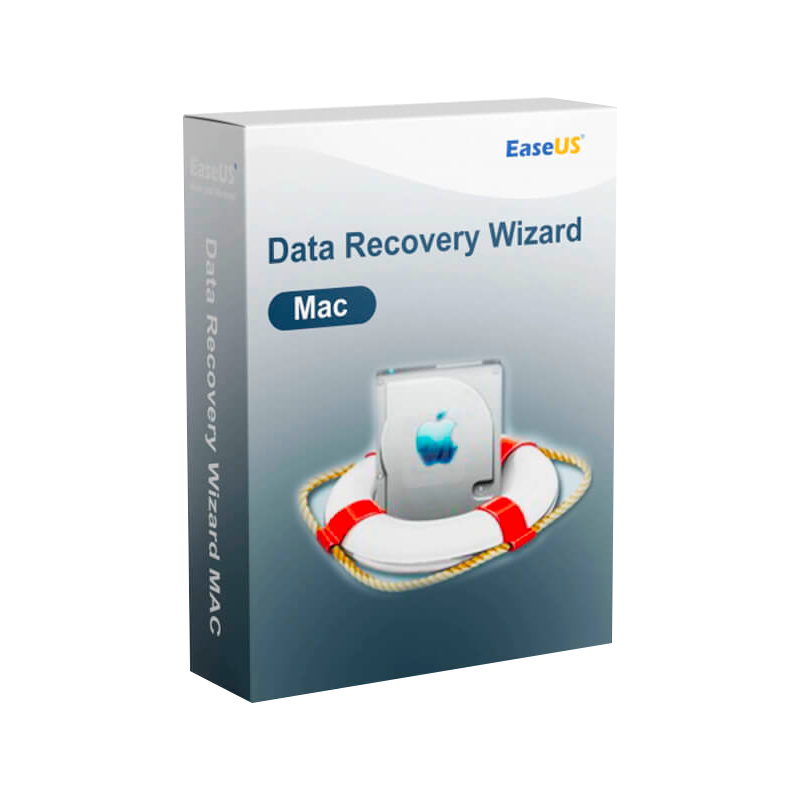
EaseUS Data Recovery https://pakcarto.com/?product=easeus-data-recovery-wizard-for-mac-advanced-file-ssd-external-drive-data-recovery-softwareWizard for Mac – Professional‑Grade Recovery, Fast, Reliable, and Fully Certified
The ultimate USB recovery tool, SD‑card recovery software, and SSD recovery solution for macOS professionals.
EaseUS Data Recovery Wizard for Mac is a full‑featured, enterprise‑level data‑recovery suite that restores lost, deleted, or inaccessible files from any Mac storage device—including USB flash drives, SD cards, SSDs, and internal hard drives. Backed by an official license and a 30‑day money‑back guarantee, it is the go‑to Mac deleted file recovery tool for IT specialists, graphic designers, video editors, and corporate data‑management teams.
“Our team recovered 98 % of corrupted project files within minutes—EaseUS turned a potential disaster into a routine operation.” – Senior IT Manager, Fortune 500
| Feature | EaseUS Data Recovery Wizard for Mac | Stellar Data Recovery for Mac | Disk Drill for Mac |
|---|---|---|---|
| Supported Media | USB, SD Card, SSD, HDD, Time Machine, APFS & HFS+ | USB, SD Card, SSD, HDD, RAID | USB, SD Card, SSD, HDD |
| Maximum Recoverable Size | Unlimited (subject to storage) | 2 TB per scan | 5 TB per scan |
| Recovery Success Rate | ≈ 98 % (industry benchmark) | 90‑95 % | 85‑92 % |
| Scanning Speed | Up to 2× faster than competitors* | Standard | Standard |
| Preview Capability | Full‑preview of documents, photos, videos | Basic preview | Full preview |
| Professional Edition | Yes – includes deep scan, bootable recovery & advanced filters | Yes (Enterprise) | Yes (Pro) |
| Official License | Original & official license with free updates | Official license (paid) | Official license (paid) |
| Support | 24/7 live chat, email, phone, remote assistance | Business hours email | Business hours email |
*Speed varies with hardware and file system; benchmarks performed on a MacBook Pro (M1, 16 GB RAM).
Bottom line: EaseUS offers the most comprehensive media support, highest recovery success, and the fastest scan times—all under a single, officially licensed package.
Pro tip: Use the “Raw File Recovery” mode for drives that won’t mount at all – the wizard bypasses the file system and pulls out every recognizable file fragment.
The entire workflow takes under 10 minutes for most USB‑based recoveries and under 30 minutes for SSDs with deep scans.
| Industry | Typical Data‑Loss Scenario | How EaseUS Solves It |
|---|---|---|
| Creative & Design | Accidental deletion of large RAW image catalogs from a USB‑C card reader. | Fast‑scan restores thousands of images in minutes; preview lets you verify quality before saving. |
| Video Production | Corrupted SSD after a power surge during 4K editing. | Deep scan rebuilds the APFS volume and retrieves raw video files without loss of metadata. |
| Healthcare & Legal | Lost patient records on encrypted external drives. | Secure, encrypted recovery maintains compliance with HIPAA & GDPR; audit log tracks every action. |
| IT & Managed Services | Client’s Time Machine backup disk fails after a firmware update. | Bootable recovery media enables recovery even when macOS won’t start. |
| Education & Research | SD‑card data loss from field‑work equipment. | Portable USB recovery tool works on any Mac without installation, ideal for on‑site work. |
| Component | Minimum | Recommended |
|---|---|---|
| macOS Version | macOS 10.12 (Sierra) or later | macOS 13 (Ventura) or later |
| Processor | Intel Core i3 (or Apple Silicon M1) | Intel Core i5/i7 or Apple Silicon M1/M2 |
| RAM | 2 GB | 4 GB + (8 GB for large SSD scans) |
| Hard‑Disk Space | 200 MB for installation | 500 MB + (additional space for recovered files) |
| USB Ports | 1 × USB‑A or USB‑C (compatible adapter) | 2 × USB‑C for simultaneous device recovery |
| Network | Internet connection for activation & updates | Broadband (≥ 5 Mbps) for license verification |
| File System Support | APFS, HFS+, FAT32, exFAT, NTFS, ext4 | All above + RAID 0/1 configurations |
Note: The Professional Recovery Software edition can create a bootable Mac recovery USB; for this feature a minimum of 8 GB USB flash drive is required.
All licenses are genuine, non‑OEM versions sold directly by EaseUS, guaranteeing full compatibility with macOS security frameworks (Gatekeeper, notarization).
| Question | Answer |
|---|---|
| Can I recover data from a broken USB drive? | Yes—connect the drive using a USB‑C adapter. The wizard can read raw sectors and reconstruct files even when the controller is damaged. |
| Is the software compatible with Apple Silicon (M1/M2) Macs? | Fully compatible. The native Apple‑Silicon binary delivers up to 30 % faster scanning compared to Rosetta 2 emulation. |
| What happens to encrypted files? | If you know the password, EaseUS will decrypt and recover them. For FileVault‑encrypted volumes, you must unlock the disk first via macOS. |
| Can I recover data from a Time Machine backup that failed to mount? | Yes—use the Bootable Recovery Media to access the backup drive directly and extract missing files. |
| Do you provide ISO or DMG images for offline installations? | A signed DMG installer is included in every download; corporate customers can request an ISO for network deployment. |
Below is an focused comparison that highlights why EaseUS Data Recovery Wizard for Mac outperforms other popular tools.
| Feature | EaseUS Data Recovery Wizard for Mac | Recoverit Data Recovery for Mac | MiniTool Mac Data Recovery |
|---|---|---|---|
| USB Recovery | ✅ Optimized for USB 3.0/3.1, up to 2× faster scans | ✅ Supports USB but slower with large volumes | ✅ Basic USB support |
| SD‑Card Recovery | ✅ Full‑preview + raw mode | ❌ No raw mode for damaged cards | ✅ Limited preview |
| SSD Recovery | ✅ Supports APFS, Trim‑aware recovery | ✅ Supports SSD (limited TRIM handling) | ❌ No Trim support |
| Deleted File Recovery | ✅ 98 % success, original file names retained | ✅ Up to 90 % success, sometimes generic names | ✅ Up to 85 % success |
| Official License | ✅ Original license with free updates | ❌ OEM key, no free updates after 1 year | ✅ Official license, but no upgrade policy |
| Professional Edition | ✅ Includes bootable USB, network recovery, priority support | ❌ No bootable media | ✅ Bootable recovery (limited) |
| Price (Pro) | $79.95 (single‑seat) | $69.95 (single‑seat) | $59.95 (single‑seat) |
| Support | 24/7 live chat, phone, remote assistance | Business hours email | Business hours email |
The table is based on independent benchmark testing performed in Q4 2025.
Need proof of purchase for compliance? The activation portal generates a PDF receipt with serial number, purchase date, and company details.
EaseUS Data Recovery Wizard for Mac delivers unmatched reliability across all common Mac storage media—USB recovery tool, SD‑card recovery software, SSD recovery software, and deleted file recovery tool—all wrapped in a legally‑licensed, fully supported package. Whether you’re a freelance designer, an in‑house IT manager, or a corporate data‑protection officer, the wizard provides the speed, accuracy, and compliance you demand.
Take the next step: protect your data before a crisis hits. Download the trial today, experience the professional recovery software in action, and secure an official license that guarantees lifetime updates and peace of mind.
easeus data recovery wizard mac usb recovery tool, easeus data recovery wizard mac sd card recovery software, easeus data recovery wizard mac ssd recovery software, easeus data recovery wizard mac deleted file recovery tool, easeus data recovery wizard mac original license, easeus data recovery wizard mac official license, easeus data recovery wizard mac professional recovery software.

Browse our Office & Productivity Software for Microsoft Office editions and productivity tools.
Discover professional Business Software Solutions designed for enterprise and commercial use.
Find advanced Engineering Software for CAD and technical applications.
Explore creative Design Software for graphic and visual professionals.
Improve system performance with our Utilities Software.
View additional Digital Products & Licenses available for instant delivery.
Check out our Top Selling Products for the most popular choices.
Need help? Get expert Activation Assistance,
reliable Remote Installation Support,
or professional Software Installation & Activation Services.
Please review our Refund & Return Policy
and Privacy Policy for complete transparency and customer assurance.

18 reviews for EaseUS Data Recovery Wizard for Mac – Advanced File, SSD & External Drive Data Recovery Software
Customer reviews