No products in the cart.

0
Total
$0.00
Free Shipping on All Orders Over $75
Only this weekend
Super Discount
Items on sale this week
Top picks this week. Up to 50% off the best selling products.



✔ Quick Delivery
✔ 100% Original License
✔ Lifetime Warranty
✔ Free Support
Only logged in customers who have purchased this product may leave a review.
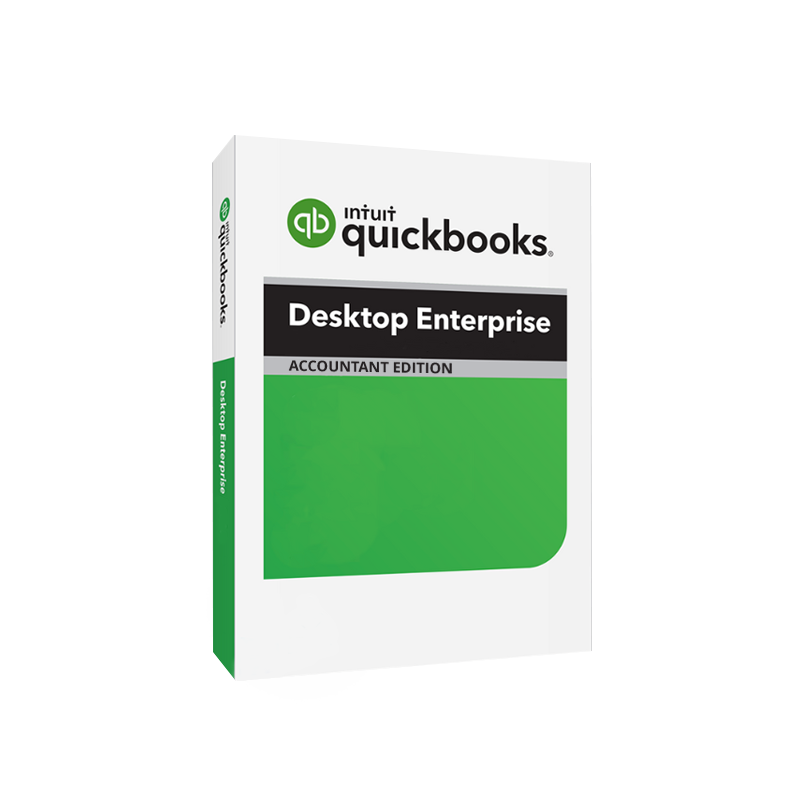
QuickBooks Desktop Enterprise Accountant Edition (often abbreviated QuickBooks Enterprise Accountant) is the flagship enterprise‑level solution from Intuit, purpose‑built for accounting firms, CPAs, and finance departments that manage multiple clients, high‑volume transactions, and complex financial reporting. It delivers the power of a full‑featured ERP with the familiarity of the QuickBooks interface, enabling accountants to provide strategic advisory services while maintaining airtight data integrity.
| Feature | QuickBooks Enterprise Accountant | QuickBooks Premier | QuickBooks Online |
|---|---|---|---|
| Maximum Users | 30 simultaneous desktop users | Up to 5 users | Unlimited (cloud) |
| Industry‑Specific Reports | 30+ built‑in, customizable | 20+ | Limited |
| Advanced Inventory | Multi‑location, FIFO/LIFO, bar‑code | Basic | No |
| Data Capacity | 1 TB per company file | 150 GB | Cloud storage limits |
| Custom Pricing Engine | Tiered pricing, markup rules | Fixed pricing | Fixed pricing |
| Batch Processing | Up to 10,000 records at once | 1,000 records | Not available |
| Dedicated Accountant Tools | Accountant’s copy, reclassify, reconcile wizard | Basic | Limited |
| On‑Premise Security | Full control, local backups | Local backups | Cloud security only |
QuickBooks Enterprise Accountant out‑performs other QuickBooks products in scalability, reporting depth, and control, making it the preferred enterprise accounting software for professional firms.
“QuickBooks Enterprise Accountant lets our firm handle the most demanding client portfolios without sacrificing speed or accuracy.” – Senior CPA, New York
| Criteria | QuickBooks Enterprise Accountant | Sage 300cloud | Microsoft Dynamics GP |
|---|---|---|---|
| User Limit | 30 concurrent desktop users | 10‑15 | 30+ (cloud) |
| Implementation Time | 2‑4 weeks (standard) | 8‑12 weeks | 12‑20 weeks |
| Cost of Ownership | Lower licensing & maintenance | Higher per‑seat cost | High licensing + custom dev |
| Ease of Use | Familiar QuickBooks UI | Steeper learning curve | Complex UI |
| Industry Reports | 30+ pre‑built, fully customisable | Limited templates | Custom development required |
| Support | 24/7 Intuit ProAdvisor network | Tiered support | Partner‑driven support |
Result: For firms seeking enterprise‑grade accounting software with a short rollout and low total cost of ownership, QuickBooks Enterprise Accountant is the most pragmatic choice.
| Component | Minimum Requirement | Recommended Specification |
|---|---|---|
| Operating System | Windows 10 (64‑bit) or Windows 11 | Windows 11 Pro (64‑bit) |
| Processor | 2.4 GHz (minimum) | 3.5 GHz Quad‑core Intel i7 or AMD Ryzen 7 |
| RAM | 4 GB | 16 GB DDR4 |
| Hard Disk Space | 2.5 GB free (plus 1 TB for data file) | SSD with 500 GB free + 1 TB data allocation |
| Display | 1280 × 1024 (minimum) | 1920 × 1080 or higher, multi‑monitor support |
| Database | QuickBooks Database Server Manager (included) | Microsoft SQL Server 2019 (optional for larger firms) |
| Network | 100 Mbps Ethernet (LAN) | 1 Gbps Ethernet or Gigabit Wi‑Fi |
| Other | .NET Framework 4.8, Microsoft Office (optional) | .NET 6, Office 365 ProPlus, PDF printer |
Tip: For firms handling large data files (> 500 GB) or multiple simultaneous users, a dedicated SQL Server back‑end improves performance and scalability.
Upgrade Cycle: Intuit releases annual updates (Q2) that include security patches, feature enhancements, and compliance updates (e.g., ASC 606). Enrolling in the Enterprise Upgrade Plan guarantees automatic delivery of these updates.
| Question | Answer |
|---|---|
| Is QuickBooks Enterprise Accountant a cloud solution? | No – it is a desktop product that runs on local or private‑cloud servers, giving you full control over data storage and security. |
| Can I integrate with third‑party apps? | Yes – over 500 certified apps (e.g., Bill.com, Avalara, Hubdoc) are available via the Intuit Marketplace. |
| How many company files can I host on a single server? | Technically unlimited, but Intuit recommends up to 30 active files for optimal performance. |
| Do I get a dedicated support line? | With an Enterprise Upgrade Plan, you receive 24/7 phone and chat support from Intuit’s Enterprise team. |
| What is the licensing model? | Per‑seat, perpetual license with optional annual maintenance for updates and support. |
| Business Goal | QuickBooks Enterprise Accountant Feature | Impact |
|---|---|---|
| Increase Billing Efficiency | Batch invoicing & recurring templates | Reduce invoice processing time by up to 40% |
| Improve Cash Flow Visibility | Real‑time cash‑flow dashboards | Enable proactive cash‑management decisions |
| Scale Client Portfolio | Multi‑client, 30‑user environment | Add new clients without adding new software |
| Maintain Regulatory Compliance | Built‑in audit trail, multi‑year backups | Simplify audit preparation and reduce risk |
| Enhance Advisory Services | Advanced reporting & KPI tracking | Provide data‑driven insights to clients |
Investing in QuickBooks Desktop Enterprise Accountant Edition means equipping your practice with a professional accounting software that grows with you. With an official license, you gain:
Ready to transform your accounting practice?
Contact our sales team or download a free trial now and experience the power of enterprise‑grade accounting.
Start your free trial today and see why thousands of accountants trust QuickBooks for their most critical financial operations.
Browse our Office & Productivity Software for Microsoft Office editions and productivity tools.
Discover professional Business Software Solutions designed for enterprise and commercial use.
Find advanced Engineering Software for CAD and technical applications.
Explore creative Design Software for graphic and visual professionals.
Improve system performance with our Utilities Software.
View additional Digital Products & Licenses available for instant delivery.
Check out our Top Selling Products for the most popular choices.
Need help? Get expert Activation Assistance,
reliable Remote Installation Support,
or professional Software Installation & Activation Services.
Please review our Refund & Return Policy
and Privacy Policy for complete transparency and customer assurance.


7 reviews for Quickbooks Desktop Enterprise Accountant Edition – Lifetime licence
Customer reviews