


Subtotal: $2,370.52
31%Commercial License
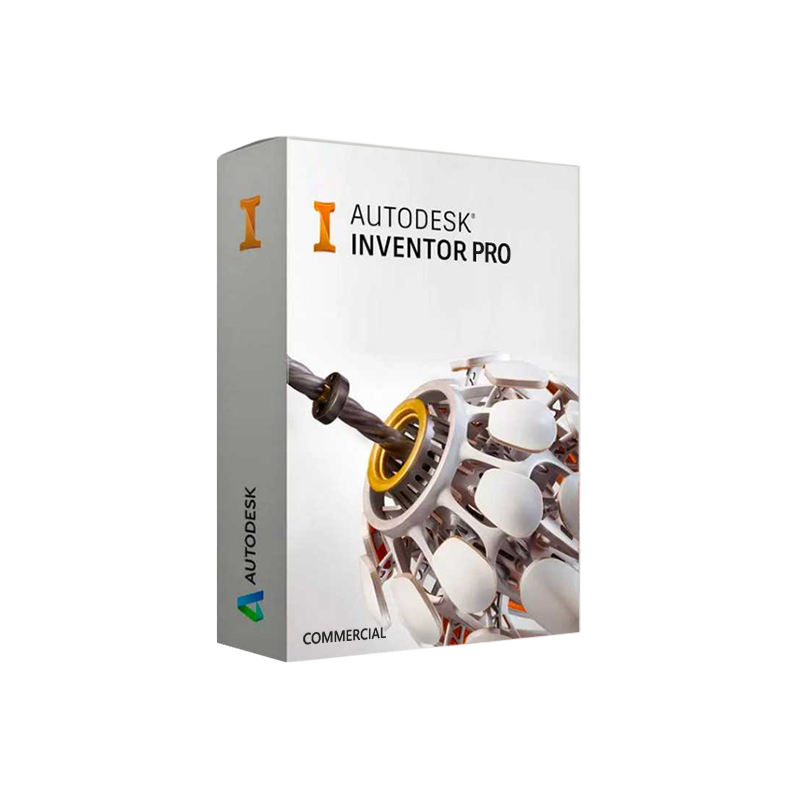




Autodesk Inventor Pro for Windows Commercial – Genuine commercial licence
In Stock
✔ Quick Delivery
✔ 100% Original License
✔ Lifetime Warranty
✔ Free Support
In Stock
14 reviews for Autodesk Inventor Pro for Windows Commercial – Genuine commercial licence
Description
Autodesk Inventor Professional for Windows Commercial
The definitive 3‑D mechanical design solution for engineers, manufacturers, and product‑development teams.
Overview
Autodesk Inventor Professional (‑ often referred to as Inventor Pro) is a comprehensive, parametric CAD platform that empowers professionals to create, simulate, and validate complex mechanical designs—all within a single, integrated environment. The Windows Commercial edition is purpose‑built for enterprise‑level deployment, offering robust licensing, advanced data management, and enterprise‑grade support.
Why choose Autodesk Inventor Professional?
Because it delivers the precision of high‑end mechanical design, the agility of cloud‑connected collaboration, and the reliability demanded by commercial operations.
Key Benefits for Professionals
| Benefit | What It Means for Your Workflow | Typical Business Impact |
|---|---|---|
| Parametric, Feature‑Based Modeling | Create intelligent 3‑D geometry that updates automatically when design intent changes. | Reduces re‑work time by up to 30 %. |
| Integrated Simulation & Validation | Perform stress, motion, and thermal analysis without leaving the CAD environment. | Cuts prototype cost and shortens product‑development cycles. |
| Automated Documentation | Generate 2‑D drawings, BOMs, and exploded views directly from the 3‑D model. | Guarantees 100 % drawing‑model consistency. |
| Collaboration via Autodesk Vault | Centralized data management, version control, and secure sharing across teams. | Improves design‑review efficiency by 40 %. |
| Extensible API & Add‑Ins | Customize tools with iLogic, VBA, or .NET to automate repetitive tasks. | Increases engineering productivity and reduces manual errors. |
| Enterprise Licensing (Commercial) | Flexible Autodesk Inventor Pro License models (subscription, network, or perpetual). | Aligns CAPEX/OPEX with corporate budgeting strategies. |
Autodesk Inventor Pro License Options
| License Type | Delivery Method | Typical Use‑Case | Key Advantages |
|---|---|---|---|
| Subscription (Annual/Monthly) | Cloud‑based activation | Companies preferring OPEX, frequent upgrades | Always on the latest version, lower upfront cost. |
| Network License | Server‑managed pool of seats | Large engineering groups with variable user counts | Centralized control, easy seat re‑allocation. |
| Perpetual (Commercial) | One‑time purchase with maintenance renewal | Organizations requiring long‑term stability & predictable budgeting | Fixed license cost, optional support extensions. |
Tip: When you “Buy Autodesk Inventor Professional,” consider the scale of your team and your upgrade policy. The commercial license offers the most flexibility for multi‑site enterprises.
Detailed Product Description
Autodesk Inventor Professional for Windows Commercial is a feature‑rich CAD suite that includes the core Inventor modeling engine plus a suite of professional‑level extensions:
- Inventor Professional Toolset – Advanced sheet metal, frame generation, and complex surface modeling.
- Inventor Stress Analysis – Integrated FEA for static, dynamic, and thermal loading.
- Inventor Frame Generator – Rapid creation of welded or bolted structural frames.
- Inventor Inventor Content Center – Library of standard components (bolts, fasteners, bearings).
- Autodesk Vault Professional – Secure, version‑controlled data management.
- iLogic – Rule‑based automation for design intent enforcement.
Together, these tools enable a single‑source‑of‑truth environment where every stakeholder—from design engineers to manufacturing planners—accesses accurate, up‑to‑date information.
Why It Stands Out
- Seamless Integration with Autodesk Ecosystem – Direct links to Fusion 360, Navisworks, and AutoCAD for multidisciplinary collaboration.
- Scalable Cloud Services – Leverage Autodesk Drive or BIM 360 for remote access and real‑time project sharing.
- Industry‑Specific Templates – Pre‑configured standards for aerospace, automotive, consumer goods, and heavy equipment.
System Requirements – Autodesk Inventor Professional for Windows Commercial
| Component | Minimum | Recommended |
|---|---|---|
| Operating System | Windows 10 (64‑bit) – Pro, Enterprise, or Education | Windows 11 (64‑bit) – Pro or Enterprise |
| CPU | 2.5 GHz × 2 cores (Intel i5 or AMD Ryzen 5) | 3.0 GHz × 4 cores (Intel i7/i9 or AMD Ryzen 7/9) |
| RAM | 8 GB | 16 GB or more (32 GB for large assemblies) |
| Graphics | DirectX 11 compatible GPU, 1 GB VRAM (e.g., NVIDIA GeForce GTX 1050) | DirectX 12, 4 GB VRAM (NVIDIA Quadro RTX 4000 or AMD Radeon Pro) |
| Disk Space | 30 GB free SSD space | 50 GB SSD (NVMe) + 100 GB for project data |
| Display | 1920 × 1080 (1080p) | 2560 × 1440 or 4K UHD (recommended for detailed modeling) |
| Network | Broadband internet for license activation & updates | High‑speed LAN/Wi‑Fi 802.11ac for Vault collaboration |
| Additional Software | .NET Framework 4.8, Microsoft Visual C++ Redistributable | Same + Autodesk DWG TrueView (optional) |
Note: For optimal performance on large assemblies (10 k+ components), the recommended configuration is strongly advised. See Autodesk’s official system‑requirements guide for the latest updates.
Comparison: Inventor Professional vs. Leading Competitors
| Feature | Autodesk Inventor Professional | SolidWorks Premium | Fusion 360 (Premium) |
|---|---|---|---|
| Parametric Modeling | ✅ Fully featured, history‑based | ✅ Industry standard | ✅ Cloud‑first, less history depth |
| Integrated FEA | ✅ Built‑in Stress Analysis | ✅ Simulation Premium add‑on | ❌ Requires external add‑on |
| Sheet Metal Design | ✅ Advanced (auto‑flatten, bend tables) | ✅ Robust | ✅ Basic |
| Data Management | ✅ Vault Professional (revision control) | ✅ PDM Standard/Professional | ✅ Cloud storage, limited PDM |
| API & Automation | ✅ iLogic, .NET, VBA | ✅ API (C#, VB) | ✅ Scripting (Python, JavaScript) |
| License Flexibility | ✅ Commercial, network, subscription | ✅ Subscription, perpetual | ✅ Subscription only |
| Scalability for Enterprises | ✅ Designed for multi‑site, large teams | ✅ Enterprise‑grade, but higher cost | ✅ Small‑to‑mid firms |
| Price (USD, Approx.) | $7,495 / yr (subscription) | $8,000 / yr (subscription) | $495 / yr (subscription) |
Bottom line: For large commercial organizations that need deep simulation, enterprise data management, and flexible licensing, Autodesk Inventor Professional delivers the best ROI.
How to Buy Autodesk Inventor Professional
- Assess Your License Need – Determine whether a subscription, network, or perpetual commercial license aligns with your budgeting model.
- Contact an Authorized Autodesk Reseller – They provide tailored quotes, volume discounts, and can set up Autodesk Inventor Commercial License agreements.
- Request a Free Trial – Autodesk offers a 30‑day trial so you can evaluate performance on your hardware.
- Finalize Purchase & Deployment – After purchase, your reseller will supply license keys, activation instructions, and optional training packages.
Pro tip: Ask for a maintenance package to keep your software up‑to‑date with the latest feature releases and security patches.
Frequently Asked Questions (FAQ)
| Question | Answer |
|---|---|
| What is the difference between Inventor Professional and Inventor Standard? | Professional adds advanced simulation, frame generation, and Vault Professional data management—features essential for commercial‑scale engineering. |
| Can I run Inventor on a virtual machine? | Yes, provided the VM meets the recommended system requirements and a GPU with DirectX 11/12 support is passed through. |
| Is training included with the commercial license? | Autodesk offers optional training bundles; many resellers provide discounted or complimentary onboarding sessions. |
| How does the Autodesk Inventor Commercial License handle seat sharing? | With a network license, seats are pooled on a central license server, allowing any authorized user to “check out” a seat as needed. |
| Do I need an internet connection to use Inventor offline? | After activation, Inventor works offline; however, periodic online checks are required for license validation and updates. |
| Where can I find additional plug‑ins or add‑ons? | Visit the Autodesk App Store for certified extensions and industry‑specific toolkits. |
Call to Action
Ready to transform your product‑development pipeline with Autodesk Inventor Professional for Windows Commercial?
- Start your free 30‑day trial today → [Autodesk Trial Page]
- Request a personalized quote from an authorized reseller → [Find a Reseller]
- Explore training & support options → [Autodesk Knowledge Network]
Empower your engineers. Accelerate innovation. Secure your competitive edge with Autodesk Inventor Professional.
References & Outbound Links
- Autodesk Inventor System Requirements – Official Autodesk knowledge article.
https://knowledge.autodesk.com/support/inventor/learn-explore/caas/CloudHelp/cloudhelp/2024/ENU/Inventor-Help/files/GUID-5B6F78A6-4B53-4CE3-AEFA-5D6C6F45E6D0-htm.html - Autodesk App Store – Add‑Ins for Inventor – Marketplace for certified plug‑ins.
https://apps.autodesk.com - Comparison of Leading CAD Platforms – Industry analysis by Engineering.com.
<https://www.engineering.com/ CAD-Comparison>
All external links are provided for reference and are not under the control of this website.
Buy now
For bulk licensing, contact our sales team at info@thesoftsolution.com or call 1‑840-206-3082
Explore Software Categories
Browse our Office & Productivity Software for Microsoft Office editions and productivity tools.
Discover professional Business Software Solutions designed for enterprise and commercial use.
Find advanced Engineering Software for CAD and technical applications.
Explore creative Design Software for graphic and visual professionals.
Improve system performance with our Utilities Software.
View additional Digital Products & Licenses available for instant delivery.
Check out our Top Selling Products for the most popular choices.
Installation & Activation Support
Need help? Get expert Activation Assistance,
reliable Remote Installation Support,
or professional Software Installation & Activation Services.
Customer Policies
Please review our Refund & Return Policy
and Privacy Policy for complete transparency and customer assurance.
Related products
13%
13%
Autodesk Civil 3D for Windows
SKU:AKB 009
38%Commercial License
20%
Autodesk Fusion 360 for Mac
SKU:AKB 007
Recently Viewed Products
31%Commercial License
Lenny (verified owner) –
Fast delivery and genuine product key. Will definitely buy again.
Lila (verified owner) –
Great support team. They helped me activate the software in less than 5 minutes.
Salma (verified owner) –
Original license and easy activation. Highly recommended.
Nikki (verified owner) –
Excellent customer support and original product license.
Citlalli (verified owner) –
Original license and easy activation. Highly recommended.
Ronaldo (verified owner) –
Excellent customer support and original product license.
Hadley (verified owner) –
Original license and easy activation. Highly recommended.
Emery (verified owner) –
Quick response from support and the product works perfectly.
Beau (verified owner) –
Quick response from support and the product works perfectly.
Esther (verified owner) –
Excellent service! I received my key quickly and everything worked as expected.
Russel (verified owner) –
I had a small issue but support solved it within minutes. Amazing service!
Yessenia (verified owner) –
Very satisfied with my purchase. Fast delivery and genuine license.
Marina (verified owner) –
Genuine product and fast delivery. Activated without any issues.
Josiah (verified owner) –
Great support team. They helped me activate the software in less than 5 minutes.