No products in the cart.

0
Total
$0.00
Free Shipping on All Orders Over $75
Only this weekend
Super Discount
Items on sale this week
Top picks this week. Up to 50% off the best selling products.



✔ Quick Delivery
✔ 100% Original License
✔ Lifetime Warranty
✔ Free Support
Only logged in customers who have purchased this product may leave a review.
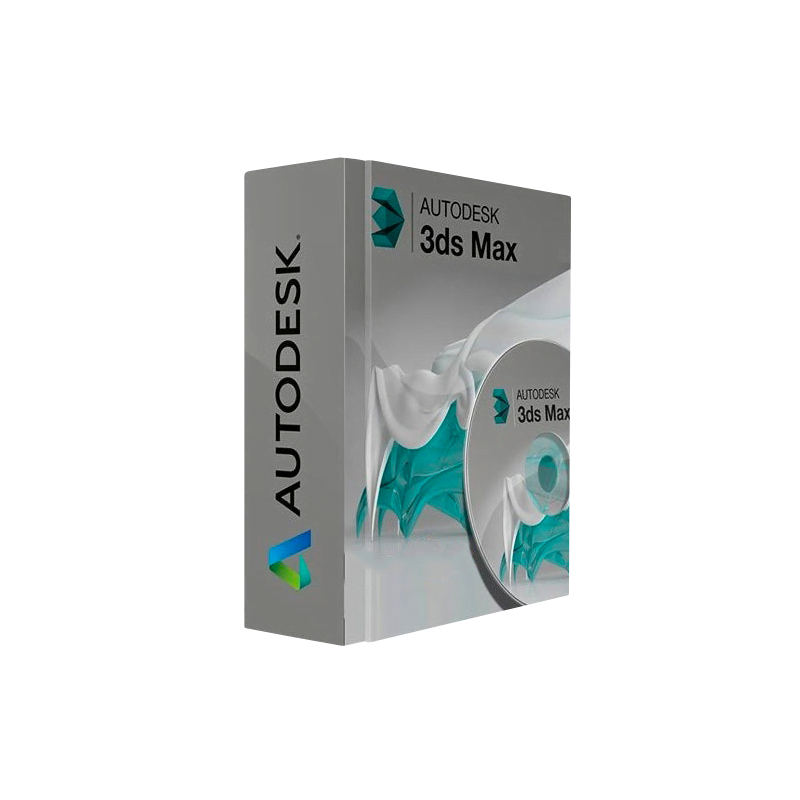
When precision, performance, and scalability matter, Autodesk 3ds Max for Windows delivers the industry‑leading tools that top studios, architectural firms, and engineering teams rely on every day.
| Feature | Benefit for Professionals | How It Impacts Your Workflow |
|---|---|---|
| Complete 3‑D Modeling Suite | All‑in‑one environment for polygon, spline, and NURBS modeling | Reduces the need for third‑party plug‑ins, streamlining pipeline integration |
| Advanced Rendering Engines (Arnold, V‑Ray, Redshift) | Photorealistic output with real‑time feedback | Cuts render time by up to 40 % on supported GPU hardware |
| Procedural & Parametric Tools (Modifier Stack, MAXScript) | Automate repetitive tasks and create dynamic assets | Increases productivity by allowing rapid iteration |
| Industry‑Standard File Compatibility (FBX, OBJ, Alembic) | Seamless exchange with Maya, Blender, Unity, Unreal | Enables collaborative work across departments |
| Robust Simulation Packages (Particle Flow, MassFX, Bifrost) | Realistic physics, fluids, and destruction effects | Delivers cinematic‑grade simulations without external software |
| Extensive Asset Library (TurboSmooth, Materials Library) | Ready‑to‑use shaders, textures, and presets | Accelerates concept‑to‑final stages for tight deadlines |
| Scalable Licensing Options (Standalone, Network, Subscription) | Flexible cost‑structures for freelancers to enterprises | Aligns expenditure with project size and duration |
Bottom line: Autodesk 3ds Max for Windows combines unparalleled power with a user‑centric interface, making it the go‑to choice for 3ds Max 3D Modeling Software professionals worldwide.
Autodesk 3ds Max for Windows is a comprehensive 3‑D computer graphics application used for creating high‑resolution models, complex animations, and photo‑realistic visualizations. Built on a mature, battle‑tested engine, the software supports every stage of the production pipeline—from concept sketches to final renders—while integrating tightly with other Autodesk tools such as Revit, AutoCAD, and Shotgun.
All of these capabilities are optimized for Windows, taking full advantage of DirectX 12, GPU‑accelerated viewport, and multi‑core CPU processing.
| Purchase Option | What You Get | Ideal For | Pricing Model |
|---|---|---|---|
| Subscription (Monthly/Annual) | Full version, updates, cloud storage, priority support | Studios and freelancers who need the latest features | Recurring fee (flexible term) |
| Perpetual License (Enterprise) | One‑time purchase, 3‑year maintenance optional | Large organizations with long‑term budgeting cycles | Up‑front cost + optional renewals |
| Educational License | 100 % discount, limited to non‑commercial use | Students, educators, research labs | Free (requires verification) |
| Trial – 30 Days | Full feature set, no credit card required | Prospective buyers evaluating the software | Free (no commitment) |
Tip: Purchasing a Genuine Autodesk 3ds Max License directly from Autodesk or an authorized reseller guarantees access to the latest updates, security patches, and premium technical support.
Pro tip: Keep the Autodesk Desktop App installed—it notifies you of critical updates and offers one‑click access to new plug‑ins.
| Component | Minimum | Recommended |
|---|---|---|
| OS | Windows 10 (64‑bit) – Version 1809 or later | Windows 11 (64‑bit) – Version 22H2 |
| CPU | 2 GHz Intel® or AMD® processor (supports SSE2) | 3.0 GHz or faster Intel® i7 / AMD Ryzen 7 (8+ cores) |
| RAM | 8 GB | 32 GB or more (64 GB for large scenes) |
| GPU | DirectX 11 compatible graphics card with 2 GB VRAM | NVIDIA RTX 3060 / AMD Radeon RX 6700 XT or higher, 8 GB+ VRAM, support for DirectX 12 and CUDA |
| Disk Space | 6 GB free HDD space (SSD recommended) | 20 GB SSD + additional space for project files |
| Display | 1920 × 1080 (HD) | 2560 × 1440 (QHD) or 3840 × 2160 (4K) |
| Internet | Broadband connection for activation & updates | High‑speed broadband (≥10 Mbps) |
| Additional | .NET Framework 4.8, Visual C++ Redistributable 2015‑2022 | Latest GPU drivers, optional Microsoft Visual Studio for MAXScript development |
Note: For advanced rendering with Arnold or V‑Ray, ensure your GPU meets the specific CUDA/OpenCL requirements listed on the respective renderer’s website.
| Criteria | Autodesk 3ds Max Full Version (Windows) | Maya (Autodesk) | Blender (Open‑Source) |
|---|---|---|---|
| Primary Focus | Architectural visualization, product design, game asset creation | Film & animation pipelines | General‑purpose 3‑D creation |
| License Model | Subscription / Perpetual (Enterprise) | Subscription only | Free (GPL) |
| Rendering Engine | Arnold (built‑in) + 3rd‑party support | Arnold (built‑in) | Cycles, Eevee |
| Simulation | MassFX, Bifrost, Particle Flow | Bifrost, nCloth | Mantaflow |
| Industry Adoption | ★★★★★ (AEC, VFX, Game studios) | ★★★★☆ (Film, VFX) | ★★★☆☆ (Indie, hobbyists) |
| Learning Curve | Moderate – UI geared for engineers & designers | Steeper – node‑based workflow | Low – intuitive UI |
| Support & Updates | 24/7 Autodesk support, regular patches | Autodesk support | Community‑driven forums |
| Cost (Annual) | $1,785 (subscription) | $1,785 (subscription) | $0 (donations welcome) |
If you need Enterprise‑grade licensing, robust simulation, and tight integration with other Autodesk products, 3ds Max Full Version Windows is the clear leader.
| Question | Answer |
|---|---|
| Can I use 3ds Max on a laptop? | Yes – as long as the laptop meets the recommended system specs (especially GPU and RAM). |
| What is the difference between a subscription and a perpetual license? | Subscriptions provide continuous updates and cloud services for a recurring fee. Perpetual licenses grant indefinite use of a specific version, with optional maintenance for updates. |
| Is there a free trial available? | A 30‑day 3ds Max Windows Download trial is offered directly from Autodesk, with full feature access. |
| How do I transfer my license to a new machine? | Deactivate the license on the old computer via the Autodesk Account, then activate it on the new system using the same serial number. |
| Do I need an internet connection for offline rendering? | No – once activated, you can render offline without an internet connection, but periodic license verification is required. |
Investing in a Genuine Autodesk 3ds Max License not only secures you against legal and security risks but also places you at the forefront of 3‑D innovation. From architectural walkthroughs that win client approvals to game assets that meet AAA standards, Autodesk 3ds Max for Windows equips professionals with the tools they need to deliver exceptional visual quality on schedule.
Ready to transform your creative workflow?
Download the trial (https://www.autodesk.com/products/3ds-max/free-trial) | Buy now (https://store.autodesk.com) | Contact sales (https://www.autodesk.com/contact-us)
Whether you are a senior visualizer, a lead technical artist, or a studio director, the combination of powerful features, scalable licensing, and dedicated support makes Autodesk 3ds Max for Windows the definitive solution for professional 3‑D modeling and rendering.
Don’t settle for less—choose the software trusted by industry leaders worldwide.
Autodesk 3ds Max for Windows, 3ds Max Windows Download, Buy Autodesk 3ds Max Windows, Autodesk 3ds Max License, 3ds Max Full Version Windows, Autodesk 3ds Max Software, 3ds Max 3D Modeling Software, Autodesk 3ds Max Installation Windows, Genuine Autodesk 3ds Max License.
Browse our Office & Productivity Software for Microsoft Office editions and productivity tools.
Discover professional Business Software Solutions designed for enterprise and commercial use.
Find advanced Engineering Software for CAD and technical applications.
Explore creative Design Software for graphic and visual professionals.
Improve system performance with our Utilities Software.
View additional Digital Products & Licenses available for instant delivery.
Check out our Top Selling Products for the most popular choices.
Need help? Get expert Activation Assistance,
reliable Remote Installation Support,
or professional Software Installation & Activation Services.
Please review our Refund & Return Policy
and Privacy Policy for complete transparency and customer assurance.
16 reviews for Autodesk 3ds Max for Windows | Professional 3D Modeling Software
Customer reviews