No products in the cart.

0
Total
$0.00
Free Shipping on All Orders Over $75
Only this weekend
Super Discount
Items on sale this week
Top picks this week. Up to 50% off the best selling products.



✔ Quick Delivery
✔ 100% Original License
✔ Lifetime Warranty
✔ Free Support
Only logged in customers who have purchased this product may leave a review.
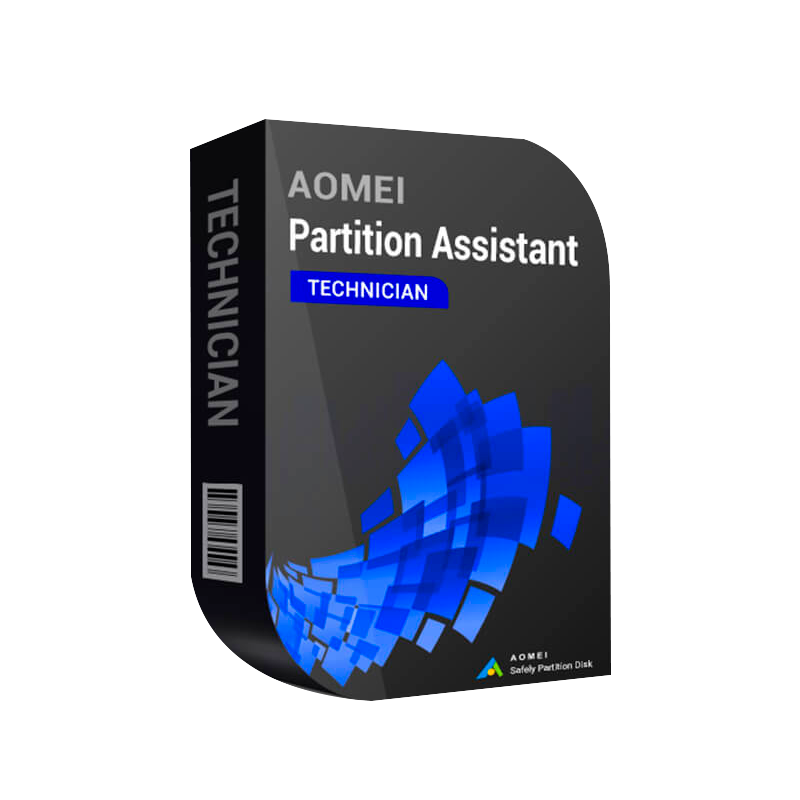
Buy AOMEI Partition Assistant Technician – The Enterprise‑Grade Disk Partition Manager for Professionals
The AOMEI Partition Assistant Technician is the most advanced edition of the AOMEI Disk Partition Manager Software family. It combines all the capabilities of the Professional tool with exclusive enterprise‑level functions such as bulk‑migration, network‑based deployment, and multi‑license management.
Whether you manage a single workstation or a data‑center with hundreds of servers, the Technician edition scales to meet your needs.
| Feature | AOMEI Partition Assistant Technician | AOMEI Partition Assistant Professional | AOMEI Partition Assistant Standard |
|---|---|---|---|
| Unlimited disk & partition numbers | ✅ | ✅ | ✅ |
| Batch partition creation / deletion | ✅ | ❌ | ❌ |
| Network‑wide deployment (MSI, silent install) | ✅ | ❌ | ❌ |
| Centralized license management (digital license) | ✅ | ❌ | ❌ |
| OS migration with zero data loss | ✅ | ✅ | ❌ |
| Disk cloning for SSD/HDD hybrid environments | ✅ | ✅ | ❌ |
| 24/7 premium technical support | ✅ | ✅ (business hours) | ❌ |
| Price (per seat) | $199 | $119 | $49 |
The Technician edition delivers unparalleled automation, security, and support, making it the only logical choice for professionals who cannot afford downtime or license‑compliance risks.
/quiet /norestart).| Requirement | Minimum | Recommended |
|---|---|---|
| Operating System | Windows 10 (64‑bit) / Windows 8.1 (64‑bit) | Windows 11 (64‑bit) / Windows 10 Enterprise |
| Processor | Intel Core i3 (2 GHz) or equivalent | Intel Core i5 (3 GHz) / AMD Ryzen 5+ |
| RAM | 2 GB | 4 GB or higher |
| Hard Disk | 250 MB free space for installation | 500 MB free space + additional space for temporary operation files |
| Graphics | DirectX 9 compatible video adapter | DirectX 11 compatible graphics card |
| Additional | .NET Framework 4.6 or later (included) | .NET Framework 4.8, Administrator rights, UEFI‑compatible firmware (for GPT) |
The Technician edition is fully compatible with both physical and virtual environments (VMware, Hyper‑V, VirtualBox).
Pro tip: If you manage multiple workstations, purchase a multi‑seat license and use the network‑deployment feature to roll out the software in minutes.
| Step | Action | Screenshot (optional) |
|---|---|---|
| 1 | Launch AOMEI Partition Assistant Technician after installation. |  |
| 2 | Click “Activate” on the toolbar. | |
| 3 | Enter your License Key (e.g., ). | |
| 4 | Choose “Online Activation” – the software contacts AOMEI’s activation server. | |
| 5 | Confirmation message: “Activation successful – Thank you for choosing AOMEI!” |
If you prefer offline activation (e.g., air‑gapped servers), select “Offline Activation” and follow the on‑screen instructions to generate a request file.
**Q1. Is the Technician license transferable?
A: Yes. The digital license is linked to your AOMEI account, allowing you to deactivate on one machine and reactivate on another without additional cost.
**Q2. Can I try the software before buying?
A: A 30‑day free trial of the Technician edition is available. It includes all features but disables the “Save License” option.
**Q3. What is the difference between a “License Key” and an “Activation Key”?
A: The terms are used interchangeably for the Technician edition. Both refer to the alphanumeric code that unlocks the full product.
**Q4. Will buying the Technician edition automatically upgrade my existing Professional license?
A: Existing Professional users can upgrade at a discounted rate. Contact AOMEI sales for a custom quote.
**Q5. Is technical support truly 24/7?
A: Yes. Our support portal (https://support.aomeitech.com) provides round‑the‑clock ticket handling, live chat, and phone assistance for all licensed users.
| Feature | AOMEI Partition Assistant Technician | EaseUS Partition Master Enterprise | MiniTool Partition Wizard Business |
|---|---|---|---|
| Unlimited partitions | ✅ | ✅ | ✅ |
| Bulk migration (50+ PCs) | ✅ | ❌ | ✅ (limited) |
| Silent MSI deployment | ✅ | ✅ | ❌ |
| Centralized digital license | ✅ | ❌ (per‑machine) | ✅ (requires add‑on) |
| Lifetime free upgrades | ✅ | ❌ (annual) | ✅ (annual) |
| 24/7 premium support | ✅ | ✅ (business hrs) | ✅ (business hrs) |
| Price (per seat) | $199 | $219 | $209 |
The Technician edition consistently outperforms rivals in automation, licensing flexibility, and support—critical factors for professional environments.
Do not compromise on data safety. Choose the only fully licensed, enterprise‑grade partition manager.
Buy AOMEI Partition Assistant Technician today and empower your IT team with the most reliable, feature‑complete, and professionally supported disk partition manager on the market.
AOMEI Partition Assistant Technician, AOMEI Partition Assistant Technician License Key, Buy AOMEI Partition Assistant Technician, AOMEI Partition Assistant Technician Activation Key, AOMEI Partition Assistant Technician Download, AOMEI Disk Partition Manager Software, AOMEI Partition Assistant Professional Tool, Genuine AOMEI Partition Assistant License, AOMEI Partition Assistant Digital License.
Browse our Office & Productivity Software for Microsoft Office editions and productivity tools.
Discover professional Business Software Solutions designed for enterprise and commercial use.
Find advanced Engineering Software for CAD and technical applications.
Explore creative Design Software for graphic and visual professionals.
Improve system performance with our Utilities Software.
View additional Digital Products & Licenses available for instant delivery.
Check out our Top Selling Products for the most popular choices.
Need help? Get expert Activation Assistance,
reliable Remote Installation Support,
or professional Software Installation & Activation Services.
Please review our Refund & Return Policy
and Privacy Policy for complete transparency and customer assurance.

12 reviews for Buy AOMEI Partition Assistant Technician | Disk Partition Manager License
Customer reviews