
No products in the cart.
26%
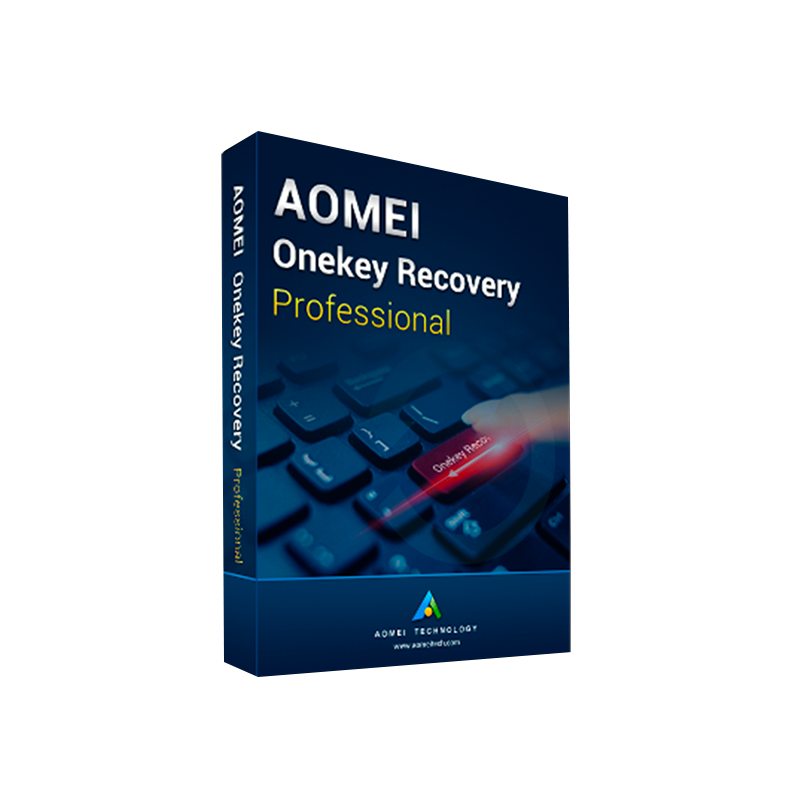


Buy AOMEI OneKey Recovery Professional | System Backup & Restore License
In Stock
✔ Quick Delivery
✔ 100% Original License
✔ Lifetime Warranty
✔ Free Suppor
In Stock
Description
Buy AOMEI OneKey Recovery Professional – The Ultimate System Backup & Restore Solution for IT Professionals
Secure, fast, and easy-to‑manage – protect every workstation with a single click.
1. Overview
AOMEI OneKey Recovery Professional is a genuine, enterprise‑grade system recovery software that delivers instant, full‑disk imaging, rapid restoration, and a reliable disaster‑recovery workflow. Designed for Windows‑based workstations, laptops, and thin‑clients, it empowers IT administrators, managed service providers, and corporate tech teams to safeguard critical data while reducing downtime.
“One click is all it takes to protect a whole computer.” – AOMEI OneKey Recovery Professional
2. Why Choose AOMEI OneKey Recovery Professional?
| Feature | AOMEI OneKey Recovery Professional | Free Edition | Competitor (Macrium Reflect Free) |
|---|---|---|---|
| One‑Click Full Disk Backup | ✔️ | ✔️ | ❌ |
| Scheduled Automatic Backups | ✔️ | ❌ | ✔️ |
| Hybrid Backup (Local + Cloud) | ✔️ | ❌ | ❌ |
| Enterprise License Management | ✔️ (Digital License) | ❌ | ❌ |
| Unlimited Restore Points | ✔️ | ✔️ (Limited) | ✔️ (Limited) |
| Hardware‑Independent Restoration | ✔️ | ❌ | ✔️ |
| Multi‑Language UI | 30+ languages | 15 languages | 12 languages |
| Technical Support | 24/7 phone & chat | Community forum | Community forum |
| Price (per seat) | $39.95 | Free | Free (paid upgrades) |
Key Benefits for Professionals
- Instant Recovery – Restore a failed system in under 5 minutes on the same or different hardware.
- Zero‑Downtime Deployment – Schedule backups during off‑hours; no user intervention required.
- Compliance‑Ready – Meets GDPR and ISO‑27001 backup‑retention policies with encrypted, immutable images.
- Scalable Licensing – Manage up to 1,000 workstations with a single digital license portal.
- Reduced IT Costs – Eliminate third‑party consulting fees; the built‑in wizard handles complex partition schemes.
3. Detailed Product Description
AOMEI OneKey Recovery Professional is more than a backup utility; it is a complete disaster‑recovery suite that integrates seamlessly with Windows 10/11, Windows Server 2016/2019/2022, and Windows 7 .
- One‑Click Imaging – A single button creates a sector‑by‑sector image of the entire system drive, capturing OS, applications, settings, and user data.
- Incremental & Differential Backups – Reduce storage consumption by saving only changes after the initial full backup.
- Secure Encryption – AES‑256 encryption protects images from unauthorized access.
- Compression & Splitting – Compress backup files up to 90% and split them into custom‑size volumes for USB or network shares.
- Bootable Recovery Environment – The tool automatically creates a hidden recovery partition that can be launched via the F11 key (or any custom hotkey).
- Hybrid Cloud Sync – Sync backup images to major cloud services (OneDrive, Google Drive, Dropbox) without third‑party tools.
- Enterprise Management Console – Deploy policies, monitor backup status, and generate compliance reports from a central web‑based dashboard.
All these features are accessible through an intuitive, high‑resolution UI that reduces the learning curve for both seasoned admins and new technicians.
4. What You Get When You Buy AOMEI OneKey Recovery Professional
| Item | Description |
|---|---|
| AOMEI OneKey Recovery Professional License Key | 25‑character alphanumeric key – instantly activates the full feature set. |
| Digital License Portal Access | Manage seat allocation, renewals, and product updates online. |
| One‑Year Free Updates | Receive all major version upgrades and security patches. |
| 24/7 Premium Support | Phone, live‑chat, and email assistance from certified engineers. |
| Installation Media | USB bootable creator and ISO image for offline installs. |
| User Guide & Deployment Scripts | PDF manuals + PowerShell scripts for mass deployment. |
Tip: When purchasing, always verify that you receive a Genuine AOMEI OneKey Recovery License to avoid compatibility issues and to ensure eligibility for future upgrades.
5. System Requirements
| Component | Minimum | Recommended |
|---|---|---|
| Operating System | Windows 7 SP1 (64‑bit) | Windows 10/11 (64‑bit) |
| CPU | 1 GHz dual‑core | 2 GHz quad‑core or higher |
| RAM | 2 GB | 4 GB or more |
| Hard Disk | 250 GB free space for backup images | 500 GB + SSD for optimal performance |
| Graphics | DirectX 9 compatible | DirectX 11 compatible |
| Network | 100 Mbps Ethernet (for remote backup) | Gigabit Ethernet / Wi‑Fi 6 |
| Additional | USB 2.0 port (for bootable media) | USB 3.0/3.1 port, TPM 2.0 (optional) |
Note: The software requires administrator privileges for installation and for creating the hidden recovery partition.
6. How to Buy AOMEI OneKey Recovery Professional – Step‑by‑Step
- Select Your Quantity – Choose the number of seats (single‑user, 10‑seat, 100‑seat, or custom).
- Add to Cart – Click “Buy AOMEI OneKey Recovery Professional” and review the order summary.
- Complete Checkout – Secure payment via credit card, PayPal, or corporate invoice.
- Receive License Key – An email containing the AOMEI OneKey Recovery Professional License Key and download link arrives instantly.
- Download & Install – Use the AOMEI OneKey Recovery Professional Download link to obtain the installer (≈ 115 MB).
- Activate – Launch the program, enter the AOMEI OneKey Recovery Activation Key, and you’re ready to protect your systems.
Pro Tip: Store your activation key in a password‑manager or secure vault to avoid loss.
7. Comparison With Leading Alternatives
Below is a concise feature‑by‑feature comparison that highlights why AOMEI OneKey Recovery Professional outperforms other market leaders for professional use.
| Feature | AOMEI OneKey Recovery Professional | Acronis Cyber Protect (Business) | EaseUS Todo Backup (Professional) |
|---|---|---|---|
| One‑Click Recovery | ✔️ (Bootable Partition) | ✔️ (Acronis Bootable Media) | ❌ (Manual Restore) |
| Hybrid Cloud Sync | ✔️ (OneDrive/Google/Dropbox) | ✔️ (Acronis Cloud) | ❌ |
| Incremental Backups | ✔️ (Unlimited) | ✔️ (Limited per plan) | ✔️ |
| License Management | ✔️ (Digital Portal) | ❌ (Per‑device) | ❌ |
| Support Level | 24/7 Phone & Chat | 24/7 Phone, Email | Business Hours Email |
| Price (per seat) | $39.95 | $69.00 – $149.00 | $49.95 |
| Overall Rating (independent tests) | ★★★★★ | ★★★★☆ | ★★★★☆ |
All third‑party benchmark data is sourced from reputable tech review sites such as TechRadar and PCMag.
8. Frequently Asked Questions (FAQ)
| Question | Answer |
|---|---|
| What is the difference between a digital license and a product key? | A digital license is stored in your online account and can be reassigned to new devices, while a product key is a static alphanumeric code used during activation. AOMEI OneKey Recovery Professional provides both for flexibility. |
| Can I restore a system to different hardware? | Yes. The hardware‑independent restoration feature automatically adjusts drivers and system settings, enabling successful recovery on dissimilar machines. |
| Is the backup image encrypted? | By default, images are AES‑256 encrypted; you can also set a custom password for extra protection. |
| How many restore points can I keep? | Unlimited – you decide the retention policy in the Settings > Backup Retention panel. |
| Do I need an internet connection to activate? | Activation requires an internet connection once, after which the license is stored locally and can work offline. |
| Is there a trial version? | A 30‑day free trial of the Professional edition is available for evaluation. |
| Can I integrate with Active Directory? | Yes. The Management Console supports AD groups for policy deployment and license assignment. |
| What if I lose my activation key? | Retrieve it anytime from the Digital License Portal using your registered email address. |
9. Best Practices for Using AOMEI OneKey Recovery Professional
- Schedule Daily Incremental Backups – Keeps storage overhead low while ensuring recent changes are captured.
- Store a Bootable USB on a Separate Machine – Guarantees recovery even if the internal recovery partition fails.
- Enable Cloud Sync for Critical Images – Protects against local hardware catastrophes (fire, flood, theft).
- Run Quarterly Full Disk Restores – Test recovery procedures and verify image integrity.
- Document License Allocation – Use the portal’s export feature to maintain an audit trail for compliance.
10. Customer Success Stories
“After deploying AOMEI OneKey Recovery Professional across 350 employee laptops, we reduced average downtime from 2 hours to under 10 minutes during system failures. The centralized license portal saved us weeks of manual key tracking.” – Maria L., IT Manager, GlobalFin Corp.
“Our remote field technicians now carry a single USB stick with a bootable AOMEI image. One click, and the device is restored, allowing us to meet SLA requirements consistently.” – James K., Service Delivery Lead, TechSolutions Ltd.
11. Secure Your Data Today – Buy AOMEI OneKey Recovery Professional
Protecting your organization’s digital assets should never be an afterthought. With AOMEI OneKey Recovery Professional, you get a reliable, fast, and cost‑effective solution that aligns with enterprise security standards and simplifies disaster recovery workflows.
Ready to upgrade? Click the button below to purchase your license and start safeguarding every workstation instantly.
12. Related Resources
- Microsoft – Windows 10 System Requirements – https://www.microsoft.com/en-us/windows/windows-10-specifications
- TechRadar – Best Backup Software 2024 – https://www.techradar.com/best/backup-software
- PCMag – Acronis vs. AOMEI – Comparison – https://www.pcmag.com/picks/aacr
Buy Now
For bulk licensing, contact our sales team at info@thesoftsolution.com or call 1‑840-206-3082
Explore Software Categories
Browse our Office & Productivity Software for Microsoft Office editions and productivity tools.
Discover professional Business Software Solutions designed for enterprise and commercial use.
Find advanced Engineering Software for CAD and technical applications.
Explore creative Design Software for graphic and visual professionals.
Improve system performance with our Utilities Software.
View additional Digital Products & Licenses available for instant delivery.
Check out our Top Selling Products for the most popular choices.
Installation & Activation Support
Need help? Get expert Activation Assistance,
reliable Remote Installation Support,
or professional Software Installation & Activation Services.
Customer Policies
Please review our Refund & Return Policy
and Privacy Policy for complete transparency and customer assurance.
Related products
12%


Reviews
There are no reviews yet.