No products in the cart.

0
Total
$0.00
Free Shipping on All Orders Over $75
Only this weekend
Super Discount
Items on sale this week
Top picks this week. Up to 50% off the best selling products.



✔ Quick Delivery
✔ 100% Original License
✔ Lifetime Warranty
✔ Free Support
Only logged in customers who have purchased this product may leave a review.
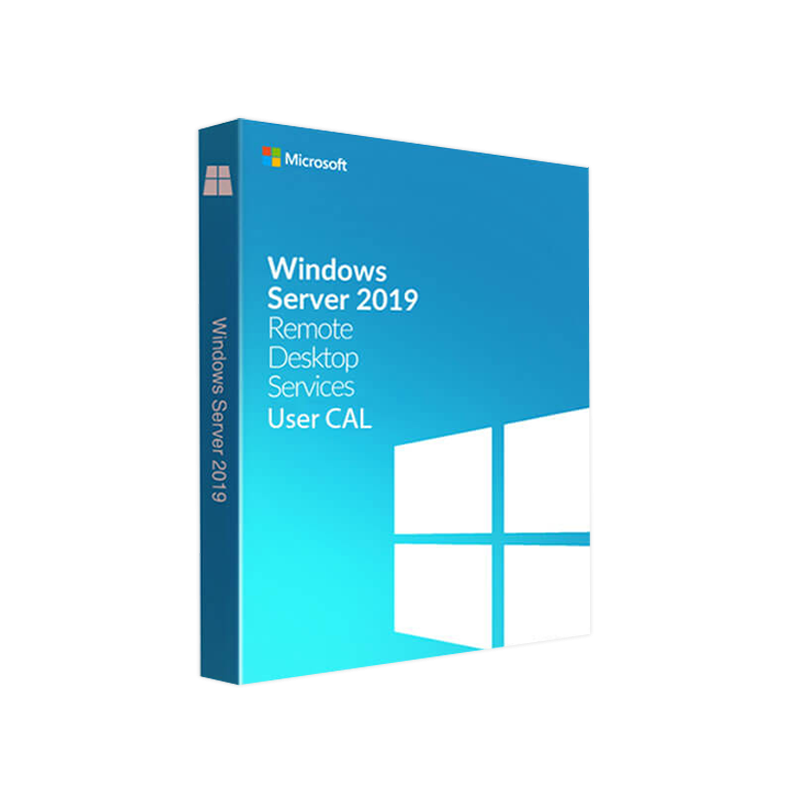
Microsoft Windows Server 2019 Remote Desktop Services (RDS) User CAL – Product Overview
Designed for enterprises, medium‑size businesses, and IT professionals who demand secure, scalable, and cost‑effective remote‑desktop access.
A Remote Desktop Services (RDS) User CAL (Client Access License) is a subscription‑based entitlement that permits a single named user to connect to a Windows Server 2019 Remote Desktop Session Host (RDSH) from any device, anywhere. Unlike Device CALs, which tie access to a specific piece of hardware, User CALs follow the user—making them ideal for mobile workforces, BYOD (Bring‑Your‑Own‑Device) policies, and organizations with varying device counts per employee.
| Feature | Windows Server 2019 RDS User CAL | Windows Server 2016 RDS User CAL | Third‑Party Remote Desktop Licenses |
|---|---|---|---|
| Operating System Compatibility | Windows Server 2019 (Core & Desktop) | Windows Server 2016 | Varies (often limited to specific OS) |
| License Model | Per‑named user, unlimited devices | Per‑named user, unlimited devices | Often per‑device or per‑concurrent session |
| Security Enhancements | TLS 1.3, Secure Remote Password (SRP) 2.0, Windows Defender ATP integration | TLS 1.2, SRP 1.0 | May lack native Windows security integration |
| Hybrid Cloud Support | Seamless Azure Virtual Desktop integration | Limited Azure support | Requires third‑party connectors |
| Long‑Term Servicing | 10‑year mainstream + extended support | 5‑year mainstream support | Dependent on vendor lifecycle |
| Pricing Flexibility | Volume discounts, Microsoft CSP program | Fixed retail pricing | Varies widely, often higher per‑seat cost |
The table highlights the technical and financial advantages of the 2019 RDS User CAL, especially for organizations looking to future‑proof their remote‑desktop strategy.
| Business Scenario | Why a User CAL Is Ideal |
|---|---|
| Remote or hybrid workforce | Employees switch between office PCs, home laptops, and mobile devices. |
| Consultants & contractors | Each consultant receives a single CAL regardless of the devices they use on site. |
| Educational institutions | Faculty and staff can log in from labs, offices, and personal devices. |
| Healthcare providers | Clinicians access EMR systems from workstations, tablets, and secure kiosks. |
| Managed service providers (MSPs) | Centralized licensing reduces audit risk across multiple client environments. |
| Tool | Primary Function |
|---|---|
| RD Licensing Manager | Track, allocate, and audit User CAL usage. |
| Windows Admin Center | Centralized UI for server, RDS, and storage management. |
| Microsoft Monitor | Real‑time performance metrics and alerting. |
| PowerShell | Scripted automation for bulk CAL assignments. |
| Component | Minimum Specification | Recommended Specification |
|---|---|---|
| Operating System | Windows Server 2019 Standard or Datacenter (core or Desktop Experience) | Windows Server 2019 Datacenter (Desktop Experience) |
| Processor | 1.4 GHz 64‑bit CPU | 2.0 GHz or faster 64‑bit dual‑core (Intel Xeon E5‑2600 v4 or AMD EPYC 7302) |
| RAM | 2 GB | 8 GB or more (16 GB for high‑concurrency environments) |
| Disk Space | 32 GB (system drive) | 120 GB SSD or larger (RAID 1/5 for redundancy) |
| Network | 1 Gbps Ethernet adapter | 10 Gbps Ethernet or higher (for heavy multimedia sessions) |
| Graphics | Basic GPU for UI rendering | Dedicated GPU (NVIDIA Tesla or AMD Radeon Pro) for graphic‑intensive apps |
| Virtualization | Hyper‑V Server 2019, VMware vSphere 6.7+, or other compatible hypervisor | Hyper‑V Server 2019 with Shielded VMs or VMware vSphere 7+ |
| Licensing Server | RD Licensing role installed on a Windows Server 2019 machine | Dedicated RD Licensing server with high‑availability clustering |
| Other Dependencies | .NET Framework 4.7.2, Windows PowerShell 5.1, latest Windows Updates | Latest cumulative updates, Microsoft Endpoint Manager for device compliance |
Note: The RDS User CAL itself does not consume hardware resources, but the underlying RDS infrastructure must meet the above requirements to deliver a smooth user experience.
| Licensing Program | Description | Ideal For |
|---|---|---|
| Microsoft CSP (Cloud Solution Provider) | Subscription‑based, pay‑as‑you‑go, includes automatic updates. | Organizations preferring OPEX over CAPEX. |
| Volume Licensing (Enterprise Agreement) | Up‑front purchase with discount tiers based on seat count. | Large enterprises with predictable user counts. |
| Microsoft Partner Network | Resellers can bundle CALs with consulting, migration, and support services. | Companies seeking end‑to‑end deployment assistance. |
All purchases are accompanied by a Software Assurance option, granting rights to new versions, training, and support.
Q1. Can a single user hold both a User CAL and a Device CAL?
Yes. A user may be assigned either type, but each connection must be covered by at least one valid CAL. Using both can simplify licensing in mixed‑scenario environments.
Q2. How do I audit my RDS CAL usage?
Deploy the Remote Desktop Licensing Manager or leverage PowerShell cmdlets (Get-RDLicenseKey, Get-RDUserLicense) to generate usage reports. For larger deployments, integrate with Microsoft Monitor for automated compliance alerts.
Q3. What happens if I exceed the number of purchased User CALs?
RDS will deny additional connections until you acquire the necessary CALs. To avoid service disruption, monitor usage trends and procure additional CALs proactively.
Q4. Are RDS User CALs transferable between servers?
Yes. CALs are tied to the user identity in Active Directory, not the specific RDSH server. They can be used across any Windows Server 2019 RDS deployment within the same licensing agreement.
Install-WindowsFeature -Name RDS-RD-Server).XXXXX-XXXXX-XXXXX-XXXXX-XXXXX).Computer Configuration → Administrative Templates → Windows Components → Remote Desktop Services → Remote Desktop Session Host → Licensing).For a deeper dive, see Microsoft’s official deployment guide:
| Attribute | User CAL | Device CAL |
|---|---|---|
| License Scope | Per named user (unlimited devices) | Per physical device (single user) |
| Best For | Mobile workforce, BYOD, contractors | Fixed‑seat workstations, shared kiosks |
| Management Overhead | Track users in AD – simpler for large, fluid teams | Track inventory of devices – easier for static environments |
| Cost Efficiency | Lower when users have many devices | Lower when few devices have many users |
| Compliance Risk | Minimal – one license follows the user | Higher – must ensure device isn’t used by multiple unauthorized users |
Choosing the right CAL type directly impacts total cost of ownership (TCO) and compliance risk.
The Microsoft Windows Server 2019 RDS User CAL empowers organizations to provide secure, high‑performance remote‑desktop access for any device while simplifying license administration. Whether you search for “server 2019 rds cals,” “rds cal 2019,” “2019 rds cals,” or “windows server 2019 rds user cal,” this product delivers the scalability, security, and compliance needed in today’s hybrid work environments.
Take the next step toward a future‑ready remote‑desktop strategy. Contact your Microsoft licensing partner or visit the official Microsoft Store for pricing.
Prepared for IT decision‑makers, system administrators, and procurement professionals seeking a reliable, compliant, and high‑performance remote desktop licensing solution
Browse our Office & Productivity Software for Microsoft Office editions and productivity tools.
Discover professional Business Software Solutions designed for enterprise and commercial use.
Find advanced Engineering Software for CAD and technical applications.
Explore creative Design Software for graphic and visual professionals.
Improve system performance with our Utilities Software.
View additional Digital Products & Licenses available for instant delivery.
Check out our Top Selling Products for the most popular choices.
Need help? Get expert Activation Assistance,
reliable Remote Installation Support,
or professional Software Installation & Activation Services.
Please review our Refund & Return Policy
and Privacy Policy for complete transparency and customer assurance.
| Title |
|---|
| Title |
|---|
| Title |
|---|
| Title |
|---|
| Title |
|---|
19 reviews for Microsoft Windows Server 2019 RDS USER CAL – Product Key
Customer reviews