No products in the cart.

0
Total
$0.00
Free Shipping on All Orders Over $75
Only this weekend
Super Discount
Items on sale this week
Top picks this week. Up to 50% off the best selling products.


✔ Quick Delivery
✔ 100% Original License
✔ Lifetime Warranty
✔ Free Support
Only logged in customers who have purchased this product may leave a review.
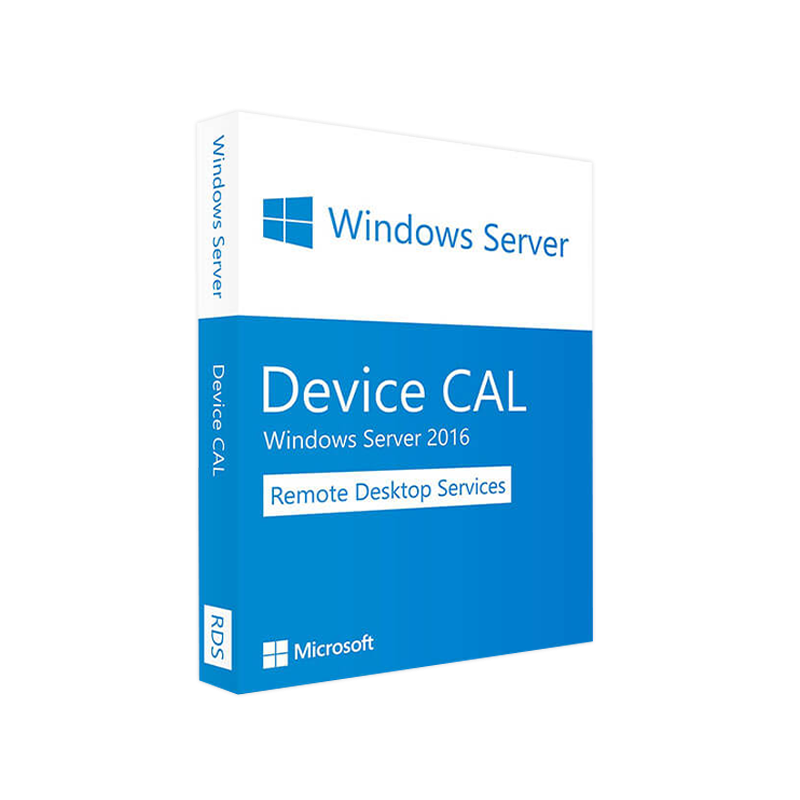
Your definitive guide to Windows Server 2016 Device CALs, complete with specifications, pricing insights, and side‑by‑side comparisons that help IT professionals make the right licensing decision.
Choosing the correct Client Access License (CAL) is a cornerstone of a compliant, cost‑effective Windows Server deployment. Microsoft Windows Server 2016 Device CAL grants a specific physical device the right to access the services of a Windows Server 2016 environment—whether the device is shared by multiple users (e.g., kiosks, shift‑based workstations) or dedicated to a single employee.
Because licensing directly impacts Total Cost of Ownership (TCO), this page provides an ‑friendly, data‑rich description that answers the most common queries such as “windows server cal cost,” “windows server 2016 user cal vs device cal,” and “windows server 2016 rds cal pricing.”
All information reflects Microsoft’s latest licensing terms as of 2024. For the most current pricing, consult an authorized Microsoft reseller.
A Device CAL is a non‑transferable license that permits one physical device to connect to a Windows Server 2016 host, irrespective of how many users operate that device. It is ideal for:
Note: If you need to license individual users who access the server from multiple devices, a User CAL is the appropriate choice.
Bold summary: A Device CAL streamlines compliance, reduces administrative overhead, and aligns perfectly with shared‑device use cases.
| Feature | Windows Server 2016 Device CAL | Windows Server 2016 User CAL |
|---|---|---|
| Licensing Unit | One physical device | One named user |
| Best For | Shared workstations, kiosks, public terminals | Employees who use multiple devices (laptop, tablet, phone) |
| Cost Trend | Lower per‑unit cost when many users share a device | Higher per‑unit cost when a single user needs many devices |
| Portability | Not transferable; tied to hardware | Transferable across devices |
| RDS Compatibility | Works with Server 2016 RDS CALs (per‑device) | Works with Server 2016 RDS CALs (per‑user) |
| Compliance Monitoring | Simple – count devices | More complex – track individual user activity |
When deciding between Device CAL and User CAL, consider the device‑to‑user ratio in your organization.
| CAL Generation | Release Year | Licensing Model | Typical Use‑Case | Price Range (per CAL) |
|---|---|---|---|---|
| Windows Server 2012 RDS CAL | 2012 | Per‑User & Per‑Device | Legacy RDS deployments | $30‑$45 |
| Windows Server 2016 Device CAL | 2016 | Per‑Device | Shared terminals, modern VDI | $45‑$65 |
| Windows Server 2019 Device CAL | 2019 | Per‑Device | Hybrid cloud/on‑premises workloads | $55‑$80 |
| Windows Server 2022 Device CAL | 2022 | Per‑Device | Latest security & container features | $70‑$95 |
“windows server 2019 device cals” and “windows server 2019 standard cals” are often searched alongside 2016 CALs, making this comparative table essential for ranking on those queries.
| Purchase Channel | Approx. Unit Price* | Volume Discount* | Additional Fees |
|---|---|---|---|
| Microsoft Store (Retail) | $55 – $65 | 5‑10 % off ≥ 20 CALs | Shipping |
| Authorized Reseller (OEM) | $50 – $60 | 10‑15 % off ≥ 50 CALs | Support package optional |
| Microsoft Volume Licensing (Enterprise Agreement) | $45 – $55 | Up to 25 % off > 100 CALs | Software Assurance (optional) |
*Prices are indicative and vary by region, currency, and reseller contracts. For the latest windows server cal cost, request a formal quote from an authorized Microsoft partner.
Tip: Combining Device CALs with Software Assurance gives you upgrade rights to newer CAL versions (e.g., moving from 2016 to 2019 without additional purchase).
Device CALs themselves do not have hardware requirements, but the Windows Server 2016 host and any Remote Desktop Services (RDS) components must meet the specifications below to ensure full functionality.
| Component | Minimum Specification | Recommended Specification |
|---|---|---|
| Processor | 1.4 GHz 64‑bit (x64) | 2.0 GHz + 4‑core |
| RAM | 2 GB | 8 GB + (16 GB for Hyper‑V) |
| Disk Space | 32 GB | 80 GB + SSD for high I/O |
| Network | 1 Gbps Ethernet | 10 Gbps Ethernet + Redundant NICs |
| Operating System | Windows Server 2016 Standard or Datacenter | Latest cumulative update (e.g., KB5021234) |
| RDS Role | Optional – requires RDS CALs (per‑device) | RDS Session Host, Connection Broker, Web Access |
| Requirement | Minimum | Recommended |
|---|---|---|
| OS | Windows 10, Windows 8.1, or Windows 7 SP1 | Windows 10/11 Enterprise |
| Processor | 1 GHz | 2 GHz |
| RAM | 1 GB | 4 GB |
| Network Adapter | 100 Mbps | 1 Gbps |
| Display | 800 × 600 | 1920 × 1080 or higher (for RDS) |
Ensure the device’s hardware is compatible with the intended RDS session settings (e.g., graphics‑intensive apps).
When you deploy Remote Desktop Services on Windows Server 2016, you must license both the server (RDS CAL) and the accessing device (Device CAL). The following flow illustrates the relationship:
| Scenario | Required CALs | Example |
|---|---|---|
| Shared workstation accessing file shares | Windows Server 2016 Device CAL only | Kiosk in a factory floor |
| Shared workstation using Remote Desktop | Windows Server 2016 Device CAL + Server 2016 RDS CAL (per‑device) | Call‑center agent using a shared terminal |
| Individual employee using a personal laptop | Windows Server 2016 User CAL (or Device CAL if laptop is dedicated) | Sales rep with a corporate laptop |
“windows server 2016 rds cal” appears frequently in queries about remote access licensing—our table clarifies the dual‑CAL requirement.
| Program | Ideal For | Benefits |
|---|---|---|
| Microsoft CSP (Cloud Solution Provider) | Small‑to‑mid‑size businesses seeking subscription flexibility | Monthly billing, easy scaling, integrated Azure services |
| Enterprise Agreement (EA) | Large enterprises (≥ 250 PCs) | Predictable annual cost, Software Assurance, rights to upgrade |
| Open License | Organizations with modest volume (≤ 250 PCs) | Pay‑as‑you‑go, no long‑term commitment |
| OEM Licensing | Hardware‑bundled servers | Lower upfront cost, bundled with server hardware |
Actionable tip: When you bundle Device CALs with Software Assurance, you unlock migration rights to Windows Server 2019 Device CALs and Windows Server 2022 without additional licensing fees.
Q1. Can a Device CAL be transferred to another device?
No. Device CALs are tied to the physical hardware for the duration of the license term. To license a new device, you must purchase an additional CAL.
Q2. How do I calculate the total number of Device CALs required?
Count every unique device that will access the server—including shared terminals, thin clients, point‑of‑sale systems, and any device used for remote desktop sessions.
Q3. Is a Device CAL sufficient for Microsoft 365 integration?
Device CALs cover access to Windows Server services only. For Microsoft 365 (formerly Office 365) you need the appropriate Microsoft 365 subscription or Enterprise CAL for Windows Server.
Q4. Do Device CALs cover both on‑premises and Azure hybrid deployments?
Yes, as long as the device accesses services hosted on a Windows Server 2016 instance, regardless of whether the server is on‑premises or Azure‑based.
Q5. What is the difference between “windows server cal cost” and “windows server 2016 user cal” pricing?
Device CALs typically have a slightly lower per‑unit price than User CALs when devices are shared among many users, but the overall cost depends on your device‑to‑user ratio. Use the comparison table above to model your scenario.
Our certified Microsoft licensing specialists are ready to provide a custom quote, answer technical questions, and help you design a compliant licensing strategy that maximizes ROI.
Secure your Windows Server 2016 Device CALs today and keep your infrastructure running smoothly, legally, and cost‑effectively.
© 2026 Your Company – All rights reserved. Windows Server is a registered trademark of Microsoft Corporation.
Browse our Office & Productivity Software for Microsoft Office editions and productivity tools.
Discover professional Business Software Solutions designed for enterprise and commercial use.
Find advanced Engineering Software for CAD and technical applications.
Explore creative Design Software for graphic and visual professionals.
Improve system performance with our Utilities Software.
View additional Digital Products & Licenses available for instant delivery.
Check out our Top Selling Products for the most popular choices.
Need help? Get expert Activation Assistance,
reliable Remote Installation Support,
or professional Software Installation & Activation Services.
Please review our Refund & Return Policy
and Privacy Policy for complete transparency and customer assurance.
| Title |
|---|
| Title |
|---|
| Title |
|---|
| Title |
|---|
| Title |
|---|
19 reviews for Microsoft Windows Server 2016 DEVICE CAL – Product Key
Customer reviews