No products in the cart.

0
Total
$0.00
Free Shipping on All Orders Over $75
Only this weekend
Super Discount
Items on sale this week
Top picks this week. Up to 50% off the best selling products.



✔ Quick Delivery
✔ 100% Original License
✔ Lifetime Warranty
✔ Free Support
Only logged in customers who have purchased this product may leave a review.
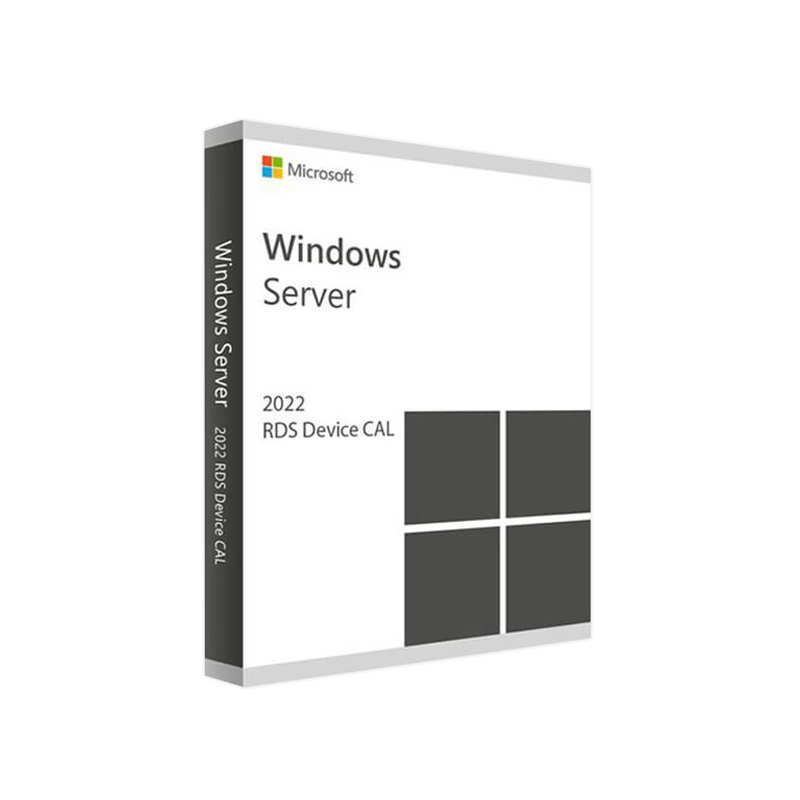
Microsoft Windows Server 2022 Remote Desktop Services (RDS) Device CAL
The essential license that powers secure, high‑performance remote‑desktop access for every device in your organization.
| Feature | Details |
|---|---|
| Product name | Windows Server 2022 RDS Device CAL |
| License type | Per‑device (not per‑user) |
| Primary use | Enables a single physical or virtual device to connect to a Windows Server 2022 Remote Desktop Session Host (RDSH) |
| Compliance | Genuine Microsoft licensing – fully auditable |
| Delivery | Downloadable .exe or .iso with a unique product key |
| Support | 24 × 7 Microsoft Support & optional Premier Services |
The RDS Device CAL is the most cost‑effective way to provision remote‑desktop access when multiple users share a single workstation, kiosk, or thin‑client.
| Benefit | What It Means for Your Environment |
|---|---|
| Higher throughput | Faster data transfers thanks to TCP offload and RDMA support on Server 2022. |
| Improved graphics | RemoteFX vGPU (optional) delivers smoother video, CAD, and 3‑D rendering. |
| Native Azure integration | Seamless hybrid deployments with Azure Virtual Desktop (AVD) licensing parity. |
| Advanced session management | Multi‑session Windows 10/11 support for concurrent users per device. |
| Criteria | RDS Device CAL | RDS User CAL |
|---|---|---|
| Licensing model | Per physical/virtual device | Per individual user |
| Best for | Shared workstations, kiosks, labs | Mobile workforce, BYOD, contractors |
| Cost when many users per device | Lower – one license covers all users | Higher – one license per user |
| Cost when few users per device | Higher – license per device may exceed user count | Lower – only needed for active users |
| Management overhead | Track devices (MAC address, hostname) | Track users (AD accounts) |
| Typical scenario | 30‑seat call center, 50‑seat classroom | 200 remote sales reps, 120 field engineers |
| Compliance complexity | Simpler – device‑centric | Requires user‑centric audit trails |
If your organization’s workflow centers around fixed workstations, the RDS Device CAL delivers the most economical licensing structure.
Microsoft Windows Server 2022 RDS Device CAL is a genuine Microsoft license that authorizes a single device to connect to a Windows Server 2022 Remote Desktop Session Host (RDSH). The license is per‑device, meaning that any number of users can log on to the same workstation, kiosk, or thin‑client without purchasing additional CALs. This model aligns perfectly with environments where devices are static and shared among multiple staff members.
With Windows Server 2022—the latest release in the Windows Server family—Microsoft has introduced a host of performance, security, and hybrid‑cloud enhancements that directly benefit Remote Desktop Services:
When paired with a Windows Server 2022 RDS Device CAL, each device gains full access to these capabilities, including:
In short, the Windows Server 2022 Remote Desktop Device CAL is the cornerstone of a secure, high‑performance, and cost‑effective remote‑desktop strategy for any professional organization.
| Component | Minimum Requirement | Recommended |
|---|---|---|
| Operating System | Windows Server 2022 Standard, Datacenter, or Azure Stack HCI | Windows Server 2022 Datacenter (for extensive virtualization) |
| Processor | 1.4 GHz 64‑bit CPU (compatible with x64) | 2.0 GHz or faster, ≥ 4 cores |
| Memory (RAM) | 2 GB | 8 GB or more (depends on concurrent sessions) |
| Storage | 32 GB free disk space | 100 GB SSD for optimal I/O performance |
| Network | 1 Gbps Ethernet (minimum) | 10 Gbps Ethernet or higher for large‑scale deployments |
| Graphics | Basic GPU (WDDM 2.0) | Dedicated GPU (NVIDIA GRID, AMD Radeon) for RemoteFX vGPU |
| RDP Client | Windows 10/11, macOS, iOS, Android (latest versions) | Latest Microsoft Remote Desktop client for each platform |
| Additional Software | .NET Framework 4.8, Windows PowerShell 5.1 | Windows PowerShell 7.x, Microsoft Edge Chromium for web‑based admin portals |
| License Server | Microsoft Volume Licensing Service Center (VLSC) access | Dedicated Key Management Service (KMS) or Active Directory‑based activation |
Note: While the Device CAL itself does not install software, the host server must meet the above specifications to deliver a stable RDS experience.
| Purchase Path | Pros | Cons |
|---|---|---|
| Microsoft Volume Licensing (VLSC) | Direct from Microsoft, bulk‑discounts, centralized management | Requires a Microsoft Partner or Enterprise Agreement |
| Authorized Reseller (e.g., CDW, Insight) | Immediate delivery, local support, flexible payment terms | Slightly higher price due to reseller margin |
| Online Marketplace (e.g., Amazon Business, Newegg Business) | Fast shipping, easy invoice processing | Must verify seller’s Genuine Microsoft status |
| Microsoft Cloud Solution Provider (CSP) | Subscription‑based, integrated with Azure services | Ongoing subscription costs vs. perpetual license |
Recommendation: For enterprises that already manage a Microsoft Enterprise Agreement, adding Device CALs through the Volume Licensing Service Center ensures seamless integration with your existing licensing portal and provides the most reliable compliance reporting.
Ready to purchase? Click Buy Windows Server 2022 RDS Device CAL or contact our sales team at info@thesoftsolution.com for a personalized quote.
| Question | Answer |
|---|---|
| Can I use a Device CAL on a virtual machine? | Yes. The CAL is tied to the device (virtual machine ID), not to a physical workstation. |
| Do I need a separate CAL for each RDSH server? | No. One Device CAL per device grants access to any number of RDSH servers within the same Active Directory forest. |
| What is the difference between a Device CAL and a User CAL? | Device CAL = license per device (many users can share). User CAL = license per user (user can connect from any device). See the comparison table in Section 3. |
| Is the CAL transferable between devices? | No. The license is bound to the device’s unique identifier. To move the CAL, you must re‑assign it through your volume‑licensing portal. |
| How does the Device CAL work with Azure Virtual Desktop? | Azure VD is licensed by per‑user or per‑device through the same RDS CAL model. A Windows Server 2022 RDS Device CAL can be applied to Azure‑hosted session hosts when the licensing is managed via your Azure tenant. |
| What support options are available? | Standard Microsoft support (24 × 7) plus optional Premier or Unified support contracts. |
| Technology | Integration Point | Benefit |
|---|---|---|
| Microsoft Endpoint Manager (Intune) | Deploy CAL keys via configuration profiles | Centralized, zero‑touch provisioning |
| Azure Active Directory (Azure AD) | Conditional Access for RDS sessions | Enhanced security with MFA |
| Windows Admin Center | Manage RDS farms and CAL assignments | Simplified UI, real‑time health monitoring |
| Microsoft Teams & Power Platform | Publish Remote Desktop apps as Teams Tabs | Seamless user experience, single‑sign‑on |
Leverage these integrations to create a hybrid remote‑desktop architecture that scales from a single office to a global workforce.
Secure your remote‑desktop environment today with a genuine, fully supported Microsoft Windows Server 2022 RDS Device CAL.
Invest in a licensing model that aligns with your organization’s device‑centric workflow, reduces total cost of ownership, and guarantees compliance with Microsoft’s licensing policies.
Browse our Office & Productivity Software for Microsoft Office editions and productivity tools.
Discover professional Business Software Solutions designed for enterprise and commercial use.
Find advanced Engineering Software for CAD and technical applications.
Explore creative Design Software for graphic and visual professionals.
Improve system performance with our Utilities Software.
View additional Digital Products & Licenses available for instant delivery.
Check out our Top Selling Products for the most popular choices.
Need help? Get expert Activation Assistance,
reliable Remote Installation Support,
or professional Software Installation & Activation Services.
Please review our Refund & Return Policy
and Privacy Policy for complete transparency and customer assurance.
| Title |
|---|
| Title |
|---|
| Title |
|---|
| Title |
|---|
| Title |
|---|
34 reviews for Microsoft Windows Server 2022 RDS Device CAL License Key | Instant Delivery
Customer reviews
No reviews found